• Don't miss our webinar: Take Your Omnichannel CX to New Heights: How Spirit Airlines Is Upgrading Self-Service with Agentic AI  Watch now -->

Your Guide to Live Chat: Benefits & Best Practices

Key Takeaways

  • Visibility matters:  If users can’t see or know about your live chat, they won’t use it. Promote the chat option via your website, email campaigns, phone hold messages, and other touchpoints.
  • Remove friction in access: Make initiating chat as painless as possible. Minimize form fields, allow conversational data collection before routing to agents, and reduce extra steps that discourage use.
  • Personalize interactions: Use branding, agent names/pictures, or context from prior interactions to tailor the chat experience. The more it feels human and relevant, the more comfortable customers will be using it.
  • Leverage AI & automation smartly: Use AI to automate answers to routine queries, freeing human agents for more complex tasks. At the same time, ensure smooth escalation from AI to humans and maintain continuity

When customer experience directors float the idea of investing more heavily in live chat for customer service, it’s not uncommon for them to get pushback. One of the biggest motivations for such reticence is uncertainty over whether anyone will actually want to use such support channels—and whether investing in them will ultimately prove worth it.

An additional headwind comes from the fact that many CX directors are laboring under the misapprehension that they need an elaborate plan to push customers into a new channel. However, one thing we consistently hear from our enterprise customers is that it’s surprising how customers naturally start using a new channel when they realize it exists. To borrow a famous phrase from Field of Dreams, “If you build it, they will come.” Or, to paraphrase a bit, “If you build it (and make it easy for them to engage with you), they will come.” You don’t have to create a process that diverts them to the new channel.

What is Live Chat?

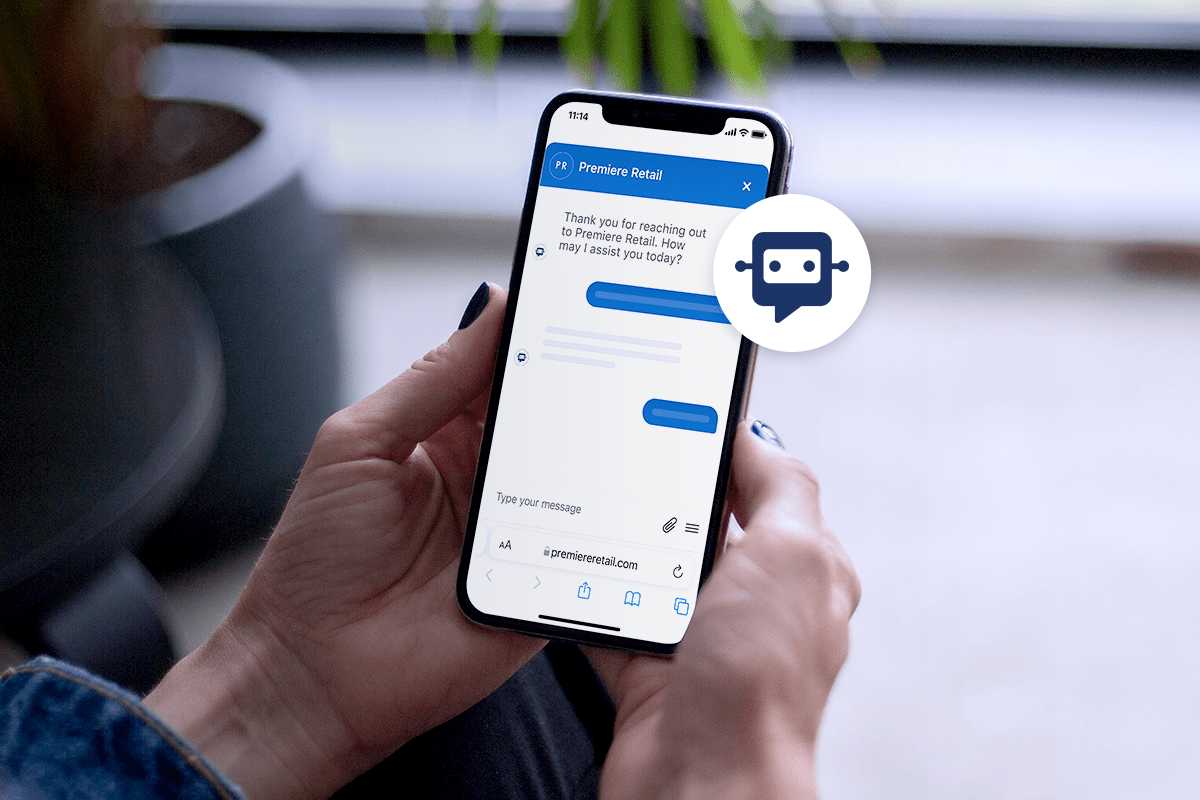
Live chat is a real-time messaging tool on a website or app that lets customers quickly communicate with a business. It typically appears as a small chat window and allows users to ask questions, get support, or receive guidance instantly while browsing. Live chat improves customer experience by reducing wait times and offering immediate, personalized help.

Why is Live Chat Important for Contact Centers?

Live chat has a clear impact on customer engagement. When businesses offer real-time messaging, customers are more likely to return, explore confidently, and move toward a purchase because they can get quick answers without waiting on hold.

It’s also a channel customers genuinely prefer. Live chat feels easier and more convenient than phone or email, lets users multitask, and gives them a written record of the conversation—all of which contribute to consistently strong satisfaction. Support teams benefit, too. Handling conversations through chat reduces the emotional strain of frequent phone calls and allows agents to manage more interactions efficiently, which can improve morale and retention.

Overall, live chat stands out as an effective communication channel that supports better customer satisfaction and stronger outcomes for support teams—making it a smart choice for contact centers and customer service today and in the future.

Benefits of Live Chat Support Services

Real-Time Support

When customers need help, they don’t want to wait. Live chat support services provide instant solutions, cutting down resolution times and getting customers the answers they need—fast. And when customers get quick answers, they stick around. Faster replies lead to higher satisfaction, increased trust, and more repeat business. The quicker the response, the better the experience,— and that’s a win for both customers and businesses.

Increased Customer Satisfaction

Today’s customers expect immediate support, and live chat support services deliver exactly that. When customers know they can rely on your support team for quick, clear, and helpful answers, they feel confident in your brand. That confidence translates into loyalty, repeat purchases, and positive word-of-mouth—turning a one-time buyer into a long-term customer.

Efficiency

Live chat isn’t just better for customers,— it’s a game-changer for support teams too. Unlike phone calls, where agents can only help one person at a time, live chat lets them handle multiple conversations at once. That means fewer bottlenecks, faster resolutions, and better overall efficiency. Plus, fewer phone calls = lower costs. With live chat, businesses can reduce phone expenses, optimize staffing, and minimize hold times—all without sacrificing customer experience.

Omnichannel Integration

Customers don’t just stick to one channel—they bounce between email, social media, SMS, and your website. Live chat support services integrate seamlessly into this mix, creating a unified experience. Whether a customer starts a conversation on social media and follows up via chat or asks a question through SMS, they get the same consistent service. Even better, integrating chat across channels keeps all customer interactions in one place, so your team has a complete history of past conversations. That means no more repeating issues, fewer dropped interactions, and a smoother customer journey from start to finish.

Live Chat Support Best Practices

Prompt Response Times

Speed matters when it comes to live chat support services. The faster you respond, the more valued customers feel—and that leads to higher satisfaction and loyalty. Nobody likes waiting, especially when they have a quick question standing between them and a purchase. Whether a customer is asking about shipping costs, return policies, or product details, meeting them in the moment with real-time support keeps them engaged.

Professional Communication

Live chat is fast, but that doesn’t mean it should feel rushed. A professional and friendly tone makes all the difference in building trust and keeping conversations productive. Customers want clear, concise, and helpful responses—not robotic scripts or vague answers. Miscommunication can create frustration, so keep things simple, polite, and to the point. Use proper grammar, avoid jargon, and personalize interactions with the customer’s name. A great chat experience feels like talking to a knowledgeable friend—someone who understands the problem and knows exactly how to help. The smoother the conversation, the more confident customers feel about your brand.

24/7 Availability

Customers shop on their own time, whether that’s during a lunch break, late at night, or halfway across the world. Offering live chat support services 24/7 means you’re always there when they need help. This is especially valuable for global businesses, ensuring customers in different time zones get real-time answers instead of waiting for office hours. Plus, round-the-clock availability isn’t just about support—it’s a sales booster too. A shopper with a question at 2 AM might just leave if they can’t get an answer. But if live chat is available? That hesitation disappears, and the sale happens.

6 Tips for Encouraging Customers to Use Live Chat

1. Make Sure People Know You have Live Chat Services

One of the simplest ways to increase live chat adoption is to make it highly visible. Promote it across your usual channels—your support page, social media, order confirmation emails, and other customer touchpoints so people know it’s available.

You can also shift customers from phone to messaging by mentioning live chat in your IVR or hold messages. Since customers dislike waiting on hold, offering a quick alternative like web chat, SMS, WhatsApp, or Apple Messages can encourage them to switch. A prompt as straightforward as “Press 2 to chat with an agent online or by text” can significantly reduce call volume.

Highlighting live chat benefits everyone. Agents can manage multiple conversations at once, leading to quicker resolutions and higher overall satisfaction. And the more places you link to live chat on post-purchase emails, product pages, hero pages, and other high-intent parts of your website, the easier it is for customers to get help in the moment, which can also boost conversions.

2. Minimize the Hassle of Using Live Chat

One of the better ways of boosting engagement with any feature, including live chat, is to make it as pain-free as possible.

Take contact forms, for example, which can speed up time to resolution by organizing all the basic information a service agent needs. This is great when a customer has a complex issue, but if they only have a quick question, filling out even a simple contact form may be onerous enough to prevent them from asking it. Every additional second of searching or fiddling means another lost opportunity.

 There’s a bit of a balancing act here, but, in general, the fewer fields a contact form has, the more likely someone is to fill it out.

The emergence of large language models (LLMs) has made it possible to use an AI agent to collect information about customers’ specific orders or requests. When such an agent detects that a request is complex and needs human attention, it can ask for the necessary information to pass along to an agent. This turns the traditional contact form into a conversation, placing it further along in the customer service journey, so only those customers who need to fill it out will have to use it.

3. Personalize Your Chat

Another way to make live chat for customer service more attractive is to personalize your interactions. Personalization can be anything from including an agent’s name and picture in the chat interface displayed on your webpage to leveraging an LLM to craft a whole bespoke context for each conversation.

For our purposes, the two big categories of personalization are brand-specific personalization and customer-specific personalization. Let’s discuss each.

Brand-specific personalization

Marketing and contact teams should collaborate to craft notifications, greetings, etc., to fit their brand’s personality. Chat icons often feature an introductory message such as “How can I help you?” to let browsers know their questions are welcome. This is a place for you to set the tone for the rest of the conversation, and such friendly wording can encourage people to take the next step and type out a message.

More broadly, these departments should also develop a general tone of voice for their service agents. While there may be some scripted language in customer service interactions, most customers expect human support specialists to act like humans. And, since every request or concern is a little different, agents often need to change what they say or how they say it.

Customer-specific personalization

Customer-specific personalization, which might involve something as simple as using their name, or extend to drawing from their purchase history to include the specifics of the order they’re asking about.

Among the many things that today’s LLMs excel at is personalization. Machine learning has long been used to personalize recommendations, but when LLMs are turbo-charged with a technique like retrieval-augmented generation (which allows them to use validated data sources to inform their replies to questions), the results can be astonishing.

Machine-based personalization and retrieval-augmented generation are both big subjects, and you can read through the links for more context. But the high-level takeaway is that, together, they facilitate the creation of a seamless and highly personalized experience across your communication channels using the latest advances in AI. Customers will feel more comfortable using your live chat feature, and will grow to feel a connection with your brand over time.

4. Include Privacy and Data Usage Messages

By taking privacy seriously, you can distinguish yourself and thereby build trust. Customers visiting your website want an assurance that you will take every precaution with their private information, and this can be provided through easy-to-understand data privacy policies and customizable cookie preferences.

Live messaging tools can cause concerns because they are often powered by third-party software. Customer service messaging can also require a lot of personal information, making some users hesitant to use these tools.

You can quell these concerns by elucidating how you handle private customer data. When a message like this appears at the start of a new chat, it is always accessible via the header, or persists in your chat menu, customers can see how their data is safeguarded and feel secure while entering personal details.

5. Use Rich Messages

Smartphones have become a central hub for browsing the internet, shopping, socializing, and managing daily activities. As text messaging gradually supplemented most of our other ways of communicating, it became obvious that an upgrade was needed.

This led to the development of rich messaging applications and protocols such as Apple Messages for Business and WhatsApp, which use Rich Communication Services (RCS). RCS features enhancements like buttons, quick replies, and carousel cards—all designed to make interactions easier and faster for the customer.

Using rich messaging in live chat with customers will likely help boost engagement. Customers are accustomed to seeing emojis now, and you can include them as a way of humanizing and personalizing your interactions. There might be contexts in which they need to see or even send graphics or images, which is very difficult with the old Short Messaging Service (SMS).

6. Separating Chat and Agent Availability

Once upon a time, ‘chat availability’ simply meant the same thing as ‘agent availability,’ but today’s language models are rapidly becoming capable enough to resolve a wide variety of issues on their own. In fact, one of the major selling points of AI agents is that they provide round-the-clock service because they don’t need to eat, sleep, or take bathroom breaks.

This doesn’t mean that they can be left totally alone, of course. Humans still need to monitor their interactions to make sure they’re not being rude or hallucinating false information. But this is also something that becomes much easier when you pair with an industry-leading conversational AI for CX platform that has robust safeguards, monitoring tools, and the ability to switch between different underlying models (in case one starts to act up).

Having said that, there are still a wide variety of tasks for which a living agent is still the best choice. For this reason, many companies have specific time windows when live chat for customer service is available. When it’s not, some choose to let customers know when live chat is an option by communicating the next availability window.

Employing these two strategies means that your ability to service customers is decoupled from operational constraints of agent availability, and you are always ready to seize the opportunity to serve customers when they are eager to engage with your brand

Creating Greater CX Outcomes with Live Web Chat is Just the Start.

Live web chat remains one of the strongest ways to resolve issues quickly while building trust and elevating the customer experience. The key to driving higher engagement is making chat visible, easy to use, and personalized while using AI to handle routine questions and fill in gaps when agents aren’t available.

With Quiq, these strategies become even more effective. Quiq helps teams blend AI, automation, and human agents across chat, messaging, and web channels so customers always get fast, reliable support.

If you’re interested in taking additional steps and learning how to use live chat more effectively within your customer-service strategy, be sure to explore our Agentic AI for CX Buyers Kit. It breaks down practical, actionable ways to elevate your support experience—covering automation, AI-driven workflows, and the evolving role of messaging. Inside, you’ll find clear guidance on how to use live chat alongside modern AI capabilities to boost satisfaction, streamline operations, and drive more meaningful customer outcomes.

Frequently Asked Questions (FAQs)

Why should businesses offer live chat support?

Live chat provides instant, convenient communication – reducing wait times and improving customer satisfaction while lowering operational costs.

How can I encourage customers to use live chat?

Make the chat widget visible, promote it across touchpoints (like emails or social), and ensure it’s easy to access without long forms or redirects.

How does live chat benefit support teams?

AI agents can handle multiple chats simultaneously, improving efficiency, reducing call volume, and boosting job satisfaction.

Can live chat integrate with other channels?

Absolutely. Live chat can be part of an omnichannel strategy that connects web, SMS, and social interactions for a seamless customer experience.

What metrics should I track to measure chat success?

Monitor chat volume, first-response time, resolution time, CSAT scores, and conversion rates to understand performance and customer satisfaction.

How to Anticipate Customer Needs: Benefits & Tips

Key Takeaways

  • Anticipating what customers need before they ask strengthens trust and encourages long-term loyalty. Customers are more likely to stay with brands that simplify their experience.
  • Modern customers expect fast, frictionless interactions. Reducing steps and minimizing wait times helps deliver the convenience they’re looking for.
  • Sending updates, reminders, or support resources can prevent issues from becoming customer frustrations.
  • When service reps have the authority to resolve issues (e.g., offering discounts, replacing items), they can provide faster and more satisfying resolutions.
  • Tools like asynchronous messaging and pre-built responses help agents manage multiple conversations efficiently and reduce repetitive tasks.

When was the last time you heard a story about exceptional customer service? Or an innovative way a company figured out how to anticipate customer needs?

You know the kind: An observant hotel employee rescues a beloved stuffed animal. The considerate customer service agent sends a gift card to apologize for a shipping error. A software company sees you’re having trouble with their platform and sends you a private video walkthrough. These are all great examples, but what really makes a difference day after day is simply anticipating customer needs before they become problems.

Some companies seem to have an uncanny ability to predict and get ahead of their customers’ problems. But it doesn’t just happen. Exceptional customer service is designed with dedication built into company cultures.

We get it. Sometimes, merely meeting customer needs is a struggle. Anticipating them? Now that seems daunting. After all, you can’t read minds. The good news is that your customers don’t expect you to. But they do want you to anticipate their problems and help them reach a resolution as quickly as possible.

For all of the work it requires to make anticipating customer needs happen, the payoff is well worth it. Let’s take a look at how to anticipate customer needs and what it means to your customer service.

What Will You Gain by Anticipating Customer Needs?

In a word: loyalty.

We’ve touched on customer loyalty before, but we can’t stress its importance enough. In a digital-first age, customers have endless choices—and you need to make them choose you. Winning their loyalty has become more important than ever.

Customer service has become a major competitive advantage. According to Microsoft, 90% of customers say customer service is important to their brand choice and loyalty to that brand. And should those customer service expectations fall short, 58% of customers show little hesitation in severing the relationship. The days of implicit loyalty are long gone.

While customer loyalty should be enough of a draw, here are some more benefits to anticipating customer needs:

  • Increased revenue. When your customers feel taken care of, they’re more likely to come back. They’re looking for easy, frictionless experiences and will frequent businesses that provide them.
  • Less strain on your customer service team. Making things simple for customers will have a direct impact on your customer service team. Even when you provide more customer service, it’ll still be better for your agents. Customers will have fewer questions, there will be less urgency in their questions, and they’ll be less frustrated overall.

How to Predict Customer Problems

Every customer interaction tells a story; you just have to know what to listen for. Maybe it’s the same question popping up in chat, or a spike in response times when new updates roll out. These little signals often point to bigger issues waiting to surface. By pairing human intuition with data from your customer engagement tools, you can spot patterns early and take action before customers even realize there’s a problem. Encourage your team to share what they’re seeing, too. The more connected your people and data are, the easier it is to stay one step ahead and predict customer problems.

1. Set and Exceed Customer Expectations

Today’s customers don’t just want good service—they expect it. In fact, 55% of customers expect better service every year, according to Microsoft’s Global State of Customer Service Report. And HubSpot’s State of Service Report shows that 88% of businesses agree customer expectations have never been higher, with 79% noting that customers are more informed than ever.


So what does that mean for brands? It’s not about surprising and delighting customers once in a while; it’s about consistently setting clear expectations and then exceeding them. When customers know what to expect, they’re more likely to trust your brand. And when your team goes a step further by resolving issues faster, communicating proactively, or simplifying a complex process, you create moments that build loyalty.


The key is simplicity. Customers want frictionless experiences, easy navigation, and quick solutions. To deliver that, don’t just rely on intuition. Instead, ask your customers directly. Post-purchase surveys and satisfaction metrics like CSAT can reveal whether you’re meeting expectations. Take it one step further by talking to people who didn’t convert. Understanding why they walked away can highlight the gaps between what you think you’re delivering and what customers actually need.


In short, great service isn’t about random acts of delight—it’s about predictable excellence that customers can rely on every time.

2. Give Customers Convenient Service.

Regardless of whether they’re shopping for a vacation getaway, office supplies, or looking for subscription-based fashion, your customers expect convenience and fast service.

Just how fast? According to Hubspot’s Annual State of Service report, 90% of customers rate an “immediate” response as important or very important when they have a customer service question, which customers define as under 10 minutes.

Here are a few ways to give customers fast, convenient service:

  • Make customer service digital. Customers don’t want to interrupt their day to call customer service, wait on hold to speak to a representative, or spend days waiting for an email response. These slower communication methods are helpful in a pinch, but customers now want something more. They want digital customer service.

You don’t need a crystal ball to see that consumers are using mobile devices to communicate. Implementing business messaging to reduce wait times, deflect calls, and provide faster assistance disrupts and resets the consumer expectation that contacting a company for help is slow and inconvenient.

  • Be easily accessible. It sounds easy, right? If they found your website, surely they can find your customer service contact info hidden on your help page, which is hidden in your footer, or beneath a menu in your header. Yes, customers can probably find you, but make the process easier by being available to them wherever they are.

Have a web chat (also known as live chat) box on your website so customers can instantly chat with a customer service agent—no matter how far down your website rabbit hole they’ve gone.

Don’t stop there. Are your customers on Instagram? What about Twitter? The more places you’re available to answer questions, the happier your customers will be. With an omnichannel approach, they won’t have to go searching for help, and you’ll always have someone there when they need you.

At Quiq, we help our clients provide convenient ways for customers to engage with a brand and allow consumers to reach out to companies on their terms. Communicating with companies via messaging is still pretty new, and we’ve seen so many consumers respond with surprise and delight at the ability to text a company for help.

Contact Us

3. Stop Communication Inefficiencies Before They Start

Many customer needs examples revolve around their time. As we mentioned above, inefficient communication just adds to your customers’ frustrations. You’ve likely experienced the struggle of having to navigate IVR systems (those interactive voice response systems that use automation to collect customer information and point them in the right direction). Whether you’re waiting on hold or waiting for an email response, that’s time you can’t get back.

During those moments of need, the last thing your customers want is to interrupt their day. Customer loyalty is won (or lost) in these critical moments.

Anticipate customers’ needs by working within their schedules and workflows. Here are a few ways to get started.

  • Make communication asynchronous. The biggest frustration when calling help centers is that you must put your day on hold to do so. Don’t force your customers to conform to your service center’s schedule. Instead, offer asynchronous messaging.

Communication methods like web chat and voice are helpful for getting answers to more complex questions, but they also require customers to block out their time and respond immediately. Asynchronous messaging, however, lets customers respond whenever they’re available. As a bonus, your customer service agents can handle multiple interactions at the same.

  • Take advantage of chatbots. Chatbots are the key to giving customers the immediate responses they crave without overwhelming your customer service team. They’re always available to provide simple answers to questions or, at the very least, acknowledge the customer’s question and let them know when an agent will be available to chat.

You can also use chatbots to help you anticipate customers’ needs by having them prompt customers with messages as they navigate through your website. Start with a welcome message, offer product suggestions based on browsing history, or provide answers to FAQs during checkout.

  • Eliminate repetitive tasks. Speed up redundant tasks by creating pre-build responses for common questions. Not only will you be able to speed up response times, but you’ll also ensure customers get the same accurate and helpful information no matter which customer service agent they talk to.

Imagine how your customers would perceive your brand if they were able to text a question to your contact center and get immediate help and resolution. No interruptions to their day, no inconvenience or waiting involved.

Aligning your people, processes, and technology to reduce effort and streamline communications will do wonders for your customer service. With each positive interaction, customers will anticipate great service well into the future.

When your customer expects to be taken care of, they can engage with your company without feeling that they have to play offense, which leads to more pleasant interactions for both sides.

4. Empower Agents to Make the Right Decisions for Customers.

Sometimes, anticipating customers’ needs means understanding that you can’t predict them all. Problems come up, mistakes get made, and website bugs happen. The trick is coming up with a plan to handle things that have no plan.

How do you do that? Empower customer service agents to take action to solve customer issues. Unfortunately, right now, not everyone has that power. Around 20% of service agents say their biggest challenge is not having the ability to make the right decisions for customers, according to Hubspot. But it’s likely that many more face this issue regularly.

Ensure your customer agents have the authority to do things like:

  • Offer discounts when customers encounter problems.
  • Expedite orders when shipments are lost or damaged.
  • Take as much time as they need to solve customer issues.

Without the authority to make these decisions on their own, agents have to wait for approvals or miss out on opportunities to surpass customer expectations.

5. Be Proactive, Not Reactive

The best customer experiences don’t just solve problems—they prevent them. Being proactive means spotting friction before it frustrates your customers. And customers agree— more than two-thirds want an organization to reach out and engage with proactive customer notifications, according to Microsoft. Maybe your data shows a spike in chat volume after product updates, or your agents notice the same questions popping up in support. Use those signals to reach out early, update FAQs, or automate helpful prompts before customers even have to ask.

Proactive service builds confidence. It shows customers you’re paying attention, that their time matters, and that you’re committed to constant improvement. Over time, this mindset turns reactive support teams into trusted partners—reducing inbound volume while boosting loyalty and satisfaction.

Being proactive can be as simple as sending tracking links to limit “where’s my order?” inquiries. Consider collecting top customer questions and sharing them during the purchasing process, or feed answers to an AI Agent for quick customer service response times.

6. Harness Agentic AI to Anticipate Customer Needs

Anticipating customer needs used to rely on intuition and experience—but Agentic AI takes it a step further. By combining real-time data with autonomous decision-making, Agentic AI can detect patterns, predict intent, and act before a human agent even steps in. For example, it can recognize when a customer is likely to churn, surface the right solution instantly, or trigger proactive outreach before an issue becomes a ticket.

Unlike traditional AI that waits for input, Agentic AI takes initiative because it’s learning from every interaction to continuously improve how it serves customers. This shift from reactive to anticipatory service helps brands deliver faster resolutions, smoother experiences, and a level of personalization that feels effortless. The result? Customers who feel seen, supported, and understood—long before they ever need to ask.

Equip Your Team with the Tools to Meet Future Needs.

You may not be able to predict every customer need, but you can make sure your team is always ready for whatever comes next. By setting clear expectations, spotting early signals, and leveraging AI to anticipate challenges, you can transform customer service from reactive to remarkably proactive.

At the heart of it all, customers want the same thing: quick, effortless resolutions and brands that truly understand them. Quiq’s Agentic AI platform helps leading companies deliver just that—empowering teams to anticipate needs, automate intelligently, and personalize every interaction at scale.Want to see how it all comes together? Download the Agentic AI for CX Buyer’s Kit to explore how Agentic AI can help your organization stay one step ahead of every customer need.

Frequently Asked Questions (FAQs)

What does it mean to anticipate customer needs?

Anticipating customer needs means predicting questions, problems, or preferences before customers voice them and then taking proactive steps to deliver solutions or information ahead of time.

Why is anticipating customer needs important for customer service?

It helps reduce frustration, prevent repetitive inquiries, and make customers feel understood. This level of foresight builds trust, loyalty, and long-term retention.

How can businesses start anticipating customer needs?

Start by analyzing customer data and feedback to identify recurring issues or requests. Then, use automation tools like AI agents or AI-powered prompts to offer solutions in advance.

What tools help teams anticipate and respond faster?

Messaging platforms that support asynchronous conversations, proactive chat triggers, and real-time data insights – like Quiq – enable teams to respond efficiently and personalize interactions at scale.

How does proactive communication improve the customer experience?

Proactive communication keeps customers informed and reassured. Sending shipping updates, appointment reminders, or self-service resources reduces uncertainty and enhances satisfaction.

What’s the difference between reactive and proactive customer service?

Reactive service responds only when a customer reaches out. Proactive service identifies needs and resolves potential issues beforehand – resulting in smoother, faster, and more positive interactions.

How can I best use customer feedback to improve products and service?

Customer feedback is one of the most valuable sources of insight your business has, as it tells you exactly where expectations are being met or missed. Start by categorizing feedback into themes like product usability, service experience, and communication. Then, use AI-driven sentiment analysis to identify trends at scale and spot emerging issues early. Share these insights cross-functionally between support, product, and marketing so improvements happen holistically, not in silos. Finally, close the loop by letting customers know when their feedback inspired change. It builds trust and shows you’re listening.

What metrics track proactive customer service effectiveness?

Measuring proactive service is about tracking prevention and perception. Core metrics include:

  • First Contact Resolution (FCR): Are customers getting answers before they need to reach out again?
  • Ticket Deflection Rate: How often are knowledge base articles, AI agents, or proactive alerts resolving issues before they become tickets?
  • Customer Satisfaction (CSAT) & Net Promoter Score (NPS): Gauge how proactive interactions impact sentiment.
  • Average Handle Time (AHT): When you anticipate needs effectively, resolutions should become faster and smoother.
  • Customer Effort Score (CES): A lower effort score means your proactive efforts are paying off.

Together, these metrics reveal how well your team is turning foresight into seamless customer experiences.

Request A Demo

Customer Service Strategies: 5 Effective Ways to Improve eCommerce Support

More than ever before, eCommerce businesses’ overall revenue is directly tied with the quality of their customer service. Today’s customers value shopping experiences more than price or product selection and can easily transition to one of many competitors. 86% of consumers say they would spend more for a better experience, and 76% of consumers said it’s far easier now to take their business elsewhere than ever before.

According to the 2020 ROI of Customer Experience Report, 94% of consumers outstanding experience with a brand say they would recommend it to family and friends. In contrast, only 13% of consumers who had an abysmal customer experience with a brand would recommend it.

From these statistics, it’s possible to conclude that marketing and sales alone aren’t enough for eCommerce businesses to remain competitive, maintain a substantial market share, and grow their brand reputation. They need to go above and beyond to implement outstanding customer service strategies, before and after closing the sale.

Here are 5 successful customer service strategies that eCommerce brands can quickly implement to improve their overall customer experience.

1. Build a Strong Customer Service Team

Start by hiring an excellent customer service team and creating an environment that promotes staff retention.

Conversational Engagement Platforms, like Quiq, are meant to augment human agents, not replace them. When offering top-notch customer support, software can’t replace the need for well-trained and skilled customer representatives.

Here are six strategies to attract talented, customer service-minded professionals.

  • Hire the right people: Hire for attitude. Look for employee representatives with empathy, patience, and excellent communication skills.
  • Train employee representatives: eCommerce hiring managers must train their employee representatives to understand their products and services and connect with their customers on an emotional level.
  • Equip customer service agents: Brand leaders should provide a platform to offer the best consumer experience without stress, overwork, or burnout. For example, Quiq’s Conversational Customer Engagement Platform enables companies to engage with customers across different channels in one centralized place, providing easy, simultaneous responses.
  • Track agents’ performance: Using surveys, management teams should collect feedback from customers on their experiences with employees and use the insights from these ratings to evaluate each representative’s performance.
  • Reward excellent performance: Incentivize top-performing employee representatives to motivate others to do more.
  • Listen to employee representatives: Ask for and listen to worker feedback to understand their needs.

Customer service is often the first area considered for budget cuts. However, this strategy is counterproductive. According to customer experience research, 50% of consumers would switch to a competitor after a bad experience, and 80% would switch after more than one bad experience. To keep consumers from switching to competitors, managers must prioritize customer service.

When it comes to the finesse and care it takes to navigate complicated customer inquiries or assist distressed customers, nothing beats a knowledgeable, well-trained, and accessible human agent. That’s why many channels, like Apple Messages for Business and Google Business Messages require brands to have live agents to escalate conversations to.

2. Personalize Every Conversation With Consumers

customer service improvement strategies

Personalizing customer conversations means tailoring support and service to their exact needs and expectations.

Customizing services to meet consumer demand gives eCommerce businesses a competitive advantage in their industries, helps deliver faster support from team members, makes customers feel more connected, and reinforces a consistent sense of satisfaction.

Here are a few ways to offer personalized service:

  • Engage with consumers where they already are
  • Transfer consumers smoothly across employee representatives
  • Mention people by their name in every conversation
  • Make recommendations when the requested product or service is unavailable
  • Offer free demonstrations and training to educate customers

Shoppers look toward eCommerce providers to know their needs and provide what they want. Research shows that 80% of consumers are more likely to make a purchase when brands offer personalized experiences, while 72% of consumers say they only engage with personalized messaging. To win and keep business, eCommerce employees must treat consumers as people — not numbers in a sales report — with unique needs and expectations.

A conversational engagement platform can help employees provide highly personalized experiences. For example, Quiq clients, like Stio, can send outbound messages to segmented customers and offer them targeted promotions. They can use Quiq’s intelligent routing feature to provide VIPs, who may spend at a certain level or who are part of their Pro Purchase Program with priority support.

3. Collect and Use Customer Feedback

Continually gathering feedback from shoppers on their experience can help eCommerce business leaders:

  • Understand their consumers’ needs, challenges, and pain points
  • Identify the positive and negative experiences shoppers have with their brand
  • Locate the cracks in customer service
  • Provide a more personalized experience for shoppers
  • Build trust and make shoppers feel valued

To obtain comprehensive and useful customer feedback, company decision-makers need to implement intuitive ways for consumers to communicate with them and ensure the information provides actionable insight for improving customer service.

Here are seven ways to collect customer feedback:

  • Send customer satisfaction surveys online
  • Organize feedback focus groups
  • Read reviews from third-party review sites
  • Build an online community for customers

Gathering feedback is only the first step. Next, it’s important for managers to create an action plan on cumulative insights and train employees to leverage this information when responding to customer complaints.

Continuously requesting consumer feedback will help identify any gaps in customer service and reduce the likelihood of a shopper feeling unsatisfied with their transaction.

4. Use KPIs to Gauge Customer Service Performance

It is not enough for eCommerce managers to train and equip their customer service teams. Measuring and tracking customer experience with the right KPIs can help the entire team understand how their consumer experience ties to overall business success, and how shoppers’ interactions with them change over time.

KPIs help eCommerce leaders appreciate their shoppers’ satisfaction level and readiness to continue doing business with them.

Here are four customer experience KPIs to track as an eCommerce strategy:

  • Net promoter score
  • Customer effort score
  • Rate of returning visitors
  • Revenue per customer

See the breakdown of each KPI below.

Net Promoter Score

Net promoter score (NPS) is a reflection of an eCommerce business’s customer experience. An eCommerce business’s net promoter score shows the likelihood of shoppers referring their family and friends to do business with that brand.

To calculate NPS, send a survey including the question, “How likely are you to recommend our product?” Customers provide their answers on a scale of 1 to 10.

After collecting this information, calculate NPS by subtracting the total number of entries below 5 from the total number of entries above 5.

An NPS below zero indicates a low customer satisfaction level. An NPS between zero and 30 shows more satisfied customers than unsatisfied customers. Above 30 implies that there are far more satisfied customers than unsatisfied customers. Above 70 means that customers are loyal and will be the source of a lot of word-of-mouth referrals.

Customer Effort Score

Customer Effort Score (CES) reveals how much work consumers must put into researching products and services or completing a particular task. For example, how long does it take the average shopper to get a refund, sign up, or get a request ticket answered?

Customer effort score reflects how accessible a business is to its consumers.

As with NPS, calculate CES using a survey with the question, “How much effort did you have to put into completing this task?” Ask customers to respond on a scale of 1 to 7 or 1 to 5.

Here’s the breakdown for each scale.

On a scale of 1 to 5:

  • 1 = Very high effort
  • 2 = High effort
  • 3 = Neutral
  • 4 = Low effort
  • 5 = Very low effort

On a scale of 1 to 7:

  • 1 = Extremely difficult
  • 2 = Very difficult
  • 3 = Fairly difficult
  • 4 = Neither
  • 5 = Fairly easy
  • 6 = Very easy
  • 7 = Extremely easy

To calculate CES, divide the total effort scores by the number of responses. Measure it right after a purchase or service interaction. On a 1–7 scale, a score of 5+ means customers find your product or service easy to use; below 5 suggests they’re facing challenges.

Rate of Returning Visitors

The rate of returning visitors (RVR) reflects the effectiveness of customer success strategies and user experience for an online service. If shoppers enjoy their experience on the site, they’ll be more likely to return.

For an online service, calculate RVR by dividing the number of returning visitors by the number of unique visitors. The higher the value, the better the customer experience on the site.

While RVR can vary for different industries, a good RVR is 30% or more.

Revenue Per Customer

Revenue per customer (RPC) ties the overall consumer experience to a company’s bottom line.

To calculate RPC, divide the total revenue by the total customer count.

A high RPC means consumers have a consistently positive experience with a business. They are loyal, repeat shoppers who recommend the brand to friends and family.

Combined, these four KPIs provide insight into the quality of customer service, the satisfaction consumers derive from a product or service, and areas for improvement.

For example, a CES below 5 for contacting support could mean one or more of the following:

  • Customers don’t receive a timely response
  • Consumers must try multiple channels to access the customer service team
  • Customers must repeat themselves to every new call center agent they interact with
  • It takes a long time for representatives to resolve their issues

Company executives should dig deep to uncover the factors producing the low KPIs and benchmark their KPIs with their competitors to know where they stand.

5. Provide a Consistent Cross-Channel Experience

A cross-channel customer service strategy allows eCommerce employees to provide seamless and consistent customer support across different channels. Shoppers can switch between SMS, webchat, and social media without any service interruptions or inconsistencies in quality.

Cross-channel customer service helps shoppers get quick responses to their needs, improves the brand’s reputation and trust, and boosts consumers’ positive experiences.

Here are seven strategies to implement a cross-channel experience:

  • Ensure customers can reach employee representatives offline and online on the platform of their choice
  • Implement seamless transition when moving customers from one call center agent to another
  • Maintain comprehensive documentation on each customer to help call center agents continue conversations based on the last engagement
  • Build mobile-friendly customer support pages to provide mobile consumers a smooth experience
  • Respond on time to customer queries on all channels and present practical solutions to their needs
  • Create a comprehensive self-service solution to help customers solve their problems by themselves
  • Present a unified front and ensure every team and department collaborate and share information

Today, 95% of customers use three or more channels to connect with a company in a single service interaction, and 65% of customers expressed frustration over inconsistent experiences across channels. Establishing a presence on all available platforms might spread a company’s resources too thin and lead to inconsistent, negative experiences. Instead, focusing on meeting consumers where they are and establishing unified, consistent experiences on their most used channels will create a better overall customer experience.

With Quiq’s cross-channel digital messaging platform, employees can provide a consistent experience for consumers across different digital platforms.

Also, to implement the best customer service strategy, nothing beats working with the right conversational customer engagement platform. Ideally, interacting with consumers will be easy and fun for employees and provide frictionless support for shoppers, while increasing the brand’s competitive advantage, market share, and overall revenue.

Key Takeaways

Improving eCommerce customer service strategies doesn’t have to be complicated—it just requires consistency, the right tools, and a customer-first mindset. Here’s a quick recap of the five strategies covered:

  • Hire and retain the right people. A strong customer service team is your foundation. Invest in hiring, training, and supporting representatives who can deliver real value to your customers.
  • Personalize every interaction. Today’s shoppers expect tailored experiences. Meeting them where they are, remembering their preferences, and offering relevant recommendations all go a long way.
  • Collect and act on feedback. Listening to your customers helps identify areas for improvement and ensures your support is aligned with their expectations.
  • Measure what matters. Tracking KPIs like NPS, CES, and revenue per customer gives you the insight you need to improve and scale your support strategy effectively.
  • Provide a consistent experience across channels. Whether it’s SMS, web chat, or social media, customers expect seamless, responsive support—no matter where they reach out.

When done right, these strategies don’t just improve customer service—they help build loyalty, encourage repeat purchases, and turn satisfied shoppers into brand advocates.

Invest in a Quality Customer Engagement Platform

More than ever, consumers want to do business with brands that make it easy to browse, shop, complete transactions, and get support on the consumers’ terms. eCommerce businesses can gain a significant competitive advantage by providing these experiences through seamless engagement via digital channels.

Improving customer success and satisfaction is a long-term plan that requires buy-in and commitment from management, investment in training employee representatives, collecting feedback consistently, measuring the right things, and investing in a platform to manage everything.

Quiq is a conversational customer engagement platform that enables enterprises to unify SMS, email, chat, and social media interactions with their consumers all in one place. Request a demo to see how Quiq can help employee representatives provide a seamless customer service experience.

11 Live Chat Best Practices for Exemplary Service

Don’t deliver good customer service. Aim for the exceptional service that sets you apart from your competition. Customers demand convenience, speed, and ease when they need to engage with a company. When it comes to live chat (also known as web chat), it’s critical to provide an experience that welcomes the customer to engage with your brand.

Live chat serves as your front line to the customer on your website. This messaging channel allows you to engage with your customers at their point of purchase for higher conversions. With live chat, customers can reach your brand at their convenience and receive the pre-sales support or post-sales service they need. This article gives you the 11 live chat best practices to deliver the ultimate customer experience.

What is Live Chat?

Live chat is a messaging tool integrated into a brand’s website, app, or third-party platform that enables instant communication with customers regarding orders, inquiries, or issues. Unlike email or chatbots, live chat provides a more personalized and real-time interaction.

As demand for immediate support increases, live chat software has become a vital solution for brands, allowing them to engage with users instantly. It is commonly used to resolve customer issues, offer after-sales support, and provide quick troubleshooting, all of which contribute to higher customer satisfaction and retention.

11 Live Chat Best Practices

#1 Choosing the Right Live Chat Platform

Choosing the right live chat platform is essential for great customer service. Look for one that offers real-time communication, easy integration, and intuitive design. Features like AI support, analytics, and strong security are also important. Test different platforms to find the best fit for your business needs and customer expectations.

#2: Be Transparent With Your Availability

While larger brands may have a customer support team working 24/7, other businesses may have limited hours. If you’re one of the companies that limits the hours of support, make sure that you simply disable live chat when your team is unavailable or when your company is closed. Quiq’s chat feature allows you to remove the chat bubble on your site during non-supported hours.

If your chat function isn’t available 24/7 and you prefer to receive after-hour messages, tell your customers that you’ve received their message and let them know when you will get back to them.

#3: Collect Information Upfront

Make it easy for employees to provide a more personalized experience to your customers by collecting a little information upfront. Use a short web form to collect information. This information can be used to route incoming conversations to the best queue or employee. Not only that, this extra information will help your employees identify the customer and the nature of their inquiry immediately instead of having to spend valuable time asking for it. Knowing full name, account number, topic category, or order number will help your team know who they are talking to and allow them to get a jump on helping the customer faster.

#4 Balance Personalization and Professionalism

Customers expect live chat interactions to be both personal and professional. Striking the right balance between empathy and professionalism can be challenging, but is key to a positive customer experience.

To help agents achieve this, implement features like skill-based routing to direct inquiries to the most knowledgeable team members. For example, technical support queries can be automatically sent to agents with expertise in the specific product. Additionally, using a unified inbox allows agents to view all customer messages in one place, streamlining responses and ensuring consistency.

Providing agents with complete context—such as customer history and preferences—can also improve personalization. This empowers agents to tailor their responses, maintaining a professional yet empathetic tone throughout the conversation.

#5: Always Be Ready To Respond

Customers want answers fast and at their pace. That’s one of the reasons they’re avoiding the phone and having to be tied to it. With live chat, customers can send messages at their pace, whether they do so in 3 minutes or 3 hours. Companies can set service level agreements (SLA’s) so that everyone understands what an acceptable response time is for customers when they do reach out.

Quiq helps employees meet those SLAs with our Adaptive Response Timer (ART). This feature not only provides visual cues to notify employees when a conversation needs attention, but it also automatically prioritizes multiple conversations based on how slow or fast the customer is responding to messages. This is critical because chat agents tend to handle 5 or more conversations at one time. Staying on top of the right ones is easy with Quiq.

#6: Never Get Disconnected

Your customers are busy and at times, may need to step away from a chat conversation. Sometimes, it’s only for a few minutes while they check another tab on their desktop. At other times, it may be a lot longer. When customers don’t respond after a certain time limit, most chat platforms will “time out” of chat sessions, requiring the customer to initiate a new chat session and start their entire process from the beginning.

Unlike many traditional chat tools, Quiq’s chat platform is asynchronous, which means conversations never end and never have to be restarted. This avoids customer frustration of having to restart a chat conversation and agent uncertainty when a customer goes dark. Customers can return to the chat conversation whenever it is convenient for them. This conversational continuity gives your agents and your customers peace of mind.

#7: Present The Chat Conversation History

Sure, some customers may only need to contact you once, but there are some who need to reach you on a more frequent basis. It’s important that a record is kept of all the past chat interactions you’ve had with a customer. This conversation history serves as an excellent reference point and helps agents or employees know what kind of issues the customer may have encountered previously and the guidance they were given.

Quiq presents the entire chat conversation history to the agent, along with the most recent inquiry. Let’s say a customer starts a conversation with one agent, walks away during the conversation, and comes back while that first agent is on break. The newly assigned agent will have the same latest interaction, as well as past interaction history, presented.

#8: Provide A Seamless Experience

From time to time, one of your employees may not know how to answer a specific question from the customer. So, they will need to transfer the customer to another team member. When this happens, you need to guarantee that the customer doesn’t have to explain her question or problem all over again. The new team member should have access to the previous conversation and simply continue the conversation.

Quiq’s transfer and collaboration features allow employees to ask for help behind the scenes from peers or managers. Customers can be easily transferred to other team members with or without them even knowing. Anyone invited to help with the conversation can see the entire history of the conversation and any additional information available on the customer. These features create a seamless experience for your customers while optimizing efficiency.

#9: Ensure Authentication & Data Security

As online data breaches rise, securing live chat interactions is essential to maintaining customer trust. Sensitive data exchanged through live chat is vulnerable to malicious attacks, which can damage your brand’s reputation. Implementing encryption, two-factor authentication (2FA), and single sign-on (SSO) helps protect this information and assures customers that their data is secure.

Additionally, role-based access controls limit sensitive information to authorized personnel only, preventing unauthorized access. By prioritizing robust data security in your live chat platform, you not only protect your customers but also enhance their confidence in your brand, improving conversion rates and customer loyalty.

#10: Use Sentiment Analysis

Use sentiment analysis to understand how customer conversations are going. This is particularly important for companies that may have a large number of chat conversations to manage. Managers can see at a glance which conversations are going well and which may be at risk.

Quiq uses simple visual cues that identify if customers’ mood shifts during a conversation. Agents and managers can quickly see if a conversation needs extra attention or needs to be prioritized.

#11: Ask For Feedback At The End

Your customers’ feedback or opinion about how the live chat interaction went is definitely a best practice. You trained your team members to provide the best service they could, but the ultimate test will be what your customers think about their overall experience. This is a timely way to know that you’re on the right track, as well as a great way to continuously improve your live chat experience.

Live Chat Is Your Front Line

It wasn’t so long ago that the only way customers could get in touch with a company was by picking up the phone and calling. Now, with live chat and messaging options, customers can simply click-to-chat with a representative who can provide the pre-sales support or post-sales service they need.

Being available to your customers at their “moment of need” is where businesses turn visitors to their website into customers who love their product and service and rave about their experience. Live chat may be one of the first interactions your customers have with anyone from your company. Make sure you leave a great first impression by implementing these 11 live chat best practices.

What is a Crisis Management Plan?

Unfortunately, crises can happen.

We’ve seen it in our lifetime. Pandemics, wars, severe events… But it’s not just worldwide events that impact businesses, even smaller-scale problems can have harrowing effects.

Disruptive events like data breaches, product recalls, and workplace issues (and the related PR nightmare) can devastate an unprepared organization. That’s why business crisis management is essential for staying resilient when the unexpected hits.

If the last few years have taught us anything, it’s that businesses need to be proactively prepared with crisis management messaging. When things go sideways (because they will), you need a crisis management plan to keep your people safe and your business moving forward.

Let’s dig into crisis management plans and how to build your own.

What is a crisis management plan?

A crisis management plan is a document that outlines how to respond to a situation that could negatively affect your organization’s profitability, reputation, or ability to operate.

What kind of crises are we talking about? Generally, you define what constitutes a crisis in your written plan.

It can be anything from a natural disaster to a security breach, or even a significant product defect. Some examples include:

  • Natural disasters (hurricanes and earthquakes)
  • Serious climatic events (floods and snowstorms)
  • Biologic risks (foodborne illnesses and pandemics)
  • Accidental events (fires or hazardous spills)
  • Intentional events (violence or robberies)
  • Technological events (such as cyberattacks)

People under stress tend to make poor decisions that could unintentionally worsen a crisis. While it’s impossible to predict every outcome, having a basic plan to prevent safety issues, protect your brand reputation, and resume business is vital.

What makes a crisis response successful?

A successful crisis response plan:

  • Outlines a quick and appropriate response
  • Prepares crisis management messaging
  • Prioritizes the safety of employees and the public
  • Prevents further problems after the initial crisis
  • Minimizes operational disruptions
  • Facilitates a fast recovery back to reasonable work conditions

How to create your crisis response plan

Follow these steps to build your own crisis response plan.

1. Gather a crisis team

Creating these types of plans usually involves a few people from a crisis management team, but it’s best to have representatives from all affected departments.

Here are some departments to consider:

  • Business continuity team
  • Emergency management
  • Crisis management team
  • Public relations
  • Customer-facing departments

2. Define what constitutes a crisis

What kind of crisis will your plan cover? It’s not unusual to create multiple types of crisis management plans for different situations.

For example, tackling an intentional event like a fire will require a very different response than a viral video of someone on your team behaving badly.

Layout what your plan does and does not cover and what will trigger your crisis management plan of action.

3. Conduct a risk assessment

Identify the risks your business is likely to face. If you work with a mostly remote workforce, you’re much more likely to deal with data breaches and cyberattacks than physical accidents. Only once you figure out your business’s weaknesses can you plan to address them.

4. Predict the business impacts

Once you know the risks, you address how they will affect your business. Always put physical safety as your top priority, but also consider other problems, such as a damaged reputation, lost sales, and customer attrition.

5. Put together your contingency plans

The bulk of your document is likely filled with your contingency planning. This is where you lay out what to do when business is disrupted, you lose power, there’s an accident, etc. Keep it simple with “If X, then Y” statements so that it’s clear and easy to follow.

6. Develop a communications strategy

It’s important to protect your brand during a crisis to prevent long-term damage. You need both internal and public-facing communications strategies for times of crisis.

For internal communications, ensure there’s an easy way to connect with everyone instantly. SMS/text messaging is a great way to send out bulk messages without relying on internet services (which could be down in a crisis). Assign a point person to ensure there’s no miscommunication or misinformation.

For external communications, always set the record straight. Be upfront and honest, and correct misinformation immediately to temper rumors.

Remember: The key is to be excessively accessible

One of our most important tips? Don’t turn off messaging. The last thing you want to do in the event of a public-facing crisis is cut-off communications. It’s as good as hiding from the problem. (Also, don’t deny a problem when there is one.)

In addition, if your team is flooded with more calls and messages than they can handle, bring in short-term hires, expand your team with temporary outsourcing, and add additional channels, like Apple Messages for Business and WhatsApp, for customers to contact customer service.

It’s also the time to lean into customer service automation. Program customer service AI agents with your business crisis messaging to help relieve the burden on your customer service agents.

Don’t forget to temper expectations

While it may be the last thing on your mind, your teams may still worry about their metrics.

Will they be measured against their old numbers? Will they be penalized for not hitting their goals during a period of crisis?

From your sales team to your customer support center, performance will be on your employees’ minds.

While your answer may be obvious to you, ease their fears by making it clear that you expect performance to be down.

You’re giving employees permission to take care of themselves and their families first, knowing that their job won’t be in danger.

Lastly, in the event of a company-focused crisis like a social media blunder or viral PR nightmare, expect your customer service teams to bear the brunt of the criticism. Don’t forget to consider their mental health as part of your plan.

7. Put it all together

Compile everything into a readily accessible document so that everyone knows their role and can react accordingly. A clear business crisis management plan ensures no one is left guessing during high-stakes moments.

Here’s what you should include:

  • A list of your crises team members
  • The assessment process for what constitutes a crisis
  • Systems for monitoring a crisis
  • Spokesperson and their contact information
  • Emergency contacts
  • Emergency response process
    • Evacuation plan
    • Specific responses to different types of crises
  • Crisis management messaging
  • Customer messaging strategy
    • Social media, customer service, etc.

Even after completing your crisis management plan, treat it like a living document. Update it annually, or when team roles change, new technology is implemented, or you open a new location.

What makes a crisis management plan effective?

  1.  It’s concise. People in a crisis won’t have time to swipe through hundreds of pages to find what they need. Keep it short, scannable, and easy to follow.
  2. Action-oriented. Your crisis plan isn’t the place to go over the company goals and why you thought the technology you purchased was better in line with your values. The simpler, the better.
  3. Mobile-enabled. There’s no excuse for having a physical book for a crisis response plan. At the very least, have a PDF that’s mobile-enabled and searchable. The best option? Find a crisis management plan solution with the latest features for the best accessibility.

Work on long-term resilience solutions

The COVID-19 pandemic taught the business world many things, chief among them the power of agility. Businesses that succeeded with limited impact on their bottom lines, reputations, and public safety were able to embrace technology and pivot their businesses accordingly.

Now, 69% of businesses are planning to increase their resilience in the near future as a result of the pandemic.

Here are some of the things you can do to ensure resiliency during any crisis:

  • Make adaptability/resiliency a core competency.
  • Adopt technology built for resilience (think cloud-based, future-forward organizations with impressive roadmaps and heavy R&D investments).
  • Involve the top leaders of your organization in the crisis planning process. That’ll ensure it gets the resources and attention it deserves.

Don’t fail to plan

While one crisis is passing, the possibility of another is always on the horizon. Now that we know what to expect when the worst happens, we’ll all be better equipped to handle smaller problems as they arise.

The best way to prepare for the worst is to have a crisis plan your team knows inside and out, and the right technology to support it. Explore how an AI-powered contact center can keep your team connected, informed, and ready for anything


6 Tips to Improve Retail Customer Experience

If you’re like the rest of the retail industry, you either have to build an online shopping experience from scratch or seriously ramp up your web-store capabilities.

This meant your retail customer experience took a hit.

As customer satisfaction declined in 2021 and expectations rose, online retailers faced pressure to adapt or risk losing customers.

So what’s an e-tailer to do to improve online retail customer satisfaction?

Embrace messaging.

Even if you’ve adopted various forms of business messaging, there are many ways to elevate your strategy and improve your customer satisfaction in retail.

Read on to see why messaging has become a vital part of improving retail customer experience, along with 6 ways to use it to improve customer satisfaction.

Why messaging is essential in online retail.

Messaging is changing the way online retailers do business, but it’s more than a box that needs checking. You shouldn’t just roll out an SMS/text messaging or WhatsApp program and staff it with customer service reps from your contact center. To make the most of it, you need a well-developed strategy.

Text messaging especially has the potential to improve the retail customer experience. Four out of 5 customers send a text message on a daily basis, and nearly half of consumers prefer messaging as a means to connect with businesses. Your customers are telling you that they want to interact via messaging, why not listen?

Here at Quiq, we’ve seen rapid adoption of messaging by online retailers. Brands like Overstock, Pier 1, and Tailor Brands have experienced tangible benefits, including more natural customer engagement, lower service costs, and a reduced workload.

6 ways to improve online retail customer satisfaction with messaging.

E-tailers struggle with customer satisfaction. There are some aspects out of your control (ahem: shipping and manufacturing anytime after March 2020), but there are things you can do to alleviate your customers’ struggles.

Messaging is a big part of that. Having reliable communications and using them strategically helps promote customer satisfaction. Here are 6 ways you can use messaging to improve your online shopping experience.

1. Help shoppers find the perfect product.

The biggest argument against online shopping for years has been the lack of personalized customer service. Shoppers can’t ask for recommendations (and algorithms hardly make up for it), sizing help, or general advice.

Messaging helps your team close that gap (along with the support of AI agents). Yes, it’s great for post-purchase interactions. But customers also want help before they checkout. In fact, nearly two-thirds (64%) of customers use messaging when they want to make a purchase or a booking/reservation, according to our Customer Preference for Messaging report.

Quiq lets you help customers when they need it most. You can provide the on-demand service they need while shopping your site, viewing your products on social media, or browsing your app. You’re giving them that in-store, personalized experience while they’re going about their day. This kind of proactive assistance plays a key role in improving retail customer experience.

2. Provide transparent interactions.

When customers call your support line, are they greeted with a “This call may be recorded” message? That’s a great tool for your business, but what about the customer? Once they end the conversation, they have no record of the interaction. They can’t refer back to it later, check to make sure they heard everything correctly, or prove that the conversation even existed. Yes, some companies offer a confirmation number, but that does little to help your customer access the information.

Even popular web chat solutions can be session-based, meaning when the session is over, the conversation disappears. Customers can’t refer back or naturally start the conversation back up when a related question pops up.

We know the importance of asynchronous communication. Customers aren’t always available to respond instantly, and sometimes new questions appear once their first ones have been answered. That’s why Quiq’s web chat conversations are persistent; they start right where they left off. Plus, customers can request to have their web chat transcripts emailed to them.

You get an even longer messaging history on channels like SMS/text and Facebook Messenger.

Persistent communication threads help build trust and enhance the retail customer experience. Mobile messaging adds an additional layer of transparency. Message history can stretch back even further than the last conversation on SMS and Facebook Messenger, giving the customer access to older messages and more conversation details.

3. Staff for multiple messaging channels.

An omnichannel messaging strategy can greatly enhance your retail customer experience when it’s done right. Customers frequently ping-pong across platforms. Zendesk’s 2022 CX Trends report found that 73% of customers want the ability to start a conversation on one channel and pick it back up on another.

Yet, it’s all too easy to add messaging channels and hand them over to your call center agents. While it’s feasible to cross-train your customer support team on both phones and messaging, there’s a little more to it than that.

First, you need to ensure you have available staff to cover multiple messaging channels. Asynchronous messaging does save time over traditional phone calls. But if your team is already stretched thin, adding additional channels will just feel like a burden. Plus, we all know that customers hate to wait.

Try assigning staff members to your messaging channels. While Quiq clients can serve customers on the platform the customers prefer, it takes a trained and available support team for a great omnichannel experience.

4. Reduce wait times.

Speaking of waiting, customers hate it. While you might think the pandemic has made customers more patient and understanding, the opposite is true. Frustrated customers want things to return to “normal” and have higher expectations of all business, e-tailers included. According to Zendesk, 60% report that they now have higher customer service standards after the pandemic.

Messaging helps smooth the peaks of inbound support requests when you need it most. Since agents can respond to messages at different speeds, they can handle multiple inquiries at once. A message doesn’t require their full attention for a fixed amount of time. As a result, Quiq clients report work time is often reduced by 25–50%. That time savings leads to faster resolutions and an improved retail customer experience.

5. Delight your visually-driven audience.

Why spend 5 minutes describing a problem when you can take a picture of it in 5 seconds? Visual communication is an underrated part of creating a memorable customer experience in retail. Phone calls only give you one way to interact with your customer, and emails are too slow for problems that need immediate attention.

Rich messaging is the next step to improving your customer service experience. Found in Apple Messages for Business, Google’s Business Messaging, and more, rich messaging amplifies your customer conversations. From GIFs to images to videos, there are plenty of features to engage your audience visually.

You can even take it to the next level and build an entire customer experience with rich messaging. Process secure transitions, schedule appointments, and send reminders, all through messaging.

See how TechStyleOS integrated rich messaging with Quiq >

Improve your customer satisfaction and boost engagement with these advanced features that are sure to delight shoppers.

6. Entice customers to come back.

Remember those high customer expectations? Unfortunately, customers are quick to switch brands. Which means you need to consistently give them the best online shopping experience.

Sustained follow-up is a major contributor to customer experience in retail. It doesn’t stop at the sale. A good messaging strategy includes post-purchase engagement to encourage customers to come back. While email is currently the preferred method for online retail, it comes with low open rates and even lower click-through rates.

Instead, lean into outbound text messaging for post-purchase communications. Here are a few easy examples to get started:

  • Send an order confirmation
  • Share a shipment tracking link
  • Send a special discount code
  • Ask them to join your rewards program

With nearly a 100% read rate, outbound text messaging is a more engaging way to connect with customers.

Messaging is the way to customer satisfaction.

Online retailers face many challenges, but engaging with customers shouldn’t be one. Messaging is already helping many online retailers establish a stronger relationship with their customers and elevate the retail customer experience. For many retailers, adopting a messaging platform gave them a customer-centric way to chat with their shoppers.

Messaging has become a vital part of the online shopping experience, and implementing these smart strategies will help skyrocket customer satisfaction. And Quiq is there to help.

5 Customer Experience Predictions for 2025

Customer expectations are evolving faster than ever, fueled by rapid technological advancements and shifting preferences. As we look toward 2025, it’s clear that businesses must adapt or risk falling behind. The future of customer experience will be shaped by the ability to meet customers where they are—quickly, personally, and intelligently.

Brands that anticipate and act on key customer experience trends will gain a powerful advantage. By investing in the right technologies and strategies, companies can deliver memorable experiences that drive loyalty and growth.

Here are five Customer Experience Predictions for 2025 that businesses need to watch, and why acting on them now will make all the difference.

1. AI Agents Revolutionizing Self-Service

AI agents are redefining the concept of self-service in 2025. Unlike the rigid, scripted chatbots of the past, today’s AI agents, powered by large language models, can understand complex queries, adapt in real time, and carry customer conversations from start to finish. These AI-powered systems aren’t just transactional—they’re agentic, meaning they can reason, plan, and personalize interactions dynamically.

The rise of large language models has fueled this transformation, enabling AI agents to provide human-like service with speed and precision. Brands leveraging agentic AI are seeing dramatic improvements: faster resolution times, lower support costs, and higher customer satisfaction.

Companies across industries are now deploying AI agents to manage full customer journeys—from answering questions and troubleshooting issues to processing transactions—all without human intervention. In many cases, customers don’t even realize they’re interacting with AI, highlighting the growing trust and comfort consumers have with AI-powered support.

However, this shift brings new challenges. Businesses must rethink workforce training, focusing on preparing teams to collaborate with AI Assistants and to step in strategically when human empathy is critical. Support design also needs to evolve, with workflows built to optimize both human and AI capabilities.

AI agents are no longer a nice-to-have; they’re setting a new baseline for customer service excellence. Expect the future of customer experience to become even more agentic, intelligent, and efficient in the years ahead.

2. Hyper-Personalization Becoming Standard

Personalization is no longer a competitive advantage; it’s becoming an expectation. In 2025, hyper-personalization will be the new normal, driven by real-time data, predictive analytics, and agentic AI platforms capable of delivering uniquely tailored experiences at scale.

Hyper-personalization goes beyond simply addressing a customer by name. It means anticipating needs, understanding preferences, and delivering the right message, product, or service at exactly the right moment. Think product recommendations based on purchase history, personalized content that reflects browsing behavior, or proactive service offers when issues are detected.

Brands like Netflix and Amazon have set a high bar for individualized experiences, and customers now expect that level of insight from every company they engage with.

The business impact of hyper-personalization is significant: higher conversion rates, improved customer retention, and stronger loyalty. Personalized experiences demonstrate that a brand truly understands and values its customers, turning casual buyers into lifelong advocates.

However, executing hyper-personalization comes with challenges. Companies must navigate growing concerns around data privacy and consent, as well as the technical complexity of integrating disparate systems to create a unified customer view.

Still, brands that invest in the right data infrastructure and agentic AI tools today will reap major rewards in the future of customer experience.

3. Real-Time Feedback Loops Enhancing CX Agility

One of the most actionable customer experience predictions for 2025 is the rise of real-time feedback loops as a standard practice. These tools, like in-app surveys, feedback buttons, and live chat sentiment analysis, allow businesses to capture customer sentiment in the moment, rather than relying solely on post-interaction surveys.

Real-time feedback provides instant insight into how customers are feeling and where friction points are emerging. More advanced systems now use AI to analyze this input on the fly; detecting negative sentiment, identifying emerging trends, and even escalating issues to supervisors before a customer disengages.

Across industries, we’re seeing this trend take shape. In e-commerce, brands are deploying checkout feedback forms to reduce cart abandonment. Hotels are using mid-stay surveys to address concerns before checkout. SaaS platforms are embedding product experience prompts to guide onboarding and resolve usability issues in real time.

The result is a more agile CX operation, one that can quickly adapt to user needs, improve satisfaction, and reduce churn. But to be effective, companies must avoid common pitfalls like survey fatigue or collecting feedback without follow-through. As real-time engagement becomes the norm, customers will expect not just to be heard, but to see changes based on what they say.

4. Unification of Customer Data Across Platforms

Today’s customer data is often scattered across CRMs, marketing automation systems, support platforms, and social channels, creating fragmented experiences and missed opportunities. In 2025, we’ll see a major push toward unifying customer data to power more consistent, personalized interactions.

Customer Data Platforms (CDPs) and unified customer experience systems are becoming essential tools for organizations seeking a 360-degree view of their audience. By centralizing data from across the customer journey, businesses can better understand behaviors, preferences, and needs—and act on those insights in real time.

The benefits are clear: consistent messaging across channels, more accurate personalization, and deeper customer insights that drive smarter decision-making.

Yet challenges remain. Integration costs, legacy systems, and internal data silos can slow down unification efforts. Businesses will need to invest in flexible, scalable platforms that can aggregate and activate customer data without overwhelming existing operations.

Ultimately, unifying customer data is about delivering the kind of seamless, agentic experiences that customers now expect—and that future customer experience trends will demand.

5. The Rise of Voice AI: Transforming Customer Service Interactions

Voice AI is poised to reshape how brands engage with customers. Moving beyond traditional phone support, Voice AI platforms leverage agentic AI to understand context, detect intent, and deliver human-like conversations at scale.

Early voice bots were limited and often frustrating, but today’s Voice AI agents are capable of handling complex interactions with natural language understanding and adaptive learning. They can answer questions, troubleshoot issues, complete transactions, and even provide empathetic responses—all without a live agent.

For businesses, the benefits are substantial. Voice AI offers 24/7 availability, dramatically reducing wait times and operational costs. Automating routine interactions frees human agents to focus on more complex and sensitive customer needs, boosting both efficiency and customer satisfaction.

As consumer expectations for fast, personalized service continue to rise, Voice AI meets the demand by offering consistent, context-aware support that feels natural.

The adoption of Voice AI also supports broader customer experience predictions around personalization, efficiency, and omnichannel engagement. Companies that embrace this technology today will be better equipped to meet and exceed customer expectations tomorrow.

Strengthen Your Customer Experience in 2025

Even though the future is uncertain, brands have the ability to give customers a top-notch experience with every interaction. You can be the bright spot in a customer’s day, a moment of reprieve in an otherwise tumultuous week.

Use these customer experience predictions to anticipate what’s to come in 2025 and plan ahead. And if you need help facilitating customer conversations, scaling, or meeting your customers where they are, Quiq can help.

Ready to take a deeper look at the power of an agentic AI platform and see what Quiq can do for your customer service team? Schedule a Quiq demo.

Contact Center Management Strategies For Your Team

Effective contact center management is essential to running a contact center. It’s not as simple as setting up a few phones and handing your team a script (although we’re sure no one has thought that since 2005). But it’s equally likely that you’re so bogged down with managing the everyday realities that you can’t see the forest through the trees.

That is, you can’t see just how cluttered the contact center has become.

From staffing and training to managing operations and tracking KPIs, you spend too much time keeping a contact center running instead of doing what you do best: Connecting with customers.

That’s where Quiq comes in. Our Conversational AI Platform uses breakthrough technology to make it easier to engage customers, whether through live chat (also known as web chat), text messaging, or social media.

Let’s take a look at ways to improve your call center efficiency and how Quiq can help you reduce the clutter with 9 effective call center strategies in a handy infographic:

9 ways to improve call center efficiency

Download as a PDF instead

What is Contact Center Management?

Contact center management is the practice of overseeing all aspects of a contact center to ensure it consistently delivers exceptional customer service. This includes managing day-to-day operations, aligning teams, implementing strategies, and leveraging technology to create efficient and satisfying customer experiences.

At its core, contact center management involves responsibilities like workforce scheduling, performance tracking, and customer experience oversight. Managers must ensure the right number of agents are available at the right times, and that those agents are supported with the tools and coaching they need to succeed.

A critical part of effective management is maintaining consistency across all communication channels—whether customers are reaching out via phone, live chat, SMS, or social messaging. Customers expect seamless experiences, and it’s the job of contact center leadership to make that happen.

Contact center management also includes implementing smart strategies to drive better results. Techniques like skill-based routing ensure customers are connected with the most qualified agents, while self-service tools empower users to resolve issues quickly on their own. Together, these strategies enhance operational efficiency and improve customer satisfaction—two key outcomes of strong contact center management.

What Does a Successful Contact Center Manager Look Like?

Behind every high-performing contact center is a skilled manager who acts as the foundation of effective contact center management. This role requires balancing people, performance, and technology to keep operations running smoothly while driving customer satisfaction.

A successful contact center manager is a strategic thinker—someone who doesn’t just manage the present but plans for the future. They design and implement forward-thinking contact center strategies that improve operational efficiency and enhance the customer experience.

They are also data-driven decision-makers, skilled at interpreting performance metrics and turning insights into action. Strong contact center management means identifying trends, adjusting workflows, and setting measurable goals that lead to real results.

As an empowering leader, the manager coaches agents regularly, helping them adopt successful call center strategies that build confidence and improve every customer interaction.

Today’s managers must also be tech-savvy operators, leveraging tools like CRMs, AI agents, and workforce management systems to streamline workflows and scale customer support without sacrificing quality.

Lastly, a great manager is a customer advocate, aligning team performance with broader service goals—a defining trait of contact center management excellence.

The 9 effective call center strategies recap

Check out these call center strategies below:

  1. Streamline your current system.
  2. Boost agent productivity and efficiency.
  3. Drive down costs.
  4. Manage seasonal spikes and fluctuating demands.
  5. Remove friction.
  6. Improve the quality of your conversations with rich messaging.
  7. Engage more qualified leads.
  8. Increase conversions.
  9. Increase customer satisfaction.

1. Streamline your current system.

How do you currently connect with your customers? Fielding phone calls, emails, and the occasional DMs can leave communications scattered and your systems fragmented.

Here’s what can happen if you don’t have a single, consolidated platform:

  • Customer conversations can slip through the cracks.
  • Your team wastes time switching between apps, programs, and windows.
  • Disparate technology becomes outdated and overpriced.
  • With no support for asynchronous communication, conversations can only happen one at a time.
  • Measuring performance requires pulling metrics from multiple sources, a time-consuming and arduous process.

Quiq lets your agents connect with customers across various channels in a single platform. You’ll improve your contact center operational efficiency with conversations, survey results, and performance data all in one easy-to-use interface.

2. Boost agent productivity and efficiency.

How do your customer service agents go about their day? Are they handling one call at a time? Reinventing the wheel with every new conversation? Switching between apps and email, and phone systems?

Outdated technology (or a complete lack of it) makes handling customer conversations inherently more difficult. Switching to a messaging-first strategy with Quiq increases the speed with which agents can tackle customer conversations.

Switching to asynchronous messaging (that is, messaging that doesn’t require both parties to be present at the same time) enables agents to handle 6–8 conversations at once. Beyond conversation management, Quiq helps optimize agent performance with AI-enhanced tools like bots, snippets, sentiment analysis, and more.

3. Drive down costs.

It’s time to stop looking at your contact center as a black hole for your profits. At the most basic level, your customer service team’s performance is measured by how many people they can serve in a period of time, which means time is money.

The longer it takes your agents to solve problems, whether they’re searching for the answer, escalating to a higher customer service level, or taking multiple conversations to find a solution, the more it impacts your bottom line.

Even simple questions, like “Where’s my order?” inquiries, needlessly slow down your contact center. Managing your contact center’s operations is overwhelming, to say the least.

Need a Quiq solution? We have many. Let’s start with conversation queuing. Figuring out a customer’s problem and getting to the right person or department eats away at time that could be spent finding a solution. Quiq routes conversations to the right person, significantly reducing resolution times. Agents can also seamlessly loop in other departments or a manager to solve a problem quickly.

Beyond improving your contact center strategies and operations, messaging is 3x less expensive than the phone.

4. Manage seasonal spikes and fluctuating demands.

All contact centers face the eternal hiring/firing merry-go-round struggle. You probably get busy around the holidays and slow down in January. Or maybe September is your most active season, and your team shrinks through the rest of the year. While you can’t control when you’re busy and when you’re slow, you can control how you respond to those fluctuations.

Manage seasonal spikes by creating your own AI agent using Quiq’s AI engine. Work with our team to design bot conversations that use Natural Language Processing (NPL) to assist customers with simple questions. AI agents can also improve agent resolution times by collecting customer information upfront to speed up conversations.

Daily Harvest’s AI agent, Sage, was able to contain 60% of conversations, which means their human agents saw a vast reduction in call volume. Perfect for managing the holiday rush.

5. Remove friction.

How hard is it for your customers to contact your help center? Do they have to fill out a web form, wait for an email, and set up a phone call? Is there a number in fine print in the depths of your FAQ page? Some companies make it difficult for customers to interact with their team, hoping that they’ll spend less money if there are fewer calls and emails. But engaging with customers can improve company perception, boost sales, and deepen customer loyalty.

That’s why Quiq makes it easy for your team and customers to connect. From live chat to SMS/text and Google Business Messaging to WhatsApp, customers can connect with your team on their preferred channel.

6. Improve the quality of your conversations with rich messaging.

Email and phone conversations are, in a word, boring. Whether you’re an e-commerce company selling products or a service provider helping customers troubleshoot problems with their latest device, words aren’t always enough. That’s why Quiq offers rich messaging.

What is rich messaging? It’s an advanced form of text messaging that includes multimedia, like GIFs, high-resolution photos, or video. It also includes interactive tools, like appointment scheduling, transaction processing, and more.

You can use rich messaging to give customers a better service experience. Whether sending them product recommendations or a video walkthrough, they’ll get a fully immersed experience.

7. Engage more qualified leads.

Do leads die in your contact center? Let’s face it: your contact center isn’t the place to handle high-value leads. Yet when warm leads find themselves there, you need a way to track, qualify, and engage them.

Here’s where AI agents can help with marketing. Quiq’s AI agents can help you identify qualified leads by engaging with your prospect and collecting information before it ever gets to your sales team.

A great example we’ve seen is from General Assembly. With the Quiq team by their side, they created an AI agent that helped administer a quiz and captured and nurtured leads interested in specific courses. This helped them strengthen the quality of their leads and achieve a 26% conversion rate, which leads us to our next factor for an effective call center strategy.

8. Increase conversions.

If you haven’t stopped viewing your call center as a cost center, this next topic should change your mind. While many contact center strategies focus on customer service, which can lean heavily toward complaints and post-purchase problems, there’s also tons of profit potential via effective contact call center strategies.

Adding messaging to your contact center opens up more opportunities to engage with your customers across the web. Live chat is a great way to talk to your customers at key points in the buyers’ journey. Using an AI agent to assist shoppers in navigating your website makes shoppers 3x more likely to convert to a sale than unassisted visitors.

Combining AI and human agents with Quiq’s conversational platform gives your customers the best experience possible without adding to your contact center’s workload—and it can lead to an 85% reduction in abandoned shopping carts. Plus, Quiq integrates with your ERP system so customer data is always at your team’s fingertips.

9. Increase customer satisfaction.

Customer satisfaction is likely your call center’s #1 goal. Outdated phone systems and substandard technology aren’t the best solution to improve call center agent performance.

Quiq empowers agents to be more efficient, which reduces your customers’ wait time and helps ensure customers get the best service possible. Quiq customers often increase their customer satisfaction ratings by about 15 points.

And the best way to increase your ratings? With regular, in-context surveys. Our agentic platform helps you and your agents get instant customer feedback. Customers can seamlessly respond to surveys right from within the channel they used to connect with your customer service.

Give contact center clutter a Quiq goodbye with effective call center strategies.

There’s no place in an efficient business for a cluttered contact center. Outdated systems, slow processes, and a lack of support can overwhelm your agents and keep them from performing their best for your customers.

Now that you’re equipped with ways to improve call center efficiency, it’s time to see it in action. Quiq’s Agentic AI Platform empowers your team to work more efficiently and create happier customers.

Contact Us

Business Messaging: What it Means for Your Business

What is business messaging, you ask? Oh, it’s only a way to get better customer engagement, attract more customers, and deliver a better customer experience. That seems like a tall order for something as simple and commonplace as messaging, right? The truth is, the simplicity and reach of business messaging is what makes it so powerful for your business and preferred by your customers.

What is Business Messaging?

Business messaging is a set of channels over which companies and consumers can communicate with each other. The most common business messaging channel is SMS or text messaging. We’ve all had experiences with shipping notifications, marketing offers, promotional campaigns, and appointment reminders. These are the kinds of messages we typically associate with business messaging.

But business messaging isn’t just one-way, and it isn’t just SMS/texting. Business messaging can happen on any digital channel where your customers already spend their time and it’s expected that dialogue can flow in both directions.  Here are a few scenarios that happen all the time:

  • A home security subscriber who needs help setting up their new video camera.
  • A shopper on your website who needs help finding a product and reaches out via web chat for help
  • Direct messages exchanged over social platforms like Facebook and X (Twitter) to provide one-to-one customer service
  • A retailer proactively communicating shipping and delivery information to consumers to help prevent an inbound phone call

Business messaging delivers the ease and convenience consumers have come to expect when they engage with family and friends in pre-sales and post-sales interactions with companies. In fact, 66% of consumers rank messaging as their preferred channel for contacting a company.

What Messaging Means to Your Customers

Your customers want to message you.  Consumers are looking for a company to:

  • Meet them where they already are – on mobile, social, and on the web
  • Proactively reach out to them with relevant products and services
  • Make it easy to do business with you

CONVENIENCE: Messaging lets customers reach out via SMS, Facebook, or live chat, and respond on their own time instead of stopping to call. With messaging, they can respond and engage in 5 seconds, 5 minutes, or 5 days.

EASE:  Customers keep their mobile device within an arm’s reach at all times. Business messaging makes it easy for customers to shoot off a message whenever they need and then get on with their lives. They don’t have to wait until they are in a quiet place to call or vigilantly watch their email for a response.

FLEXIBILITY: Messaging means flexibility for your customers. Customers have the real-time response of a phone call with the ease of reference that an email provides. That flexibility around their busy lives is more than a welcome mat. It’s more like the red carpet, and it’s what differentiates companies among competitors and turns prospects into customers.

What Messaging Means to Your Revenue Growth

Increasing revenue is the number one thing that companies focus on. Every strategy and tactic is a means to that end. Often, companies will consider introducing a new product line or service, or increasing prices as a way to bolster revenue.

New products take time and money to develop. Raising prices risks losing customers to competitors. There are people ready to buy what you already offer, and existing customers who can be encouraged to return. That’s why companies turn to customer experience, where messaging makes the biggest impact

Messaging makes it easy for consumers to engage with your company when, where, and how they prefer. Prospective buyers can have questions answered with ease, speed, and convenience. Returning customers get timely service and support at their moment of need, which means they’ll be back for more and will tell others how great you are.

Consider these examples and how your business can help customers move closer to purchase with business messaging:

  • Service companies win when their prospects are able to get the answers they need to make a decision on a provider. Prospects can book an appointment to receive an estimate easily with business messaging. Messaging avoids delays and missed calls that can drive consumers to take their business elsewhere.
  • Companies in the travel and hospitality industry use messaging to provide a premium experience from the very first interaction. Questions on weather conditions and cancellation policies are answered quickly so that potential guests can ease right into the booking process with peace of mind.

What Messaging Means to Your Employees

In any other day and age, allowing customers to engage with your company through so many channels would have been overwhelming. But it’s not that day, and we’re past that age. In today’s modern messaging world, Quiq makes it easy for employees to manage conversations.

In fact, Quiq Messaging can help optimize agent performance by providing advanced productivity features that improve the customer experience. With Quiq, employees are able to handle multiple messaging conversations at once, thereby increasing their efficiency and reducing the cost to serve.

There isn’t any downtime for training. Adding business messaging is a pretty flat learning curve for your employees. They are likely using messaging in their daily lives and are familiar with sending and receiving messages. The only difference is that they’ll have an easy way to manage conversations.

All messaging conversations are managed within a single, unified desktop with features that help employees prioritize conversations, monitor customer sentiment, and make every conversation more personal and effective. Employees can feel empowered to provide the best customer experience possible.

Business Messaging Means Business

Business messaging makes a significant impact in two ways to grow your business: get new customers or have your existing customers buy more.

  • Attract new customers – Make your business accessible so that it’s easy to do business with you.
  • Keep existing customers happy  – Empower your customers to get service 24/7 through business messaging. Make it easy for customers to address questions and issues that may arise after the sale, and they’ll be more likely to come back again.

The key takeaway here is that business messaging isn’t just good for your business. It’s a main ingredient in the secret sauce that can keep your business running successfully. Ready to see Quiq Messaging in action? Request a custom demo.

Rich Communication Services – A Guide for CX Leaders

Key Takeaways

  • What RCS Adds: An upgrade to SMS/MMS with rich media, read receipts, typing indicators, and interactive elements, built right into native messaging apps.
  • Apple’s Big Step: With iOS 18 (2024), Apple joined Google in supporting RCS, enabling seamless, feature-rich messaging between iPhone and Android users.
  • Why It Matters for CX: Businesses can deliver branded, interactive experiences, like verified agent chats, surveys, carousels, and order updates, without requiring extra app downloads.
  • The Bigger Picture: RCS combines the reach and trust of SMS with the engagement of OTT apps (WhatsApp, iMessage), making it a strong contender for the global messaging standard.

If by chance you haven’t heard of this new frontier in text-based customer communication, your first question is probably, “What is rich messaging?”

Well, you’re in luck! We wrote this piece specifically to get to the bottom of this subject. Here, we offer a deep dive into rich messaging, the capabilities it unlocks, and its implications for CX. By the time they’re done, CX directors will better understand why rich messaging should be central to their customer outreach strategy and the many ways in which it can make their job easier.

What Is Rich Messaging?

Rich messaging aims to support person-to-person or business-to-person communication with upgraded, interactive messages. Senders can attach high-resolution photos, videos, audio messages, GIFs, and an array of other media to enhance the receiver’s experience while conveying a lot more information with each message.

Google’s Rich Communication Services (RCS), for example, is one approach to rich messaging, but it is not the same thing as rich messaging in general.

For a number of reasons, rich messaging applications have supplanted SMS in both personal and professional outreach. SMS messages simply do not support many staples of modern communication, such as group chats or “read” receipts. What’s more, the reach of SMS will remain limited because it requires a cellular connection, whereas rich messages can be sent over the internet.

Though SMS will probably be around for a while, rich messaging is becoming increasingly popular as companies have been trending toward greater use of applications like WhatsApp.

With RCS, businesses don’t need a separate app —modern features like typing indicators, read receipts, and media sharing are available directly in the phone’s native messaging app (Google Messages, Apple Messages). This allows CX leaders to deliver rich, branded, and secure experiences tied to a customer’s mobile number without forcing app downloads.

Armed with these and similar channels, CX directors can now:

  • More easily capture new customers with compelling outreach.
  • Resolve customer issues directly via text, chat, or social media messaging (a huge advantage given how obsessed we’ve all become with our phones);
  • Interact with customers in real-time, which is a capability more and more people are looking for when seeking help.
  • Gather and act on analytics.
  • Scale their communications while simultaneously reducing the burden on contact center agents.

Given these facts, it’s no surprise that more and more CX leaders are making texting a key component of building lasting customer relationships.

What is Rich Messaging on Different Platforms?

Now that you have more perspective on what rich messaging is and what it offers, let’s spend some time talking about which platforms you should focus on.

There are a few major providers of rich messaging, but we’ll focus on Apple and WhatsApp. Apple has long been a communication giant, but with billions of users worldwide, Meta’s WhatsApp has certainly earned its spot at the table.

The sections below provide more details about how rich messaging works on each platform.

What is Rich Messaging on Apple?

Through Apple Messages for Business, contact centers can offer their customers a direct line of communication. This allows for far greater speed and convenience, to say nothing of the personalization opportunities opened up by artificial intelligence (more on this shortly).

What is Rich Messaging on WhatsApp?

WhatsApp is a widely used application that uses rich messaging for texts, voice messages, and video calling for over two billion users worldwide. Utilizing a simple internet connection for its services, WhatsApp allows users to bypass the traditional costs associated with global communication, making it a cost-effective choice.

It supports integration with tools like the Quiq agentic AI platform, which can automatically transcribe voice messages and allows for the export of these conversations for analysis using technologies like natural language processing.

For more information, check out our dedicated article on WhatsApp Business.

RCS vs. SMS vs. MMS vs. OTT: Understanding the Key Differences in Messaging

As consumer expectations have grown, so has the need for messaging technology to evolve. Businesses can no longer rely solely on traditional SMS to deliver standout experiences, especially when customers are used to rich, app-like interactions. That’s where understanding the differences between messaging types comes in.

From basic texts to interactive messages with buttons, images, and videos, here’s how SMS, MMS, RCS, and OTT messaging stack up:

What is SMS?

SMS (Short Message Service) is the most basic form of text messaging. It has a 160-character limit and doesn’t support media like images or videos. Despite its simplicity, it’s still widely used for short, timely notifications and reminders.

What is MMS?

MMS (Multimedia Messaging Service) expands on SMS by allowing users to send pictures, videos, and audio. It relies on mobile data and carrier support, and can be more expensive to send—especially at scale.

What is RCS?

RCS (Rich Communication Services) takes messaging to the next level with features like read receipts, typing indicators, carousels, high-resolution media, interactive buttons, and branded customer experiences via verified RCS Agents. It’s carrier-dependent and still gaining traction, but it offers a powerful upgrade for business-to-customer communication while running over Wi-Fi or data networks instead of the cellular voice network

What is OTT Messaging?

OTT (Over-the-Top) messaging apps like WhatsApp, Facebook Messenger, and Apple’s iMessage work over the internet and bypass traditional carriers altogether. These platforms offer end-to-end encryption, rich media, and global reach, making them a go-to for brands looking to meet customers where they are.

RCS also enables businesses to create branded, interactive customer journeys. Features like carousels, surveys, order updates, and suggested reply buttons allow for more engaging experiences while increasing trust with verified sender IDs.

Key Features and Benefits of Rich Messages

Whether on Apple, WhatsApp, or another channel, rich messaging is one of the best ways of interacting with customers; it’s convenient and powerful enough to help a CX leader rise above their competition.

At its core, rich messaging is defined by key features such as high-resolution photos and videos, read receipts, typing indicators, branded buttons, quick reply options, and interactive carousels, all within the customer’s native messaging app. These features create smoother, faster, and more trusted interactions compared to traditional SMS or MMS.

Below, we will get into more specifics about the advantages to be had from using rich messaging.

1. Cost-Effectiveness

Because it works over the internet, rich messaging is a great way for CX directors to connect with customers without breaking the bank.

But it can also help your organization save money by reducing customer support costs. When consumers need to talk to someone at your business, they can speak to knowledgeable agents (or a large language model trained on those agents’ output) through your rich messaging platform.

In this same vein, rich messaging makes it far easier to engage in asynchronous communications. This means agents are able to handle multiple conversations at the same time, resulting in further savings.

Finally, rich messaging is far more scalable than almost any other approach to customer outreach, especially when you effectively leverage AI.

2. Real-Time Insights

When they integrate rich messaging with a platform offering excellent support for real-time analytics, companies gain access to conversation analytics that provide the insights they need to improve contact center performance.

They can generate reports on click rates and other helpful interaction metrics, for instance, giving CX leaders a feedback loop they can use to test changes and see what improves customer satisfaction, loyalty, and lifetime value.

3. Rich Messaging is Native to the Devices Customers are Already Using

You could pay for the most compelling billboard in the history of marketing, but if it’s on the moon where no one will see it, it’s not going to do you much good. For this reason, we’ve long pointed out that it’s important to meet your customers where they are – and these days, they’re on their phones.

When combined with the statistics in the following section, we think that the case for rich messaging as a central pillar in the CX director’s communications strategy is very strong.

4. Increased Engagement

As it turns out, text messaging consistently achieves higher open and response rates compared to other methods. Adding elements like tappable carousels, suggested replies, and rich media further boosts engagement by making every message interactive and visually compelling.

This high level of engagement demonstrates the significant potential of text messaging as a communication strategy. Considering that only about 25% of emails are opened and read, it becomes clear that investing in text messaging as a primary communication channel is a wise decision for effectively reaching and engaging customers.

5. The Human Touch (but with AI!)

Rich messaging lets brands personalize conversations at scale with the help of AI. Machine learning powers this personalization, the same tech behind Netflix recommendations. Now, thanks to advancements in agentic AI, this same technology is being integrated into text messaging.

Previously, language models lacked the necessary flexibility for personalized customer interactions, often sounding mechanical and inauthentic. However, today’s models have greatly enhanced agents’ abilities to adapt their conversations to fit specific contexts. While these models haven’t replaced the unique qualities of human interaction, they mark a significant improvement for CX directors aiming to improve the customer experience, keep customers loyal, and boost their lifetime value. What’s more, when used over time, these innovations will help a CX leader stand out in a crowded marketplace while making better decisions.

To make use of this, though, it helps to partner with a platform that offers this functionality out of the box.

6. Security

Trust and transparency have always been important, but with deepfakes and data breaches on the rise, they’re more crucial than ever. Some rich messaging applications, like WhatsApp, support end-to-end encryption, meaning your customers can interact with you knowing full well that their information is safe.

But, to reiterate, this is not the case for all rich messaging services, so be sure to do your own research first.

What is Rich Messaging? It’s the Future!

Rich messaging is the technology that makes this possible, and it’s even more impactful when you partner with a platform like Quiq that enables personalization, analytics, and better engagement with your customers. Read more here to learn about the communication channels we support!

Frequently Asked Questions (FAQs)

What exactly is Rich Communication Services (RCS)?

RCS is the modern upgrade to SMS and MMS. It lets you send high-resolution photos and videos, see when someone is typing or has read your message, and interact through branded buttons or carousels, all from the phone’s built-in messaging app.

How does RCS differ from SMS or MMS?

SMS is limited to short text, MMS adds basic media, but RCS goes further. It creates an app-like experience inside the default inbox, complete with interactive elements, analytics, and branding opportunities that drive stronger engagement.

Does Apple support RCS now?

Yes. With iOS 18 (2024), Apple rolled out RCS support. That means iPhone users can finally exchange rich messages with Android users, bringing features like upgraded group chats, read receipts, and high-quality media into play.

How does RCS compare with apps like WhatsApp or Messenger?

WhatsApp and Messenger require separate downloads, while RCS is built right into your phone number and default messaging app. OTT apps still shine with global reach and encryption, but RCS offers something unique: direct, branded communication in the channel customers already use every day.

How are businesses putting RCS to work?

Companies are using it to design interactive journeys, think order updates, quick-reply buttons, customer surveys, or scrolling product carousels. Paired with verified business profiles, RCS builds trust while keeping conversations efficient and engaging.

 Is RCS secure?

Security varies by implementation, but many carriers and providers now offer end-to-end encryption for RCS. Combined with verified sender IDs, it helps ensure customers can trust the conversations they’re having with your brand.

Request A Demo

How to Text Message Your Customers

We know consumers are shopping online more often than ever before and using mobile phones to do it. When Americans were surveyed in 2019, it was estimated that approximately all of them (96%) own a cell phone, and three-quarters (76%) use it to make purchases.

Though we’ve come to take this state of affairs for granted, the adoption and growth of cell phones in such a short time is astonishing. Smartphones followed soon after, and with that, consumers began communicating more than ever through text messaging and via social channels like Facebook. It wasn’t long before businesses started taking advantage of those communication preferences.

If your company isn’t seizing the opportunity represented by texting customers, you’re missing out. When you send a text message to customers, it can be personalized, easy, and fast, making this method the way consumers expect to be able to find answers and ask questions.

In what follows, we’ll flesh out and defend this claim, providing tips for texting customers effectively along the way. Let’s get going!

What is Business Texting for Customer Service?

Not so long ago, phone support, email, and web chat were the norm in how businesses and customers communicated. But these channels have largely given way to text messaging, which is why more and more businesses have made texting customers one of the pillars of their customer outreach strategy.

The reason behind this shift is straightforward: messaging is already the preferred method of communication for customers and most employees. Both parties are already comfortable with the channel because they frequently use it themselves, and unlike emails, text messages are almost always read and replied to.

There are, in other words, plenty of reasons why customers want to text you. Texting provides options, fits more seamlessly into our increasingly busy lives, is naturally less formal than a phone call or email, and can be handled asynchronously. What’s more, with today’s new large language models, personalization can now be done at scale, and an AI assistant is always available, day or night.

Is SMS or Rich Messaging Better for Texting Customers?

One small nuance that’s worth addressing is the differences between old-fashioned short message service (SMS) and rich messaging. When text messaging was first introduced, it was done with SMS. As its name implies, this approach was limited to sending relatively short messages consisting only of text.

As the ubiquity of smartphones grew, so did the range of messages customers wanted to send, leading to the far more expansive ‘rich’ messaging. Rich messaging supports emojis, buttons, video and audio, product cards, and more.
Rich messaging has become the de facto standard, so if you think you should be texting customers more often, you’ll probably have to do it with rich messaging.

4 Best Practices for Texting Customers

Now that we’ve explained a bit about why sending text messages to customers makes good business sense, let’s make sure you know how to do it effectively. In the next few sections, we’ll discuss some of the general best practices for texting customers.

1. Be Conversational (and Professional)

First, strive to strike a balance between being professional and being conversational. People expect texting a business to be more professional than texting a friend, of course. But we live in a relatively informal age, and text messaging gives businesses more interesting, less stuffy ways to engage with customers. Emojis, for example, add personality and make conversations livelier.

All of this is made possible through rich messaging, which we briefly discussed above. Rich messaging is what powers the interactive buttons, images, carousels, and other elements that make Apple Messages for Business and WhatsApp so delightful. This fosters a superior customer experience in part because it’s just more enjoyable to consume and respond to these rich messages, but also because it helps customers get what they want faster and more easily.

As a matter of policy, it’s probably wise to identify and approve a set of emojis your contact center agents or AI assistants are allowed to use. This is a policy that must be set in the context of a brand’s voice and tone, which is critical to delivering a consistent customer experience.

Then, text messages are uniquely well-suited for two-way conversations, so make sure your text messages are set up for that. When texting, customers expect to be able to reply back. After all, a conversation is not very useful if it’s only one-sided.

2. Be Timely and Consistent

Customers will text your contact center for help with a variety of issues, so make sure you have policies and procedures in place to answer promptly. Text messaging enjoys the advantage of being asynchronous–meaning conversations can be paused and restarted by either party at will–but customers will still expect you to get back to them quickly.

To expand on this point a bit, text messaging is very convenient for customers and (in a different way) for agents. A customer can fire off a text asking about returning an item (or something similar), then drop their kids off at school, then reply to your agent, then pick up their dry-cleaning, and so on.

On your end, however, you should treat these incoming messages with the urgency you would show for any other communication channel.

Now, having said that, text messaging offers benefits to agents as well. They may need to reply quickly, but they can also juggle a number of conversations at the same time in a manner not possible with a phone call. This means more issues shipped, a reduced average handling time, and improved customer satisfaction.

3. Personalize Your Replies with Generative AI

Alright, now we turn to the big opportunity in customer experience: generative AI. If you’re like us, it was pretty much immediately obvious that LLMs like ChatGPT were going to have a profound impact on our industry, and this intuition has been borne out by the evidence. LLMs can automatically resolve many issues, especially fairly routine ones, without the need for a human agent to intervene at all.

They also excel at personalizing content to individual customers at a scale inconceivable just two years ago. Machine-based personalization isn’t new; you’ve surely noticed how Spotify and Netflix both learn what you like and offer uniquely tailored recommendations, for example.

Until generative AI, however, personalizing a text message to customers could only be done by a human being. But now, models can leverage retrieval-augmented generation to reply in customer-specific ways–by pulling content from a knowledge base or answering a question about returns by looking at purchase dates stored in a database, for instance.

4. Make It Easy to Opt-In or Out of Texts

Finally, you should make it as easy as possible for clients to choose whether they want to continue receiving text messages from you. Customers may get a lot of value from texts about promotions, order status, and appointment reminders, but they’ll get fatigued if you bombard them with excessive or unwanted messages.

It’s worth pausing for a moment to be more explicit about the differences between inbound and outbound messages here.

For outbound messages (to customers), brands need to collect explicit customer permission for each of their use cases. If a customer grants permission to receive outbound messages for order updates, that permission can’t then be used for promotions or other use cases as well.

For inbound messages (from customers), the most important thing is that customers be able to easily send a message when they’ve got a question. These will often be related to an initial outbound message, such as when an order was delivered and the customer messages to ask how to initiate a return or assemble the item. There’s no opt-in requirement in this scenario, but, as with outbound messages, you shouldn’t take that as carte blanche to send endless text messages to customers.

Ensure your messages are relevant, not spammy, and let customers control the quantity.

Final Thoughts on How to Text Message Customers

​​Conversational AI platforms for CX, like Quiq, make it easy to build better connections by texting customers. Learn more about how Quiq enables SMS here, and get started today with this powerful communication channel!

7 Reasons Why Customers Want to Text You

If you’re old enough, you may remember a time when everyone wasn’t on their phones every waking moment of their lives. We’ve left those days long behind, and surveys indicate that many of us check our phones more than 300 times daily.

This isn’t surprising, given that we’re using our phones to buy tickets, order groceries, argue with relatives (and everyone else), talk to coworkers, and even find a date.

But one thing we’re not doing very often with phones is using them to make calls. This is where texting comes in. In 2020, mobile business messaging traffic climbed to 2.7 trillion, up a full 10% from just one year prior. More directly relevant to CX directors, text customer service requests increased by more than a quarter in 2021 alone.

What does this ultimately mean for your team? Simple: customers prefer texting.

The emergence of this crucial channel is one of the major recent trends in customer communication, and this article will enumerate the 7 biggest reasons why.

1. Customers Want Options

Too many options may lead to feeling overwhelmed—but that doesn’t stop customers from wanting them anyway.

There are countless ways to reach out to businesses—including phone, email, texting, and talking to AI assistants—but people generally pick the method of communication that fits their preferences.

Make sure to offer texting as one of those options; it’s become extremely popular, and may become more popular still as the years go on.

2. Your Customers are Busy. Texting is Asynchronous.

The pace of life has quickened these days. Your present and future customers will abhor the thought of wasting a single moment, and this is one of the biggest reasons customers prefer texting.

Suppose a customer starts a return or warranty flow at their office, but won’t be able to take a picture of the damaged item they bought until they got home. With text messaging, this becomes one seamless, continuous conversation that can be picked up or paused as needed, making it a great way to resolve issues that are important but can be handled in multiple independent steps. And with the right vendor, agents don’t have to close conversations while waiting for customer responses.

For its part, email support still feels like a more formal medium. People spend longer drafting messages, which means getting help will take more of their day, and no one enjoys not knowing when they’ll receive a reply.

And even though generative AI has begun to change this picture for the better, it’s still the case that a text message tends to fit better into your customers’ lives, allowing you to reach them where they are.

3. Texting Isn’t Limited to Millennials (or GenZ). It’s Generation Agnostic.

Before going further, it’s worth busting the myth that all the benefits of texting for customer service appeal to younger crowds. That may have been the case when The Matrix was released (25 years ago–ouch!), but it’s not the case any longer.

No, our parents and grandparents can text along with the best of us, and some surveys indicate that 90% of adults over 50 use their smartphones to send instant messages, texts, or emails (a number that’s likely gone up since.)

Part of what’s driving this trend in customer communication is that texting is both ubiquitous (almost everyone uses text messaging to communicate with someone), and it’s also a less technical way for people of any age to reach customer service.

Other messaging channels may require downloading an app or using unfamiliar social media. Text messaging, however, is ready to go on everyone’s device—even if they remember the Nixon administration.

4. Customers Want Better Experiences.

One of the main goals of customer service is to give patrons an experience they’ll remember, and continue to want to pay for.

And pay for it they are; research conducted by PwC found that almost three-quarters of people indicated that customer experience is one of the main things they consider when making a purchase.

Of course, text messaging is hardly the only thing that goes into creating a superlative customer experience, but when done correctly, it’ll probably get you further than you think.

Some of the benefits of texting for customer service have already been discussed (it’s quicker, it’s more convenient), but you may not realize that texting is a medium that can complete your overall customer experience strategy. Everything from sending support messages and getting order updates to checking out can all be handled right within SMS text messaging.

As we alluded to earlier, many think email is a fairly formal way of communicating, while texting is almost always more conversational. If it doesn’t feel contrived, the greater warmth and friendliness that comes through in texting can help build trust with customers, which is becoming all the more important in an age of data breaches and deepfakes.

5. Customers Want More than Words: They Want Rich Messaging, Too.

Building on this theme, one of the other major trends in customer communication is a move away from stiff, formal diction and towards talking to people more like they’re friends or acquaintances (with emojis, GIFs, the works).

When you think about business text messages, “Haha, yeah, sounds great! ” may not be the first thing that comes to mind. But perhaps a similar conversational tone should be, especially if using text messaging as a channel is a core part of your CX strategy.

Much of this is powered by “rich messaging,” which was developed to support emojis, in-message buttons and cards, audio messages, high-quality pictures, videos, and all the other staples of modern communication. Rich messaging can help you connect to your customers in a newly engaging way, and also helps them complete tasks quickly because they can use buttons or product cards to quickly input their information. This not only makes their lives easier, it increases the fidelity at which brands can communicate with customers.

Learn more about why your business should use rich messaging here.

6. They Just Prefer Texting.

The previous two sections discussed how texting leads to better customer experience and how rich messaging does a lot to increase the information and the conversationalism of communicating over text.

Taken together, these facts point to a broader one, which is that, well, many customers just prefer texting.

We’re all guilty of hitting ignore on a well-intentioned phone call or putting off making an appointment when we have to dial a number. More and more, people perceive a phone call as invasive and time-consuming.

This contention is backed up by data: 75% of millennials avoid phone calls as they’re time-consuming, and 81% experience anxiety before summoning up the courage to make a call. Millennials have a reputation for being phone-averse, but it doesn’t stop with them.

One of the basic issues with phone calls is that they’re unpredictable. A customer service call can take a few minutes or half an hour, so customers don’t know how to prepare.

Business texts are quick and efficient, and they can happen on the customer’s terms.

This is reflected in the fact that texts are more likely to be opened and responded to, by a large margin. The vast majority of texts (95%) receive replies within three minutes, and the average open rate is close to 100% (and just shy of five times better than similar metrics for emails).

To sum up (and reiterate): customers prefer texting, so your business should seriously consider adding it to your channel mix if you haven’t already.

7. Customers Want Texting to be Responsive and Personalized. Generative AI Makes That Easier On Businesses.

We’d be remiss if we didn’t include a section on the remarkable advances of large language models and what they mean for broader trends in customer communication—particularly the generative components.

This is a huge topic, but what they mean for customers is the availability of responses that are contextual, personalized, and always on.

The formulaic, stilted chatbots of yesteryear have been replaced by models that are dynamic, able to use techniques like retrieval-augmented generation to reply in ways that are tailored to that customer. It might generate answers from a knowledge base, for example, or provide personalized recommendations from a product catalog.

Moreover, language models don’t take holidays, breaks, or time off, and can therefore reply whenever and wherever they’re needed.

This doesn’t mean they’re a full-on replacement for human contact center agents, of course. But they’re a remarkable supplement. In addition, when you partner with a conversational AI platform for CX, you can utilize AI-driven benefits of texting for customer service with a minimum of hassle!

When It Comes Down to It: Yes, Your Customers Still Want to Text You.

Whether you’re looking at hard data or just vibes, it’s clear that more and more customers prefer texting. It’s easy, convenient, and fits better into a busy life while also affording the opportunity for personalization that drives higher levels of customer satisfaction.

If you’d like to learn more about how Quiq supports enterprise CX companies that want to make texting a centerpiece of their customer outreach strategy, learn more here about text messaging vs calling your customer.

9 Top Customer Service Challenges — and How to Overcome Them

Key Takeaways

  • Set clear expectations: Define response times and support channels upfront to prevent frustration.
  • Train for empathy: Equip agents to personalize interactions and turn issues into loyalty moments.
  • Use automation wisely: Leverage agentic AI with a solution like Quiq to speed up resolutions without losing the human touch.
  • Manage difficult requests: Stay transparent and solution-oriented when needs can’t be met.
  • Reduce turnover: Invest in onboarding, feedback, and recognition to keep service teams engaged.

It’s a shame that customer service doesn’t always get the respect and attention it deserves because it’s among the most important ingredients in any business’s success. There’s no better marketing than an enthusiastic user base, so every organization should strive to excel at making customers happy.

Alas, this is easier said than done. When someone comes to you with a problem, they can be angry, stubborn, mercurial, and—let’s be honest—extremely frustrating. Some of this just comes with the territory, but some stems from the fact that many customer service professionals simply don’t have a detailed, high-level view of customer service challenges or how to overcome them.

That’s what we’re going to remedy in this post. Let’s jump right in!

What are The Top Customer Service Challenges?

After years of running a generative AI platform for contact centers and interacting with leaders in this space, we have discovered that the top customer service challenges are:

  1. Understanding Customer Expectations
  2. Next Step: Exceeding Customer Expectations
  3. Dealing with Unreasonable Customer Demands
  4. Improving Your Internal Operations
  5. Not Offering a Preferred Communication Channel
  6. Not Offering Real-Time Options
  7. Handling Angry Customers
  8. Dealing With a Service Outage Crisis
  9. Retaining, Hiring, and Training Service Professionals

In the sections below, we’ll break each of these down and offer strategies for addressing them.

1. Understanding Customer Expectations

No matter how specialized a business is, it will inevitably cater to a wide variety of customers. Every customer has different desires, expectations, and needs regarding a product or service, which means you need to put real effort into meeting them where they are.

One of the best ways to foster this understanding is to remain in consistent contact with your customers. Deciding which communication channels to offer customers depends a great deal on the kinds of customers you’re serving. That said, in our experience, text messaging is a universally successful method of communication because it mimics how people communicate in their personal lives. The same goes for web chat and WhatsApp.

Beyond this, setting the right expectations upfront is another good way to address common customer service challenges. For example, if you are not available 24/7, only provide support via email, or don’t have dedicated account managers , you should  make that clear right at the beginning.

Nothing will make a customer angrier than thinking they can text you only to realize that’s not an option in the middle of a crisis.

2. Next Step: Exceed Customer Expectations

Once you understand what your customers want and need, the next step is to go above and beyond to make them happy. Everyone wants to stand out in a fiercely competitive market, and going the extra mile is a great way to do that. One of the major customer service challenges is knowing how to do this proactively, but there are many ways you can succeed without a huge amount of effort.

Consider a few examples, such as:

  • Treating the customer as you would a friend in your personal life, i.e. by apologizing for any negative experiences and empathizing with how they feel;
  • Offering a credit or discount for a future purchase;
  • Sending them a card referencing their experience and thanking them for being a loyal customer;

The key is making sure they feel seen and heard. If you do this consistently, you’ll exceed your customers’ expectations, and the chances of them becoming active promoters of your company will increase dramatically.

3. Dealing with Unreasonable Demands

Of course, sometimes a customer has expectations that simply can’t be met, and this, too, counts as one of the serious customer service challenges. Customer service professionals often find themselves in situations where someone wants a discount that can’t be given, a feature that can’t be built, or a bespoke customization that can’t be done, and they wonder what they should do.

The only thing to do in this situation is to gently let the customer down, using respectful and diplomatic language. Something like, “We’re really sorry we’re not able to fulfill your request, but we’d be happy to help you choose an option that we currently have available” should do the trick.

4. Improving Your Internal Operations

Customer service teams face the constant pressure to improve efficiency, maintain high CSAT scores, drive revenue, and keep costs to service customers low. This matters a lot; slow response times and being kicked from one department to another are two of the more common complaints contact centers get from irate customers, and both are fixable with appropriate changes to your procedures.

Improving contact center performance is among the thorniest customer service challenges, but there’s no reason to give up hope!

One thing you can do is gather and utilize better data regarding your internal workflows. Data has been called “the new oil,” and with good reason—when used correctly, it’s unbelievably powerful.

What might this look like?

Well, you are probably already tracking metrics like first contact resolution (FCR) and (AHT), but this is easier when you have a unified, comprehensive dashboard that gives you quick insight into what’s happening across your organization.

You might also consider leveraging the power of generative AI, which has led to AI assistants that can boost agent performance in a variety of different tasks. You have to tread lightly here because too much bad automation will also drive customers away. But when you use technology like large language models according to best practices, you can get more done and make your customers happier while still reducing the burden on your agents.

5. Not Offering a Preferred Communication Channel

In general, contact centers often deal with customer service challenges stemming from new technologies. One way this can manifest is the need to cultivate new channels in line with changing patterns in the way we all communicate.

You can probably see where this is going – something like 96% of Americans have some kind of cell phone, and if you’ve looked up from your own phone recently, you’ve probably noticed everyone else glued to theirs.

It isn’t just that customers now want to be able to text you instead of calling or emailing; the ubiquity of cell phones has changed their basic expectations. They now take it for granted that your agents will be available round the clock, that they can chat with an agent asynchronously as they go about other tasks, etc.

We can’t tell you whether it’s worth investing in multiple communication channels for your industry. But based on our research, we can tell you that having multiple channels—and text messaging in particular—is something most people want and expect.

6. Not Offering Real-Time Options

When customers reach out asking for help, their customer service problems likely feel unique to them. But since you have so much more context, you’re aware that a very high percentage of inquiries fall into a few common buckets, like “Where is my order?”, “How do I handle a return?”, “My item arrived damaged, how can I exchange it for a new one?”, etc.

These and similar inquiries can easily be resolved instantly using AI, leaving customers and agents happier and more productive.

7. Handling Angry Customers

A common story in the customer service world involves an interaction going south and a customer getting angry.

Gracefully handling angry customers is one of those perennial customer service challenges; the very first merchants had to deal with angry customers, and our robot descendants will be dealing with angry customers long after the sun has burned out.

Whenever you find yourself dealing with a customer who has become irate, there are two main things you have to do:

  1. Empathize with them
  2. Do not lose your cool

It can be hard to remember, but the customer isn’t frustrated with you, they’re frustrated with the company and products. If you always keep your responses calm and rooted in the facts of the situation, you’ll always be moving toward providing a solution.

8. Dealing With a Service Outage Crisis

Sometimes, our technology fails us. The wifi isn’t working on the airplane, a cell phone tower is down following a lightning storm, or that printer from Office Space jams so often it starts to drive people insane.

As a customer service professional, you might find yourself facing the wrath of your customers if your service is down. Unfortunately, in a situation like this, there’s not much you can do except honestly convey to your customers that your team is putting all their effort into getting things back on track. You should go into these conversations expecting frustrated customers, but make sure you avoid the temptation to overpromise.

Talk with your tech team and give customers a realistic timeline, don’t assure them it’ll be back in three hours if you have no way to back that up. Though Elon Musk seems to get away with it, the worst thing the rest of us can do is repeatedly promise unrealistic timelines and miss the mark.

9. Retaining, Hiring, and Training Service Professionals

You may have seen this famous Maya Angelou quote, which succinctly captures what the customer service business is all about:

“I’ve learned that people will forget what you said, people will forget what you did, but people will never forget how you made them feel.”

Learning how to comfort a person or reassure them is high on the list of customer service challenges, and it’s something that is certainly covered in your training for new agents.

But training is also important because it eases the strain on agents and reduces turnover. For customer service professionals, the median time to stick with one company is less than a year, and every time someone leaves, that means finding a replacement, training them, and hoping they don’t head for the exits before your investment has paid off.

Keeping your agents happy will save you more money than you imagine, so invest in a proper training program. Ensure they know what’s expected of them, how to ask for help when needed, and how to handle challenging customers.

Final Thoughts on the Top Customer Service Challenges

Customer service challenges abound, but with the right approach, there’s no reason you shouldn’t be able to meet them head-on!

Check out our report for a more detailed treatment of three major customer service challenges and how to resolve them. Between the report and this post, you should be armed with enough information to identify your own internal challenges, fix them, and rise to new heights.

Frequently Asked Questions (FAQs)

What is the most common customer service complaint?

Many teams struggle to keep up with rising customer expectations across multiple channels. Customers now expect fast, personalized responses wherever they reach out – email, SMS, social, or chat. Tools like Quiq’s agentic AI help unify these channels, help CX leaders maintain an effective omnichannel strategy,  and maintain consistent quality at scale.

What is agentic AI?

Agentic AI refers to AI systems that can take autonomous actions on behalf of users, not just respond to prompts. In customer service, this means AI that can interpret intent, make decisions, and complete tasks – like resolving issues, escalating complex cases, or updating orders without manual intervention.

How can automation improve customer experience without feeling impersonal?

Automation should simplify, not replace, the human touch. Using Quiq’s agentic AI for repetitive tasks like order tracking or FAQs frees up agents to focus on more complex, emotional conversations that require empathy and problem-solving.

How does unified messaging impact overall CX performance?

Unified messaging ensures every interaction, no matter the channel, feels seamless and informed. Quiq centralizes customer conversations so agents have full context, resulting in faster responses, fewer escalations, and stronger relationships.

What KPIs should CX leaders track to measure improvement?

Key metrics include CSAT, NPS, first response time, and resolution rate. For teams using Quiq’s agentic AI solution, analytics dashboards provide real-time visibility into these metrics, helping leaders identify bottlenecks and continuously improve customer experience.
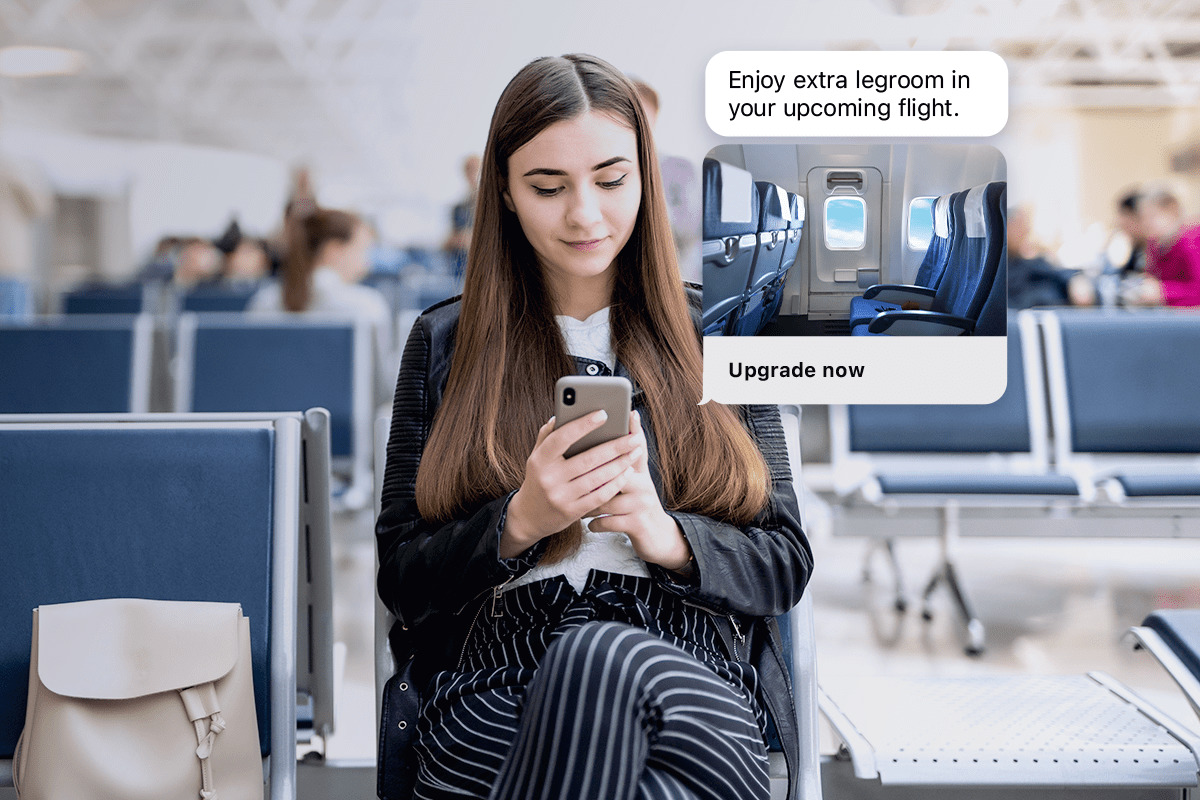

Request A Demo

7 Ways AI Chatbots Improve Customer Service

If you’ve been using business messaging for a while, you know easy and convenient it is for your customers—and its impact on your customer service team’s output.

With Quiq’s robust messaging platform, it’s easy for contact centers to manage customer conversations while boosting conversion rates, increasing engagement, and reducing costs. But our little slice of digital nirvana only gets better when you add chatbots into the mix.

Enter the business messaging bot. Bots can help increase your agent productivity while delivering an even better customer experience.

We’re diving into seven times business messaging bots made a customer conversation faster and better.

1. Collect customer information upfront.

Let’s say, for example, you own an airline with a great reward program. With Quiq, you can create a bot that greets all your customers right away and asks them to enter their rewards number if they have one.

This “reward bot” will use the information gathered to help recognize platinum-status members—your most elite program. The reward bot reroutes platinum members to a special VIP queue where wait times are shorter and they receive higher support. This is done consistently and without hesitation. Your platinum members don’t have to wade through the customer service queue. It makes them feel more valued and more likely to continue flying with you in the future.

The reward bot can also collect other information, such as confirmation numbers for reservations, updated email addresses, or contact numbers. All of this data gathering can be done before a human agent steps into the conversation. The support chatbot has done the work to arm the agent with the information they need to deliver better service.

2. Decrease customer abandonment.

Acknowledging customers with a fast, friendly greeting lets them know they’ve started on a path to resolution. Agents may be busy with other conversations (we’ve seen agents handle upwards of eight at a time), but that doesn’t mean the customer can’t start engaging with your business. A support chatbot can greet customers immediately while agents are busy.

Instead of waiting in a stagnant queue over the phone or trying to talk to a live chat agent (also known as web chat) who has disappeared, a bot can send a welcome message and let the customer know when they’ll receive a response from a human agent.

3. Get faster, more accurate customer responses.

Remember the last time you had to spell your name out over the phone or repeat your birthday again and again because the call bot couldn’t pick it up? Conversational chatbots eliminate that frustration and ensure it collects fast and accurate information from the customer every time.

Over messaging, the customer can see the data they’re providing and confirm right away if there’s an error. The customer can at least reference the information and catch any typos in their email address or that they’ve provided their old phone number. It happens.

4. Prioritize customer conversations.

In our above example, the reward bot was able to recognize platinum rewards members so they could get the perks that came with their membership. Chatbots can help you prioritize conversations in other ways too.

For example, you can set rules within Quiq to recognize keywords such as “buy” or “purchase” to prioritize customers who may need help with a transaction. Depending on the situation, the platform can prioritize that conversation (likely with high purchase intent) over a password reset or return.

A chatbot platform like Quiq can also use natural language processing (NLP) to predict customer sentiment and prioritize based on that. That way, you can identify a frustrated customer and bump them up in the queue to handle the problem before it escalates.

Contact Us

5. Get customers to the right place.

Chatbots can help route customers to the appropriate department, agent, or even another support bot for help. Much like a call routing system (but more sophisticated), a chatbot can identify a customer’s problem and save them from bouncing around between support agents.

The simplest example is when a bot greets customers and asks, “What can I help you with today?” The bot can either present the user with several options or let them state their problem. A customer can then be routed directly to the support agent best fit for solving their problem.

This also eliminates the need for customers to repeat themselves at each step of the way. Instead of having to explain their situation to the call router and then again to the service agent, the chatbot hands off the messages to the human agent. The agent already knows the problem and can start searching for a solution right away.

6. Reschedule appointments.

Appointment scheduling and rescheduling is a time-consuming and frustrating process. Chatbots can help you reduce delays, ensuring customers avoid back-and-forth emails and long hold times just to move an appointment.

With Quiq business messaging, you can present customers with available dates and times. Customers can choose and confirm a date from available calendar options.

A support chatbot with the right integrations can help present customers with available dates to choose from and schedule the selected appointment.

7. Collect feedback for even more improvement.

Businesses shouldn’t underestimate the power of feedback. Believing you know what customers want and actually asking them can lead to completely different results. Yet, the biggest roadblock to collecting feedback is distributing the survey at the moment when it counts.

A support chatbot can ensure every customer service interaction is followed up with a survey. You can program the bot to send unique surveys based on the conversation and get specific feedback on the spot. Collecting that survey information and putting it into place will help your team improve.

Take the Leap with Quiq.

Implementing customer service chatbots within your organization may seem intimidating now, but Quiq can help you navigate it. We can help you orchestrate bots throughout your organization, whether you need one or many.

With Quiq, you can design conversational experiences your customers will love. Once you create a bot, you can run it across all of our supported channels to deliver a consistent experience no matter where your customers are.

Business Text Messaging Statistics You Need to Know

It’s 1995. A new company named eBay just launched, along with a new media format called a DVD. The average American user sends about 0.4 texts per month. Times sure have changed.

Fast forward to today.

There are a plethora of online retailers with broad product assortments to fulfill even the most specific buyer searches. DVDs are outdated and replaced with streaming and on-demand content. The average American smartphone user sends around 20 text messages a day.*

Not only do people text more frequently with family and friends, but they’re also texting with companies. SMS marketing is growing in popularity, and customers are eager for more two-way text messaging with businesses.

So is SMS marketing effective? With so much information out there, we’ve compiled the most important text message marketing statistics for you. Keep reading for a deep dive into the top stats for business text messaging.

Business text messaging is growing.

Text messaging isn’t new. We’ve been doing it for almost 30 years now. But with our emails full of junk and people more attached to their phones than ever, text messaging is emerging as a high ROI marketing tool.

Notably, smartphone use continues to rise. The number of smartphone users in the United States alone is expected to reach 301.65 million in 2022, according to Statista, and the Pew Research Center reports that 81% of the U.S. owns a smartphone. There’s no denying that people live digital-first lives.

Mobile devices have given consumers the ability to search, shop, and discover 24/7, forcing companies to reimagine the customer journey. And companies that fail to provide high-touch and high-tech experiences get left behind.

Messaging offers just that: A customer experience that fits with modern lifestyles. Customers get effortless and convenient interactions with businesses, and businesses get a cost-efficient and more meaningful way to connect with customers.

Americans are attached to their phones.

Phones are how we stay connected to the world around us. The majority of Americans spend their waking (and sleeping) hours next to their phones. It’s our go-to for everything. Phone calls, sure, but phones also provide social and emotional connections, entertainment, networking tools, healthcare advice, and access to an endless amount of information.

A Reviews.org survey identified some staggering statistics about our phone usage:

  • Americans check their phones roughly every 4 minutes. That’s 344 times per day, on average, and a 31% increase from 2021.
  • 71% of Americans say they check their phones within the first 10 minutes of waking up.
  • 70% of Americans check their phones within five minutes of receiving a notification.
  • 61% have texted someone in the same room as them before.
  • 41% of people even admitted to checking their phone on a date.

And our phone dependence is only growing. The U.S. reached a new app-usage high of 4.2 hours, up from 3.9 in Q2 2021, according to a report from data.ai.

What do these stats tell us about your marketing efforts? Anything mobile-friendly or mobile-first is going to get the attention of your customers. It’s easy to ignore emails but harder to miss a text notification.

You can’t sleep on text messaging.

Texting has become part of our daily lives. It’s a casual, fast, and efficient way to connect with people. (You can work and have a text conversation, but you can’t chat on the phone.)

The numbers are truly staggering. 2.2 trillion MMS and SMS text messages were sent in the U.S. in 2020, reports Statista. There’s no denying that text messaging is a popular form of communication that’s here to stay.

What about business text messaging?

Business text messaging is also on the rise. In 2020, business messaging traffic hit 3.5 trillion. That’s up from 3.2 trillion in 2019, a 9.4% year over year increase, reports Juniper Research.

Even though we’ve been using it for years, this shows how widespread the adoption and growth of text messaging have become.


Contact Us


How effective is SMS marketing?

Do people really read text messages from businesses? Yes!

Business text messaging still far outperforms the average email open rate. In 2022 the average email open rate across industries is 29.55%, and click-through rates are 1.27%, reports Smart Insights.

Key SMS marketing statistics to know.

Customers are eager for more options to interact with businesses over text messaging.

Here are some enlightening statistics from Forbes:

  • It takes the average person 90 minutes to respond to an email but only 90 seconds to respond to a text message.
  • 64% of consumers believe that businesses should use SMS messages to interact with customers more often than they currently do.
  • 74% of customers report an improved overall impression of businesses that interact with them via text messaging.
  • 70% of customers agree that using SMS text messaging is a good way for an organization to get their attention.

And why are customers opting into text messaging?

  • 77% of customers opt into a brand’s text messages for coupons or deals.
  • 50% said personal alerts.
  • 48% said they wanted to be in the loop.
  • 33% wanted more meaningful content.

The impact of SMS text messaging on customer service.

Messaging enables customers to get the service they desire in a fast, convenient way that puts them in control of the conversation. The ability to text message businesses has become more than a nice to have—it’s a customer experience must.

Quiq commissioned Market Strategies International to conduct an independent research study into mobile messaging and its growing value as a customer service channel—and we found some convincing results:

  • 70% of respondents want to use mobile messaging to troubleshoot an issue, and 64% to make a purchase or booking.
  • 66% of consumers rank mobile messaging as their first or second choice to contact a company.
  • 66% of respondents rank messaging as their preferred channel for contacting a company.
  • 66% of respondents would pay more for a product/service supported by messaging—an average of 17% more.

When it comes to sales, experience is everything. Salesforce emphasized the importance of the customer experience in their 2020 report:

  • 79% of consumers say a business’s experience is as important as their goods or services.
  • 71% of customers say they have made purchase decisions based on the quality of customer service.

Top brands see tangible results from messaging.

Companies have increased sales, reduced costs, and improved customer satisfaction by using text messaging. These results span companies of all sizes and industries such as financial services, retail, consumer services, and many more.

We know customers like texting, but what do businesses think? The benefits are clear. eMarketer reports:

  • 62% of businesses say customers like it.
  • 58% said it reduced their costs compared to voice-only.
  • 48% said it improved customer satisfaction.
  • 35% said it improved their Net-Promoter Score®.

Quiq clients have also seen tremendous results using SMS text messaging to reach out to their customers. Here are just a few of the success stories:

  • Overstock.com achieved higher engagement rates with text messaging’s 98% open rates.
  • Jackson Hole Mountain Resort experienced a 75% reduction in phone calls because of its focus on text messaging.
  • Brinks Home Security converted 10% of their phone calls to text messages while realizing a 14 ppt uptick in CSAT.

Text messaging: Good for your bottom line.

The statistics tell us that text messaging is a highly effective way to communicate with your customers while also saving your customer center time and money.

One thing remains clear: Customers need and expect companies to provide products, services, and support in the most convenient way to them. Join other companies that have enthusiastically embraced text messaging and start seeing real results.

How Messaging Helps Hospitality Get Personal

The hospitality industry is, by nature, a very human business. Whether you’re in hotel and lodging, travel and transportation, food and beverage, or recreation, hospitality is all about creating a unique and personal experience for your guests. Have you considered how technology like SMS hospitality messaging can actually make guest experiences more personalized?

While technology has changed the game, it can sometimes feel antithetical to the warmth the hospitality industry is beloved for. However, when messaging tech is used correctly, it helps you do what the hospitality industry has always done best: Make human connections.

SMS hospitality messaging connects you to guests on their terms.

It’s exactly for this reason that messaging can help transform the customer experience by giving service providers a way to connect and engage with guests in an easy, convenient, and preferred way.

There are major opportunities to leverage SMS hospitality messaging in a way that doesn’t detract from the human connection—but adds to it. Messaging liberates guests from standing in line, waiting for an email, or sitting on hold.

In this article, we’ll explore how you can use SMS hospitality messaging to connect with customers and personalize the industry.

High tech and high touch.

Providing a memorable guest experience is part physical and observable. What thread count are the sheets? What’s the ambiance of the restaurant (do they have table cloths and sommeliers or barstools and air hockey)?

The intangibles are just as important to the overall experience—the care and attention of the staff, the ease of changing bookings, how payments are handled, etc. These smaller details are often your differentiators and play a big factor in how you make your customers feel.

SMS messaging can make all the difference. Instead of forcing customers to stand in lines, wait on hold, or hunt down information on in-room pamphlets, you can bring the service to them.

In fact, guests now expect it as a standard part of their hospitality experience.

The COVID-19 pandemic caused major disruption in the hospitality industry.

While travel is starting to return to 2019 levels (along with occupancy rates and room revenue, according to Accenture), it has permanently influenced customer expectations.

There are fewer business travelers, more local vacationers—and more digital nomads. This is reshaping the hospitality industry in everything from loyalty programs and digital amenities to a demand for SMS booking.

And customer service has only increased in importance.

Accenture’s Life Reimagined report says 53% of consumers think customer service has become more important than price—and 54% of consumers believe it will continue to be so over the next 12 months.

Transparency, clarity, and simplicity have become top decision drivers. More than half of customers who have reimagined life due to the pandemic say they would switch brands if the brand doesn’t create clear and easy options for contacting customer service, according to Accenture’s report.

For hospitality, text messaging is a natural step toward delivering high-touch experiences. Customers are already using their mobile devices to find fun things to do (70%), research destinations (66%), and book transportation or airfare (46%).

With so much emphasis already placed on mobile, a move to messaging is a natural and organic option that customers are likely already looking to do. Continuing to use customers’ mobile devices throughout their stay just makes sense.

In fact, messaging can enhance the customer’s experience across the entire guest journey.

Tap into the power of SMS hospitality messaging.

Messaging allows you to connect and engage with guests in a way that is already an important part of how they communicate daily.

SMS text messaging upgrades your customer communications with more than simple text conversations. Rich messaging brings the hospitality experience to your guests long before they reach your doorstep. With rich messaging, you can:

  • Process secure transactions, from SMS booking for hotel rooms and excursions to in-room upgrades and payments.
  • Send reservation reminders, confirmations, and up-to-the-minute notices.
  • Increase guest excitement with content like images, GIFs, videos, and more.

Easy ways to start using SMS/texting in hospitality.

Getting started with hospitality text messaging may seem overwhelming at first, but there are many ways to introduce it into your existing customer journeys.

Here are some examples of ways you can use SMS hospitality messaging to elevate experiences in hotels, restaurants, and recreational activities.

SMS for hotels.

  1. Answer pre-booking questions. While your website is a great booking tool, nothing beats one-on-one conversations. Your guests may have simple questions about things like early check-in or room preferences. Messaging helps you address these questions quickly and secure the booking right from your customers’ text messages.
  2. Use SMS booking. Schedule stays and process payments right from SMS/text messaging using rich messaging features. Your guests can book their trip right from their phones without ever having to make a phone call or wait on hold.
  3. Get guests excited about their stay. Your guest experience begins before they even arrive. Build the anticipation with a welcome message, semi-personalized itineraries, and local sites and events. If you know guests are there with children, send them itineraries that include amusement parks, a trip to the local zoo, or some family-friendly live shows. For couples on a romantic getaway, suggest date night ideas, local spas, or more secluded beaches. Sending a text message with these personalized touches will go a long way to build excitement and make guests feel welcomed.
  4. Streamline the check-in process. While we love vacations, traveling to get to them is another story. And it’s only gotten worse in the last few years with travel restrictions, fewer flights, and more crowds. When travelers finally reach their destination, they’re tired, frustrated, and likely want as little interaction as possible before reaching their beds. (In other words, they’re 3 of Snow White’s 7 dwarves: Grumpy, Sleepy, and Bashful.) Have guests complete the check-in process through SMS messaging so that all they have to do when they get to their destination is pick up their key. Digital keys are also becoming more popular and complete the contactless check-in experience.
  5. Handle in-room requests. Instead of forcing guests to decide between the front desk, guest services, maid services, and other departments on the hotel phone (not to mention waiting on hold), centralize in-room requests via SMS/text messaging. Quiq’s clients, including those within the hospitality segment, have found that servicing customers via messaging has reduced service costs and work time and increased customer satisfaction scores by 5–10 points.
  6. Close out stays with a bang. Offer a contactless checkout, removing the last bit of friction guests face as they leave your hotel. Plus, give them one final reminder of the excellent service and attention they received with a thank you message.
  7. Ask for reviews. If you’ve given the guest a memorable experience, they may be enticed to share it with others and become your brand ambassador.

Today, reviews are a critical part of the buyers’ process, and word of mouth can build or block that path to purchase.

Not only is this a great opportunity to instantly address any negative feedback, but you can also send exclusive offers and discounts to encourage guests to come back.

You can also encourage guests to share their positive comments about your business with their social networks.

SMS for restaurants.

  1. Accept reservations. Use rich messaging features to schedule reservations right from your guests’ mobile phones.
  2. Send reservation reminders. Help customers remember the reservation they made (especially if you’re booked out for weeks) with a friendly reservation reminder. A text message won’t get lost in junk mail, and you’ll decrease no-shows. SMS hospitality messaging to the rescue!
  3. Enable easy cancellations and rescheduling. Instead of holding a table for no-shows and missing out on potential revenue, give guests an easy way to cancel or reschedule their reservation ahead of time. They’ll be happy with the streamlined customer experience, and you’ll be able to fill those seats with last-minute reservations and walk-ins.
  4. Provide directions and parking information. Sure, everyone has Apple Maps or Waze, but parking can be a beast if you live in a high-tourism city. Add a link for directions and parking information to your appointment reminder to ensure your guests make it to your restaurant.
  5. Streamline take-out orders. Take-out has grown in popularity over the last few years. Since the COVID-19 pandemic, even fine-dining restaurants have jumped in on the action. 54% of adults say purchasing takeout or delivery food is essential to the way they live, including 72% of millennials and 66% of Gen Z adults, according to the National Restaurant Association’s 2022 State of the Restaurant Industry report. Use SMS/text messaging to confirm you’ve received an order, that it’s ready for pickup, or that it’s out for delivery.
  6. Ask for reviews. Restaurants live and die by their online reviews. Encourage guests to leave feedback on a popular review site and offer them an incentive. If you’d rather collect feedback directly, send them a link to a survey and be sure to answer any questions and address concerns quickly.
  7. Get the opt-in. SMS marketing is a great way to connect with customers, and the open rate for text messages often far exceeds that of email.

Ask for permission to send marketing messages, then craft a strategy that personalizes offers and earns repeat business.

SMS for recreational activities.

  1. Book through text messaging. Rich text messaging is a simple way to answer questions, book a reservation, and securely collect payments all in one place.
  2. Take special requests. SMS/text messaging is a convenient and private way for guests to ask about special accommodations like wheelchair accessibility, assistance for people who are hard of hearing, or private tours.
  3. Send links to helpful information. Don’t send guests hunting for information on your website. Send them links to details, like what type of attire participants should wear, dos and don’ts, parking information, and more.
  4. Send reminders. Email reminders get lost in all the itinerary bookings (and junk email) your customers are likely dealing with. Send reservation reminders and any up-to-the-minute notifications via text messaging.
  5. Suggest their next adventure. SMS messaging is a great marketing tool for small business operators, like tour guides, but it’s also easy to scale for larger operations. Once your guests have finished their activity, use text messaging to suggest their next adventure.

If they took a ghost tour of downtown, offer suggestions to other haunted hotspots. If they went on a guided hike, suggest kayaking or another outdoor activity. Personalize messages and include timely discounts to increase the next booking.

Disrupt with SMS hospitality messaging or be disrupted.

The time for hospitality text messaging is here. There’s endless opportunity for hotels, resorts, restaurants, and others within the hospitality segment to simplify and personalize the customer experience.
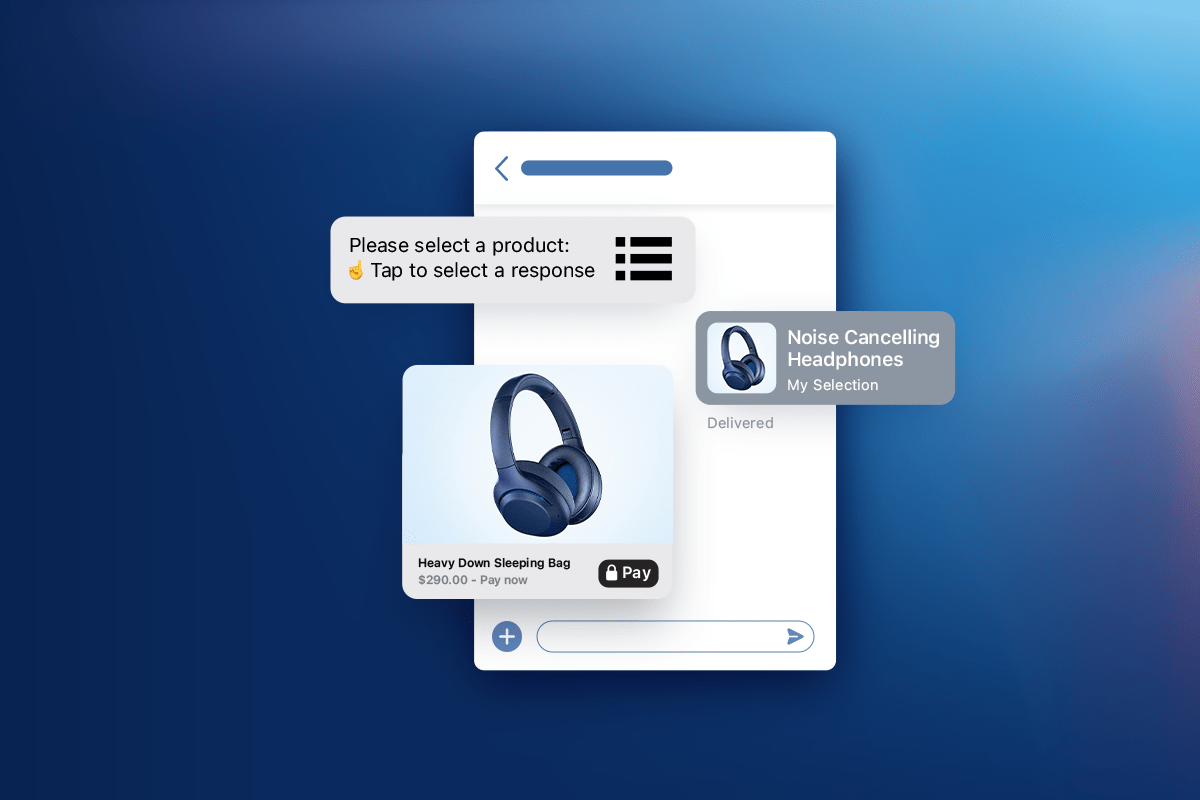
With new expectations born from the pandemic and an ever-increasing number of millennial and Gen Z travelers, it’s even more critical for the hospitality industry to embrace text messaging.

At Quiq, we help companies in the hospitality industry (and others) engage with guests in personal and meaningful ways. Our Conversational AI Platform makes it easy for customers to connect with your business, so you can provide the information they want in the way they want to receive it.

Connect with customers—and let them connect with you—using Quiq.

Omni-Channel Customer Service

Omni-Channel Service: The Customer-Driven Path Forward

The Omni-channel experience has been hailed as the Holy Grail of customer service for a great reason. It provides the highest level of seamless, personalized customer experiences.

Studies have shown that companies with an omni-channel program enjoy 24% greater annual returns in company revenue and a 55% decrease in the number of customer complaints. As stated by Aberdeen: “Omni-channel programs are not hype or a temporary best practice.  When implemented properly, omni-channel serves as a key long-term differentiator.” All the evidence points to the fact that the omni-channel experience is a “must have”, not a “nice to have”. However, it is important to note that less than 1% of all organizations have deployed an omni-channel customer service strategy.

Focus on What You Can Control

Tip 1: Present a Unified Front

Customers don’t see a company as individual departments, but an overall brand. They expect consistency in their experience, whether their issue is about the latest sales promotion or dealing with a support complaint.  In order to provide the best customer experience, it is imperative to eliminate silos. Make sure the lines of communication are open internally and that departments share the common systems, goals, and metrics. Providing your frontlines with the authority to do what is in the best interest of the customer and company will ensure small issues don’t blow up into social media nightmares. A unified and consistent approach to service will be a significant step forward to improving the customer experience.
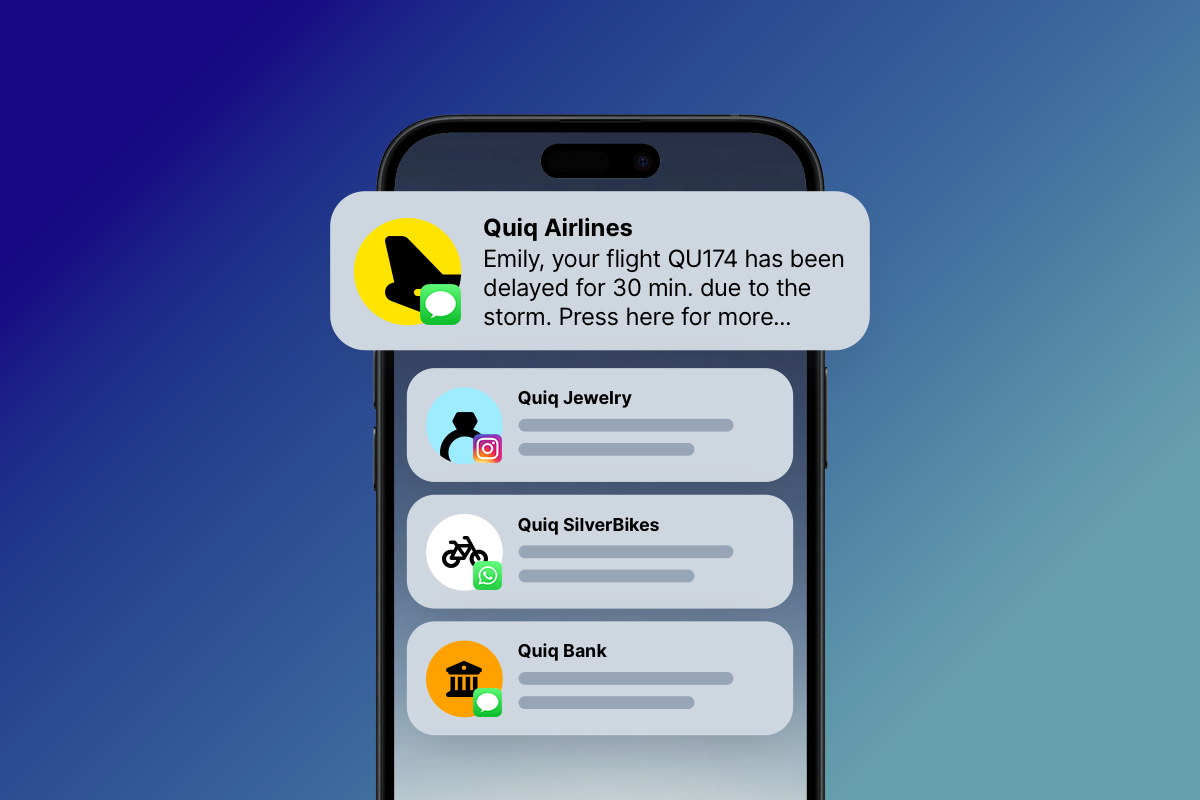
Tip 2: Quality First, More Channels Second

Of course customers want you to be where they are, but it is counterproductive to be somewhere and not effectively serve your customers. A prime example of this is live chat. While a growing number of companies are offering chat, a good channel option, it must be resourced correctly.  In many cases, customers have to wait for an agent to join a chat session, or they receive the dreaded “Not Available” screen, or they start a chat conversation and walk away from their computer for a moment only to come back and find the chat closed. All this showcases that companies are not efficiently managing resources and are spreading themselves too thin. Customers can forgive you for not offering a channel at all, but they won’t forgive bad service on channels you do offer. The lesson here is that customers do not care about the breadth of your “omni-ness”, but rather about the quality of the service delivered. It’s better not to be in a channel at all if you’re not able to do it well.

Tip 3: Pick the Right Channels

More channels do not necessarily equal greater success. However, being in the right channels for your customer, does.  Make sure you know which channels your customers want to engage you on and focus on those first.  How do you know the right ones?  Do you keep phone support, cut email support, and add messaging? Study your customers. Understand not only their age demographic, but also how and when they typically try to connect with your organization. Other option is to just ask your customers! Based on that valuable insight, focus on the channels where you know your customers are most active and would benefit from direct, two-way customer service messaging with your company. Then, make sure you staff, resource, and empower your employees in those channels to best represent the brand.

Tip 4: Quality Service Over Quantity

Many companies are subscribing to the philosophy that more channels are better.  Too many channels actually strain resources.  A Harvard business study reveals that customers are actually very flexible; few customers care about the means they use to engage companies. Most choose to make contact through whatever channel they perceive best meets their needs for the specific task. In fact, the same Harvard study found that only 16% of customers are “means-focused” (committed to a certain channel of preference, regardless of rather it fits the task), while 84% of customers are “ends-focused” (focused on solving their issue, regardless of the channel used).  So, limit your customer service channels to the ones you can support well.  Once again, customers can forgive you for not being there, but they won’t forgive a bad customer service experience.

Tip 5: Try New Channels

While the phone remains the go-to communication method of choice for some difficult or urgent use cases, text messaging and Facebook Messenger channels are fast gaining acceptance, and not just with millennials. All age groups are using SMS/text messaging more than ever. In fact, the fastest growing channel is “text messaging”. A recent Forrester study highlights that “The pervasiveness and familiarity of text messaging makes it an ideal channel to win, serve, and retain customers who require assistance from a contact center agent.” Consumers agree. In one study, 66% of respondents said that one of the reasons they preferred to send a text to a company’s customer service department was because it was less time-consuming. In addition, 42% said they preferred to do so because it was more convenient than using the telephone, and nearly a third said that sending a text was less frustrating than calling the company.

Summary

While the omni-channel experience may be the holy grail of customer service, the true prize is a loyal customer.  The priority should always be to provide a helpful, positive experience that will enhance the relationship with a customer.  Therefore, continue striving for customer service excellence.  Dedicate the resources, embrace relevant new technologies, and know your customer’s channel preference.  The investment will ultimately be worth it.

Business Messaging 101: Best Practices by Channel

If you haven’t heard yet, business messaging is a big deal.

We’re moving away from endless phonebanks and multi-hour wait times to multiple business messaging channels. And customers love it. 89% of customers would like to use messages to communicate with businesses, reported Twilio.

The pandemic accelerated messaging popularity in 2021. According to Zendesk’s 2021 CX Trends Report, in-app messaging popularity grew by 36%, SMS/text messaging by 75%, and social messaging by 110%.

While it has become an essential part of your customer communication strategy, it’s admittedly confusing. There are multiple platforms, endless rules, and many nuances between each.

We’ve created a best practices guide to help you embark on your business messaging initiative. It covers:

Adding messaging can elevate your customer satisfaction, increase agent efficiency, reduce call volumes, and more.

Continue reading for business messaging best practices.

The basic principles of business messaging

  1. Start with a plan. What type of goals are you setting? Are you simply trying to lower costs? Reduce call volume? Or do you have a long-term strategy to improve your CSAT and increase revenue? Whether starting with incremental goals or going all in, lay it out clearly in the early planning stages. This will determine which channels you focus on, how you’ll train your staff, and which conversation platform you invest in.
  2. Keep conversations organized. Juggling multiple channels of asynchronous communication gets chaotic. Switching between platforms, monitoring multiple conversations—it just doesn’t work if support agents don’t have a way to keep it organized. Conversational platforms are the way to do this. Quiq’s intuitive interface keeps conversations organized, with easily accessible history, simple conversation switching, and help only a click away.Conversational Customer Service reduce call volume
  3. Stay true to your brand voice and tone. Your customer service agents are the voice of your company, so they should follow your brand voice and tone guidelines when interacting with customers. Some businesses write chatbot scripts to be overly formal: avoiding contractions, using proper English, and completing their thought in one long sentence. But this isn’t an English paper! If your brand voice uses conversational language, so should your chatbot. It’ll feel more natural to your customers AND your support agents.
  4. Create a messaging style guide. Your marketing team has a style guide—what about your customer service team? Give your customer support agents a comprehensive guide covering everything from emoji use (as in, use this ? but never this ?) to contractions to appropriate text-speak (LOL, JK, TL;DR, IYKYK, but never WTF). Utilizing a tool like Quiq’s predictive text can also help support agents with messaging. It’ll help support team members stay on brand, have good grammar, and get answers to customers faster.
  5. Tailor your strategy by channel. Although you want to keep your brand voice consistent, you should tailor your communication strategies to the platform you’re on. For example, talking to a customer using live chat on your website should be a different experience than Facebook Messenger. You get to decide what works best for each platform. Consider message length, emoji usage, and formality when designated platform best practices.

Messaging best practices by channel

Web chat and live messaging

Web chat or live chat is when you embed a chat box directly on your website. Expect this channel to get a lot of action—especially if you’re in e-commerce.

Customers often come to your site for two reasons: to purchase something or get a question answered. Live chat should help them do both.

  1. Send a welcome message. While you don’t want to bombard web visitors with popups, make sure they know live chat is available. Send a friendly welcome message letting them know how they can use the chat function, if they’ll be connecting with a person or a bot, or even a featured sale. The point is not to be aggressive but to let them know they have support whenever needed.
  2. Tailor messages based on where they’ve been. Use Quiq to track which website pages a customer has visited to guess intent. Are they fishing around on your support page? They likely have a question they can’t answer with your knowledge base. You can even get creative and offer sizing help or product suggestions based on the items they’ve viewed.
  3. Make your teams’ availability clear. Manning live chat 24/7 is difficult, but there are ways to ensure your customers get their questions answered. Program a Quiq chatbot to offer away messages when no one’s available, share wait times, or even answer questions and point customers to other self-service options.

Business SMS/text messaging

Text messaging has become an increasingly popular way to connect with customers and often crushes email open rates. And unlike many of the other messaging platforms, text messaging doesn’t require an internet connection. Anyone with a phone plan can receive text messages, making it an easily accessible option for your customers.

  1. Keep it casual. Text messaging is still a primarily personal medium. You use it to chat with friends and family more than businesses, and your customers are the same. This means a casual, friendly tone is best over text messaging. Avoid being too formal and keep messages short and to the point.RichMessaging_Integration_iPhoneX
  2. Personalize messages. Text messaging is all about cultivating a 1:1 experience with your customers. While you can use text messages to send mass communications to your customers, try segmenting based on interests, past purchases, or even locations. And add personalization tags for that extra touch.
  3. Make it a two-way conversation. While text messages are great for communicating deals and exclusive content, customers want to respond and ask questions. According to Attentive, almost 70% of customers say they would be extremely likely or likely to receive customer service over a text message.
  4. Message one or millions. Quiq’s messaging platform can be configured to send one-to-one text messages or reach an entire customer segment. So whether you’re sending a package tracking link, notifying customers of a service outage, or offering a coupon, you can reach your customers quickly, and in the manner they prefer.
  5. Convert calls to text. Give customers who call your busy customer support center the option to send a text message for business instead. Phone IVRs work well, but giving your customer the option to text when agents are busy is an easy and effective way to surprise and delight them. Instead, integrate texting with your IVR for an easy “press 1 to text” experience.
  6. Embrace multimedia. Over half of customers (51.1%) are more likely to make a purchase if they receive a text message with media (GIFs, images and video), reports Attentive. Show off personalized product suggestions, share knowledge base articles, or have fun with memes—if your brand voice allows for it.

Facebook Messenger

Since 1.3 billion people use Facebook Messenger globally, it’s safe to say you can find your customers there, too. But there are some social media pitfalls to navigate as you go.

  1. Be responsive. Facebook adds “Very responsive to messages” badges to company pages that have a 90% response rate and consistently respond in 15 minutes or less.
  2. Follow the customers’ lead. Judging your customers’ cadence is a big part of messaging on a social platform like Facebook. Some highly active users may expect a naturally flowing conversation with quick answers. But some may jump in and out of the platform while doing other things. When that happens, agents need to be able to pick up the conversation where it left off. Quiq’s intuitive platform keeps the conversation history and pertinent information handy, so agents can jump in and out of conversations without ever missing a beat.
  3. Take advantage of rich messaging. Emojis? Memes? Gifs? Videos? Facebook Messenger supports it all. While you still want to talk to your customers in a way your brand would, there’s more freedom to have a little fun in Messenger. Use these sparingly and in the right setting to appeal to your customers. Fair warning: Overuse can make you sound glib or out of touch. You can also use Facebook’s multimedia capabilities to get to the bottom of a customer issue faster. They can send images of damaged items, and agents can share how-to videos or other resources. Overall you can shorten your resolution time and leave customers happy.
  4. Use bots in multiple ways. Many Facebook users expect the same response times on nights and weekends as they do during the week. Use Quiq’s customer service chatbots to welcome guests and collect information to route them to the right customer service agent. Since social media is the place for quick answers, Quiq’s chatbots can also answer simple questions within Facebook Messenger.

Instagram Direct Messages

While businesses aren’t new to Instagram, Instagram only recently embraced business messaging. 90% of IG users are already following a company, and they often reach out to businesses on Instagram to resolve issues with existing or previous sales, according to Instagram. With Instagram’s API, you message your customers within the Quiq platform.

Many of the same best practices for Facebook and other social media platforms apply to Instagram direct messaging.

  1. Be the trendy relative. Instagram is like Facebook’s cool cousin. It’s more visual, demographically younger, but has relatively the same features as its predecessor. Adapt your voice to fit. It’s still best to avoid “internet slang,” but insert emojis and youthful language where appropriate. IYKYK.
  2. Take advantage of unique features. Instagram offers features that not all platforms have. You can send voice or video messages, drop a pin to a store or event location, and even create chat rooms when appropriate.
  3. Have a Stories strategy. When users reply to Instagram stories, it goes directly into your inbox. It’s a great way to strike up conversations naturally with your customers or potential clients. Ask questions, add prompts, and don’t forget to ask customers to message you.

WhatsApp

WhatsApp is another heavy hitter. With 2 billion active users worldwide, there’s a good chance your customers use it—and they wish you did, too.

  1. Follow the guidelines. WhatsApp has strict guidelines as to what counts as spam and how you can use discount codes, promotions, or giveaways. Be sure to read through the guidelines before using WhatsApp for business purposes.
  2. Get consent via an opt-in. Before you can start messaging users, you need both their phone number and an opt-in.
  3. Create groups and broadcasts. WhatsApp gives you two options to reach out to multiple users at once. The first is a WhatsApp Group. It allows you to have exchange messages with up to 256 users. Conversation happens altogether in one big group.

The other is a WhatsApp Broadcast. Broadcasts only allow the broadcaster (you) to send a message to everyone. If other users reply, they’re routed to private messages.

Apple Messages for Business

Apple Messages for Business connects iOS and macOS users to your business in brand new ways. It takes no additional downloads from your customers and provides a holistic e-commerce shopping experience. Customers can find your business and start conversations from Safari, Maps, Search, Siri, or your website.

  1. Support transactions with Apple Pay. Using Apple Messages for Business and Quiq, you can complete sales right within iOS native messaging. It’s secure, and customers likely feel more comfortable using a trusted payment provider.
  2. Go beyond text messaging. Create a fully realized shopping experience. Pair Apple Messages for Business with Quiq to authenticate users, schedule appointments, and collect information.
  3. Use Apple Message Suggest. Message Suggest automatically gives your customers the option to message your business with one tap. Use this feature to shift early conversations to messaging over more costly and time-consuming phone calls.

Take your messaging to the next level with Quiq

Managing multiple messaging channels—keeping track of notifications, ensuring smooth conversations, and providing customer satisfaction—can all be achieved using Quiq’s conversational platform.