Key Takeaways
- Always start with a friendly introduction and ask for the customer’s name – it helps humanize the conversation.
- Match your tone and style to the customer’s messaging style (formal vs. casual) and use their name throughout.
- Add personalization, use past purchase info, preferences, etc., to make messages feel more meaningful and relevant.
- Let frustrated customers speak first before pivoting to solutions, and always respond with specificity.
- Be consistent and trustworthy: follow through on what you promise, stay positive in phrasing, and occasionally break from scripts to show authenticity.
Messaging is quick. It’s casual. It’s easy to breeze through the pleasantries and get straight to the point. But service agents still need to build customer rapport.
It’s harder to do over messaging, but it’s more important than ever in customer service, especially if your company does most of its business online. It’s easy for customers to change brands when things go wrong. In fact, 61% of customers say they’ll switch brands after just one bad customer service experience.
To bridge the digital divide, customer service agents need to build customer rapport with every interaction. By utilizing these quick ways to build rapport, you’ll also foster customer trust and loyalty.
What Is Customer Rapport?
Customer rapport is the sense of trust and connection that forms between your team and your customers. It’s what turns a simple exchange into a genuine conversation. When rapport is strong, customers feel understood, valued, and confident that your brand has their best interests in mind.
So, you might be wondering how to build customer rapport. Continue reading to check out these 15 easy ways to enhance customer interactions.
1. Start With Introductions
Start messaging conversations with a simple “Hello, my name is _______.” Just because messaging is the more casual channel doesn’t mean niceties go out the window.
Once you’ve introduced yourself, ask for the customers’ names as well. These simple touches are a fast way to put the customer at ease, and it’s one of the quickest ways to build rapport. This also goes a long way in helping personalize the experience.
Quick tip: This goes for AI Agents, too! Whether you name your bot or not, tell the customer they’re talking to AI. Being upfront leads to more trust, and you guessed it, a better rapport.
2. Add Call-to-Text to Your IVR
Customers don’t want to wait on hold, but it happens. When you’re down a few agents or dealing with heavy call volume, give your customers another way to connect with call-to-text.
Adding call-to-text into your IVR menu makes it easy to transition to messaging and lets your customers go about their days while still getting assistance. They’re not stuck on hold, growing angrier by the minute.
3. Use Channels Your Customers Are On
It’s hard to build rapport with customers who are in unfamiliar territory. For example, if your agents are only available via web chat (also known as live chat), but your customers are used to texting, this will immediately put up a wall between you. They’re adapting their communication methods to fit your business when it should be the other way around.
Instead, pick communication channels that your customers frequent. In fact, 53% of customers want to use communications channels that are familiar to them, according to Zendesk. When you pick channels they use to chat with friends and family, they’re more likely to connect with your brand.
Quick tip: Conversational AI platforms can help you manage multiple channels all from one central dashboard.
4. Offer a Digital Smile
Most customer service advice starts with a smile – but how do you do that over messaging? Think of it as smiling with your voice. It’s all about using a friendly tone in your writing. Be positive and enthusiastic by showing enthusiasm with exclamation points, emojis (if your brand voice allows), and quick responses to make the conversation feel warm and natural.
5. Establish Trust through Mirroring
One critical way to build customer rapport is to match the customer’s conversation style. For in-person conversations, they call it “mirroring.” It’s when you match the other person’s body language. (You’ve probably seen it taken to the extreme on TV for laughs.) Many people do it unconsciously, but it’s a handy way to instantly connect with people.
But how do you do this over messaging? Match their conversation style. If they’re writing out full formal paragraphs, give them thorough responses and avoid any slang. If they’re using text abbreviations, keep it short and casual. You could even throw in some emojis, but maybe avoid using your own abbreviations. (Too much room for miscommunications.)
6. Use the Customer’s Name
You asked the customer’s name, so you should use it. People perk up at the mention of their own name, so using it to punctuate your messages will keep them interested in your responses.
This is especially helpful over messaging since it’s often asynchronous (both parties don’t need to be present at the same time). They’re probably going about their day or dealing with distractions, but the mention of their name will grab their attention so you can finish the conversation. As a pro tip, though, make sure you always remember their name!
7. Ask Questions
Customer service is supposed to be helpful. However, with the pressure to serve more customers in less time and the metrics that reinforce it, agents can often speed through conversations by doing the bare minimum, so it’s important that you be helpful, beyond answering questions.
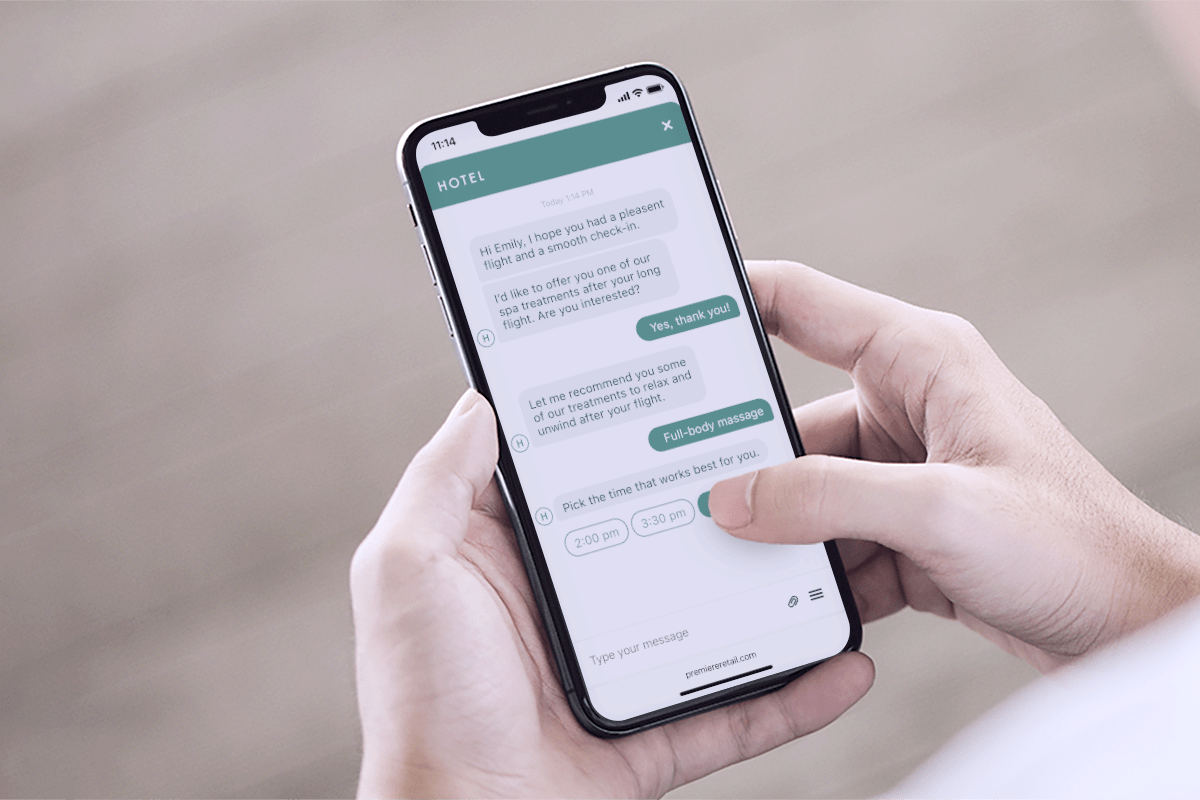
Yes, speed is important – but so is being helpful! If you’re in the travel industry, ask questions and then provide some recommendations on what to do when your customers get to their destination. If you’re in retail, take a look at what the customer has bought in the past and offer some recommendations. Is there a better account-level tier they could take advantage of for your software? Suggest it!
And since 52% of customers are open to product recommendations for agents, according to Zendesk, it’s also a great opportunity for cross-selling and upselling (as long as you do it in the customer’s best interest). Customers will appreciate the advice and feel like you care about them.
8. Practice Active Listening
Active listening over messaging means proving you’re paying attention – even without body language or verbal cues. Instead of simply replying, show customers you’ve truly read and understood their message. Paraphrase their concern (“It sounds like you’re having trouble logging in”) or restate key details before offering help. This builds confidence that you’re not just sending canned responses.
You can also use short acknowledgments like “Got it!” or “That makes sense!” to keep the conversation feeling natural and responsive. If something’s unclear, don’t be afraid to ask questions instead of just guessing. These small signals of attention replace the nods and eye contact of an in-person exchange – and remind customers that there’s someone who cares behind the screen.
9. Be Empathetic
Empathy is the heart of customer rapport, and it’s just as important in a digital conversation as it is face-to-face. Over messaging, empathy means taking the extra moment to acknowledge a customer’s frustration, confusion, or urgency before offering solutions. When you’re handling angry customers, it’s especially powerful to pause and validate their feelings before diving into fixes. A simple “I can see how that would be frustrating” or “Thanks for your patience while we sort this out” shows understanding and human connection, even in a short exchange.
Tone plays a big role in conveying empathy through text. Choose words that sound warm and conversational, avoid overly formal phrasing, and mirror the customer’s energy. If they’re stressed, keep your tone calm and reassuring; if they’re upbeat, match their enthusiasm. These small adjustments help customers feel cared for and heard – turning a quick chat into a meaningful interaction.
10. Personalize the Conversation
Always start with the customer’s name, but that’s not the only information you should use in your messaging conversations. According to McKinsey, 71% of consumers expect personalization, and 76% get frustrated when they don’t find it.
The less information you have to pull from the customer, the better. According to Zendesk, 72% of customers expect agents to have access to all relevant information. Go beyond simple account information, and look at data like:
- Past purchases
- Purchase frequency
- Messaging preferences
- Product preferences
Then you can design a conversation that feels personal and meaningful to your customers, making it an easy way to build customer rapport.
11. Handling Angry Customers
We know customer service isn’t all sunshine and rainbows. When angry customers reach out via messaging, agents should tread lightly. While it’s easy to jump in with the next steps (typically a short apology and some kind of solution), that’s not the only thing the customer wants.
Frustrated customers typically want their issues validated first. That means letting them type out their frustrations before moving on. Once they’ve had the appropriate space to share their concerns, read their messages at least twice before responding.
12. Speak Clearly and Transparently
The difficulty with messaging is that certain words and phrases can come off as rote and insincere. Saying “I’m sorry for the inconvenience” or even “We appreciate your business” sounds impersonal.
Instead, get specific to your customer’s problem. Say that you’re sorry that the cleats they ordered came damaged – especially since they’ve been eyeing them for months. Apologize that their package was delayed and that their daughter didn’t get her cleats in time for her first day of softball practice. Being specific will make customers feel more comfortable and understood.
13. Veer Off Script
Whether you have an actual script or conversation guidelines to follow, it’s okay to throw them out the window sometimes. Ask customers about their interests, mention that you love (and own!) the trousers they picked out, or compliment them on their destination choice.
Although you may have to work a little harder on messaging, these types of comments and compliments show customers that you’re a real person and you’re interested in them as a real person, too.
14. Keep Your Responses Positive
This is an old customer service trick that works very well over messaging, plus it’s a quick way to build rapport. Try to turn your phrases so that they remain positive, even if you’re saying something negative.
For example, instead of saying, “I don’t know the answer,” you can say something like, “Let me find that answer for you.” Or, instead of saying you can’t access the customer’s account without their credentials, ask for permission to access their account. It’s kind of like a Jedi mind trick. You’re saying the same thing, but customers see your responses more positively. They’re less likely to get upset or feel put out.
15. Be Honest and Trustworthy
The best way to build rapport and gain customer trust? Do what you say you’re going to do.
Not all customer service inquiries can be solved in one conversation. If agents have to elevate the conversation to a higher service tier, if you need to check with a manager, or if there are any other issues at play, be honest with the customer about when you’ll get back to them, and then do it. Even if you’re just checking in to let them know you’re still working on resolving the issue, make sure you stay in contact.
Quick tip: Use outbound messaging over email for faster communication – and to ensure the message doesn’t get lost in junk mail.
Agentic AI for Building Customer Rapport
Messaging may remove some of the human signals we rely on – tone, face, gestures – but rapport doesn’t have to disappear. With thoughtful conversational design and strategic use of agentic AI, you can amplify the rapport-building techniques you’ve just read about. AI agents can maintain a warm tone, mirror conversation styles, and manage simple follow-ups so human agents can focus on higher-value, more empathetic interactions.
When you deploy AI that understands context and can act autonomously – while surfacing handoff opportunities when needed, you ensure every message feels responsive and personal. The result? You build more trust, reduce friction, and deepen connections at scale.
Frequently Asked Questions (FAQs)
What does building customer rapport mean?
Building customer rapport means creating a sense of trust, understanding, and connection between your business and your customers. It’s about making interactions feel human — even when they happen over digital channels like chat or SMS.
How can I build customer rapport through messaging?
You can build rapport through personalization, empathy, and responsiveness. Use the customer’s name, match their tone, acknowledge their concerns, and reply quickly. Even small touches, like a warm greeting or friendly punctuation, can make digital conversations feel more personal.
What’s the best way to handle angry customers over messaging?
When handling angry customers, start with empathy – acknowledge their frustration before offering solutions. Use calm, clear language and avoid defensive replies. Phrases like “I understand how that would be frustrating” or “Let’s fix this together” show that you care and are taking responsibility.
How does agentic AI help build customer rapport?
Agentic AI enhances rapport-building by recognizing context, mirroring tone, and automating thoughtful responses that still feel human. It can handle repetitive inquiries efficiently while surfacing complex or emotional issues for human agents – helping teams maintain consistency, empathy, and speed at scale.
Why is customer rapport important in digital communication?
Strong rapport leads to higher customer satisfaction, loyalty, and trust. In messaging, where tone and intent can easily get lost, rapport ensures your brand feels approachable and genuine – not robotic or distant.