Key Takeaways
- What RCS Adds: An upgrade to SMS/MMS with rich media, read receipts, typing indicators, and interactive elements, built right into native messaging apps.
- Apple’s Big Step: With iOS 18 (2024), Apple joined Google in supporting RCS, enabling seamless, feature-rich messaging between iPhone and Android users.
- Why It Matters for CX: Businesses can deliver branded, interactive experiences, like verified agent chats, surveys, carousels, and order updates, without requiring extra app downloads.
- The Bigger Picture: RCS combines the reach and trust of SMS with the engagement of OTT apps (WhatsApp, iMessage), making it a strong contender for the global messaging standard.
If by chance you haven’t heard of this new frontier in text-based customer communication, your first question is probably, “What is rich messaging?”
Well, you’re in luck! We wrote this piece specifically to get to the bottom of this subject. Here, we offer a deep dive into rich messaging, the capabilities it unlocks, and its implications for CX. By the time they’re done, CX directors will better understand why rich messaging should be central to their customer outreach strategy and the many ways in which it can make their job easier.
What Is Rich Messaging?
Rich messaging aims to support person-to-person or business-to-person communication with upgraded, interactive messages. Senders can attach high-resolution photos, videos, audio messages, GIFs, and an array of other media to enhance the receiver’s experience while conveying a lot more information with each message.
Google’s Rich Communication Services (RCS), for example, is one approach to rich messaging, but it is not the same thing as rich messaging in general.
For a number of reasons, rich messaging applications have supplanted SMS in both personal and professional outreach. SMS messages simply do not support many staples of modern communication, such as group chats or “read” receipts. What’s more, the reach of SMS will remain limited because it requires a cellular connection, whereas rich messages can be sent over the internet.
Though SMS will probably be around for a while, rich messaging is becoming increasingly popular as companies have been trending toward greater use of applications like WhatsApp.
With RCS, businesses don’t need a separate app —modern features like typing indicators, read receipts, and media sharing are available directly in the phone’s native messaging app (Google Messages, Apple Messages). This allows CX leaders to deliver rich, branded, and secure experiences tied to a customer’s mobile number without forcing app downloads.
Armed with these and similar channels, CX directors can now:
- More easily capture new customers with compelling outreach.
- Resolve customer issues directly via text, chat, or social media messaging (a huge advantage given how obsessed we’ve all become with our phones);
- Interact with customers in real-time, which is a capability more and more people are looking for when seeking help.
- Gather and act on analytics.
- Scale their communications while simultaneously reducing the burden on contact center agents.
Given these facts, it’s no surprise that more and more CX leaders are making texting a key component of building lasting customer relationships.
What is Rich Messaging on Different Platforms?
Now that you have more perspective on what rich messaging is and what it offers, let’s spend some time talking about which platforms you should focus on.
There are a few major providers of rich messaging, but we’ll focus on Apple and WhatsApp. Apple has long been a communication giant, but with billions of users worldwide, Meta’s WhatsApp has certainly earned its spot at the table.
The sections below provide more details about how rich messaging works on each platform.
What is Rich Messaging on Apple?
Through Apple Messages for Business, contact centers can offer their customers a direct line of communication. This allows for far greater speed and convenience, to say nothing of the personalization opportunities opened up by artificial intelligence (more on this shortly).
What is Rich Messaging on WhatsApp?
WhatsApp is a widely used application that uses rich messaging for texts, voice messages, and video calling for over two billion users worldwide. Utilizing a simple internet connection for its services, WhatsApp allows users to bypass the traditional costs associated with global communication, making it a cost-effective choice.
It supports integration with tools like the Quiq agentic AI platform, which can automatically transcribe voice messages and allows for the export of these conversations for analysis using technologies like natural language processing.
For more information, check out our dedicated article on WhatsApp Business.
RCS vs. SMS vs. MMS vs. OTT: Understanding the Key Differences in Messaging
As consumer expectations have grown, so has the need for messaging technology to evolve. Businesses can no longer rely solely on traditional SMS to deliver standout experiences, especially when customers are used to rich, app-like interactions. That’s where understanding the differences between messaging types comes in.
From basic texts to interactive messages with buttons, images, and videos, here’s how SMS, MMS, RCS, and OTT messaging stack up:
What is SMS?
SMS (Short Message Service) is the most basic form of text messaging. It has a 160-character limit and doesn’t support media like images or videos. Despite its simplicity, it’s still widely used for short, timely notifications and reminders.
What is MMS?
MMS (Multimedia Messaging Service) expands on SMS by allowing users to send pictures, videos, and audio. It relies on mobile data and carrier support, and can be more expensive to send—especially at scale.
What is RCS?
RCS (Rich Communication Services) takes messaging to the next level with features like read receipts, typing indicators, carousels, high-resolution media, interactive buttons, and branded customer experiences via verified RCS Agents. It’s carrier-dependent and still gaining traction, but it offers a powerful upgrade for business-to-customer communication while running over Wi-Fi or data networks instead of the cellular voice network
What is OTT Messaging?
OTT (Over-the-Top) messaging apps like WhatsApp, Facebook Messenger, and Apple’s iMessage work over the internet and bypass traditional carriers altogether. These platforms offer end-to-end encryption, rich media, and global reach, making them a go-to for brands looking to meet customers where they are.
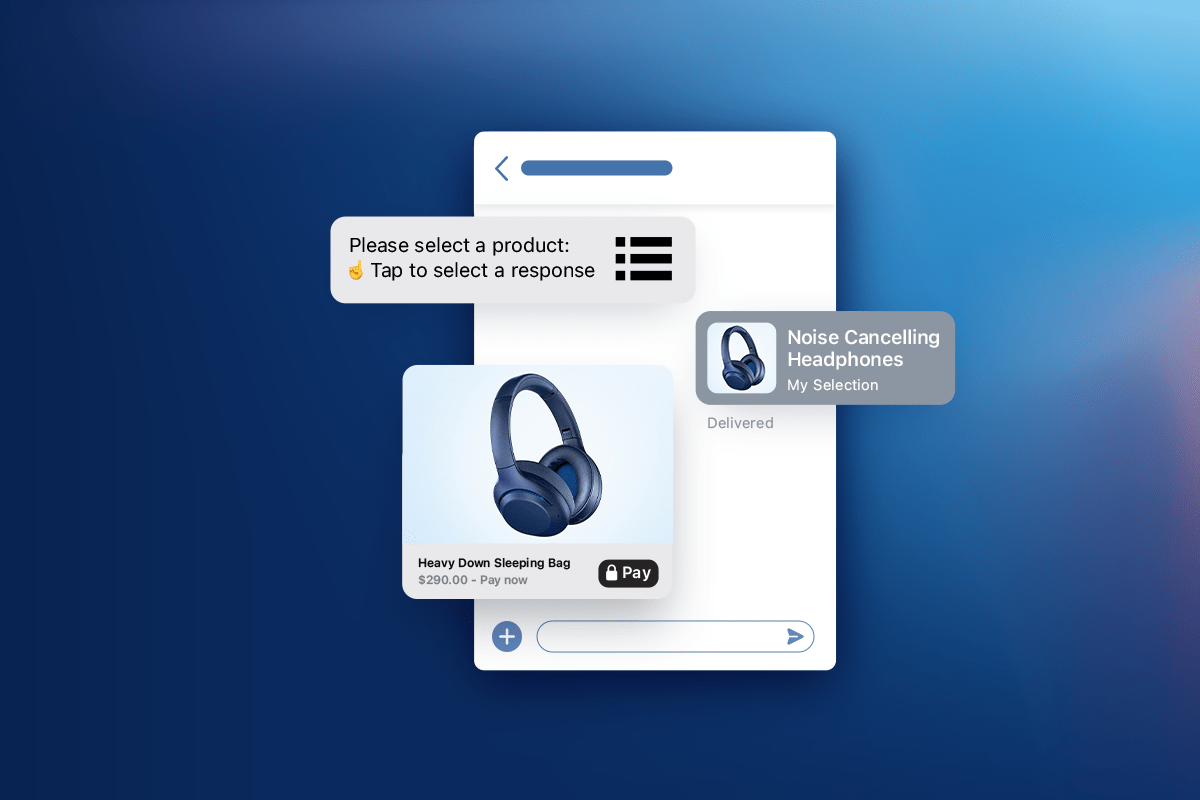
RCS also enables businesses to create branded, interactive customer journeys. Features like carousels, surveys, order updates, and suggested reply buttons allow for more engaging experiences while increasing trust with verified sender IDs.
Key Features and Benefits of Rich Messages
Whether on Apple, WhatsApp, or another channel, rich messaging is one of the best ways of interacting with customers; it’s convenient and powerful enough to help a CX leader rise above their competition.
At its core, rich messaging is defined by key features such as high-resolution photos and videos, read receipts, typing indicators, branded buttons, quick reply options, and interactive carousels, all within the customer’s native messaging app. These features create smoother, faster, and more trusted interactions compared to traditional SMS or MMS.
Below, we will get into more specifics about the advantages to be had from using rich messaging.
1. Cost-Effectiveness
Because it works over the internet, rich messaging is a great way for CX directors to connect with customers without breaking the bank.
But it can also help your organization save money by reducing customer support costs. When consumers need to talk to someone at your business, they can speak to knowledgeable agents (or a large language model trained on those agents’ output) through your rich messaging platform.
In this same vein, rich messaging makes it far easier to engage in asynchronous communications. This means agents are able to handle multiple conversations at the same time, resulting in further savings.
Finally, rich messaging is far more scalable than almost any other approach to customer outreach, especially when you effectively leverage AI.
2. Real-Time Insights
When they integrate rich messaging with a platform offering excellent support for real-time analytics, companies gain access to conversation analytics that provide the insights they need to improve contact center performance.
They can generate reports on click rates and other helpful interaction metrics, for instance, giving CX leaders a feedback loop they can use to test changes and see what improves customer satisfaction, loyalty, and lifetime value.
3. Rich Messaging is Native to the Devices Customers are Already Using
You could pay for the most compelling billboard in the history of marketing, but if it’s on the moon where no one will see it, it’s not going to do you much good. For this reason, we’ve long pointed out that it’s important to meet your customers where they are – and these days, they’re on their phones.
When combined with the statistics in the following section, we think that the case for rich messaging as a central pillar in the CX director’s communications strategy is very strong.
4. Increased Engagement
As it turns out, text messaging consistently achieves higher open and response rates compared to other methods. Adding elements like tappable carousels, suggested replies, and rich media further boosts engagement by making every message interactive and visually compelling.
This high level of engagement demonstrates the significant potential of text messaging as a communication strategy. Considering that only about 25% of emails are opened and read, it becomes clear that investing in text messaging as a primary communication channel is a wise decision for effectively reaching and engaging customers.
5. The Human Touch (but with AI!)
Rich messaging lets brands personalize conversations at scale with the help of AI. Machine learning powers this personalization, the same tech behind Netflix recommendations. Now, thanks to advancements in agentic AI, this same technology is being integrated into text messaging.
Previously, language models lacked the necessary flexibility for personalized customer interactions, often sounding mechanical and inauthentic. However, today’s models have greatly enhanced agents’ abilities to adapt their conversations to fit specific contexts. While these models haven’t replaced the unique qualities of human interaction, they mark a significant improvement for CX directors aiming to improve the customer experience, keep customers loyal, and boost their lifetime value. What’s more, when used over time, these innovations will help a CX leader stand out in a crowded marketplace while making better decisions.
To make use of this, though, it helps to partner with a platform that offers this functionality out of the box.
6. Security
Trust and transparency have always been important, but with deepfakes and data breaches on the rise, they’re more crucial than ever. Some rich messaging applications, like WhatsApp, support end-to-end encryption, meaning your customers can interact with you knowing full well that their information is safe.
But, to reiterate, this is not the case for all rich messaging services, so be sure to do your own research first.
What is Rich Messaging? It’s the Future!
Rich messaging is the technology that makes this possible, and it’s even more impactful when you partner with a platform like Quiq that enables personalization, analytics, and better engagement with your customers. Read more here to learn about the communication channels we support!
Frequently Asked Questions (FAQs)
What exactly is Rich Communication Services (RCS)?
RCS is the modern upgrade to SMS and MMS. It lets you send high-resolution photos and videos, see when someone is typing or has read your message, and interact through branded buttons or carousels, all from the phone’s built-in messaging app.
How does RCS differ from SMS or MMS?
SMS is limited to short text, MMS adds basic media, but RCS goes further. It creates an app-like experience inside the default inbox, complete with interactive elements, analytics, and branding opportunities that drive stronger engagement.
Does Apple support RCS now?
Yes. With iOS 18 (2024), Apple rolled out RCS support. That means iPhone users can finally exchange rich messages with Android users, bringing features like upgraded group chats, read receipts, and high-quality media into play.
How does RCS compare with apps like WhatsApp or Messenger?
WhatsApp and Messenger require separate downloads, while RCS is built right into your phone number and default messaging app. OTT apps still shine with global reach and encryption, but RCS offers something unique: direct, branded communication in the channel customers already use every day.
How are businesses putting RCS to work?
Companies are using it to design interactive journeys, think order updates, quick-reply buttons, customer surveys, or scrolling product carousels. Paired with verified business profiles, RCS builds trust while keeping conversations efficient and engaging.
Is RCS secure?
Security varies by implementation, but many carriers and providers now offer end-to-end encryption for RCS. Combined with verified sender IDs, it helps ensure customers can trust the conversations they’re having with your brand.