Text Messaging for Government: How to Connect With Citizens

It’s more than just reporting potholes. Cities are transforming through the use of 311 by providing citizens with information on anything and everything – from where they can take defensive driving, to when the library on Main Street opens, to getting building permits. When citizens need non-emergency government information, 311 is quickly becoming where they turn. Since its inception, 311 has evolved with technological advances into a multi-channel service that connects citizens with their government, while also providing a wealth of data that improves how cities are run.

Cities are now thinking about 311 as if citizens are customers, and doing a lot of the same things you see innovators in the private sector doing today. Ideas that embrace user-centered design and improved customer experience are becoming a focal point of local government’s strategy.

As a growing number of businesses recognize the ubiquitous nature of messaging, municipalities are asking themselves how they can adopt text messaging as a means to provide better service to their constituents.

Text messaging is surfacing as a clear way to better service by:

  • Reducing wait times for citizens to reach advocates within the 311 call center,
  • Facilitating more effective connections by enabling the ability to instantly collaborate with the right department staff, and
  • Permitting citizens to send pictures, links, and videos to better communicate their concerns

The need for text messaging for government

These are lofty goals to pursue considering the constraints that most 311 departments operate under. If you’re like most 311 departments, you’re running pretty thin and have to do more with less. According to research conducted by the City of Minneapolis, cities that have over 600,000 citizens are fielding an average of 24,150 calls per agent/advocate per year, or close to 70 calls a day. What this all boils down to is when budget cuts occur and service levels spike, everyone suffers.

Before 311, routing phone calls and emails to the right department (hopefully) was the only way to connect with a municipality. There was a lack of consistency, coordination, and citizen focus when handling requests for information and services. Now with 311, citizens have a central place to get the help they need, but the challenge now lies with managing the volume of calls, and delivering a consistently high-quality citizen experience at a good value to taxpayers.

This is the driving force for many municipalities to look at text messaging for government departments as a means to hand large call volumes at a fraction of the cost. As a larger number of people become more comfortable with text messaging as a primary method of communications, both public and private sector organizations will need to adjust.

Improving Citizen Satisfaction through Messaging

Naturally, today’s citizens want to be able to interact with government from their phones ortablets, wherever and whenever they want. Quiq can help you deliver consistently high-quality information and service regardless of the communication channel.

Public sector clients clearly see how Quiq Messaging delivers major improvements to 311 operations:

Greater responsiveness

Accessibility through SMS/Text, Facebook Messenger,  and Web Chat means that citizens are able to submit inquiries or request services using their preferred channel. The ability to attach pictures and links to conversations, a feature most smartphone users are comfortable with in any of these channels, makes each message more effective and helps municipalities understand the issue more clearly and therefore respond more quickly and appropriately.

Agents are able to handle multiple sessions at once, so several customers can be served by one advocate. Solutions like email and phone calls, which can only be handled 1-on-1, typically result in wait times, voicemails, back and forths, and abandoned calls.  With Quiq Messaging, 311 advocates can be working six or more simultaneous text conversations, resolving citizen inquiries faster and more effectively than ever.

Increased transparency

Earning trust and the favorable opinion of citizens can support a strong future for a city. Increased transparency and better communication helps achieve those goals. Cities with improved communications that deliver exceptional customer service attracts more residents, visitors, and businesses because people recognize that the city is responsive and makes customer experience a priority.

Governments can increase transparency and open the lines of communication with Quiq Messaging. Municipalities can send outbound messages to alert neighborhoods of shutoffs to repair water lines or car owners to use off street parking as city plows prepare for winter storms. Citizens can also be alerted of community events, which bolster the local economy by encouraging businesses and citizens to partake.

Providing citizens with the ability to communicate with local government through platforms they already use like text messaging, Facebook and Kik empowers citizens to easily file a report whenever they spot a problem. Collectively, the data that citizens submit through these platforms create a citywide sensing network that gives city officials transparency to where resources need to be deployed.

Reduced time and cost per inquiry

In 2011, it cost taxpayers in the city of Minneapolis $9.15 for each 311 report. Every broken spotlight reported and question about permits and licenses carried the same burden. As labor and benefit costs continue to increase, the price tag to request government services through 311 have escalated.

One of the biggest hurdles many municipalities face is the cost to run a 311 call center. Staffing 311 call centers with well trained agents increases the cost per contact. These agents, however, can still only handle one call at a time. Deflecting calls to messaging means that costs drop dramatically to pennies per call as text messaging is a far cheaper communication channel and agents are able to handle multiple calls at once.

Employing text messaging has the possibility to touch every dimension of government—from emergency response to public health, and from policing to disability services. Leveraging this technology today can help build a stronger community tomorrow.

Quiq Messaging can help you reduce costs, facilitate more effective customer service by reducing the time to connect with the customer, and enable instant collaboration with the right department staff. Request a demo to see how easily your municipality can implement Quiq messaging.

Update citizens with alerts

It’s important for citizens to stay up to date about what happens in their communities. With a single mass text comprised of a few words, government representatives can send notifications to thousands of people at one time. This standardizes communication and minimizes delays, allowing citizens to access the information they need quickly, right from their mobile devices.

For example, citizens may need to be notified right away about city-related schedule changes and public safety issues. Municipalities can make sure their citizens receive accurate information in a timely manner with the help of SMS texts. Common alerts used by governments may include:

  • Street parking information: If there are any street parking adjustments due to law changes, street cleanings, construction, or other significant events, a quick SMS message can keep nearby residents informed. Municipalities may also provide information on local road closures and detours.
  • Severe weather information: Incoming snowstorms, hurricanes, tornadoes, and thunderstorms can delay travel and pose safety risks. Weather alerts and preparation directories help people stay up to date in case of emergencies.
  • Public safety issues: Quiq SMS messaging solutions allow government agencies to alert citizens of potential public safety issues immediately. Instead of having to turn on the television or check online, residents can simply look at their phone notifications for the answers they need.

Support safety net programs

SMS marketing solutions for governments help agents reach out to residents about local and federal safety net programs. Citizens who may have specific financial or healthcare needs can register to have details sent directly to their mobile devices.

For example, SMS and MMS marketing can extend to SnapFresh benefits. If someone uses food stamps to put meals on the table each month, a quick message can make them aware of nearby stores that accept food stamps. This is an easy way for residents to access affordable grocery items without having to go from store to store looking for support.

Government agencies can also send messages regarding low-income healthcare programs such as Medicaid. This support helps residents learn more about affordable healthcare, and it’s easier to stay in touch with these citizens throughout the year using SMS messaging platforms. SMS text communication benefits the local community while saving time for agents who may have other responsibilities.

Answer Citizen Queries With Quiq

Thanks to Quiq technology, government agencies can gather contact lists and send out mass text messages to the public without having to waste time or resources. Municipality residents deserve to have the information they need at their fingertips, and engagement is easier than ever with the help of SMS communication, social media messaging, app messaging, and live chat. Messaging solutions empower both support representatives and citizens to communicate and develop more beneficial relationships.

Quiq offers a platform designed to appeal to municipality and government communication requirements. For more information, contact us today.

Apple Messages for Business Feature: What is Apple Message Suggest?

Key Takeaways

  • Message Suggest makes messaging an option alongside calling. When users tap a business phone number on iOS 13 or later, they see a prompt offering them the choice to message via Apple Messages for Business instead of calling.
  • It helps shift call volume to messaging. Because businesses can deflect incoming calls into messaging, they reduce voice support costs, lighten agent load, and improve response efficiency.
  • Rich messaging capabilities make conversations more powerful. Through Message Suggest, interactions can include images, list pickers, scheduling, Apple Pay, and other rich media rather than being limited to plain text.
  • Implementation requires coordination with Apple and a messaging service provider (MSP). To use Message Suggest, businesses must register with Apple, have a Business Chat account, and use an approved MSP that supports the needed features.

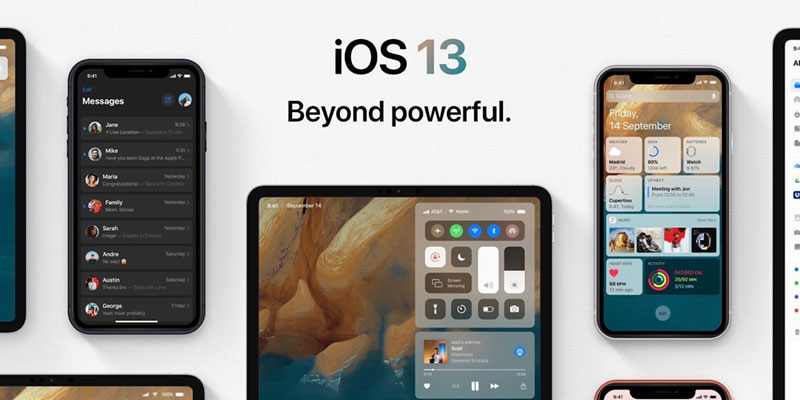
Back in early 2018, Apple introduced Apple Messages for Business. Business Messages is a powerful new way for organizations to connect with customers directly from within the Messages app. In iOS 13, Apple has added Message Suggest, which makes Apple Messages for Business easier for customers to discover.

Previously, Apple Messages for Business was offered from Apple Spotlight Search, Apple Maps, and on a company’s Contact Us page. But many customers find companies in Google search results. Apple Message Suggest makes Apple Messages for Business available in search results and anywhere else in which a customer might call from their iPhone.

Apple Message Suggest is a prompt for iPhone users that helps them initiate a text conversation with a business through Apple Messages for Business. It provides an alternative to calling during business hours and waiting on hold to talk directly to a contact center agent.

Message Suggest appears as a pop-up message when an Apple iPhone user taps on a business phone number. iPhone users will see two tappable buttons, one of which is to confirm they want to initiate a call with the Phone app. Above the call prompt is a messaging icon with a customizable call-to-action that takes customers to their native Messages app when tapped. Message Suggest also displays a company icon and verified badge to confirm the registered business’s identity.

Companies already using Apple Messages for Business can take advantage of this feature for their high call volume phone numbers by contacting their Quiq representative. Apple does the rest, triggering the Message Suggest interface for users with iOS 13 and above.

Apple Message Suggest features

Message Suggest offers convenience for customers and a way for companies to capture actionable engagement data for their customer relationship management software. It allows you to:

  • Trigger the Message Suggest UI on your brand’s website with a tappable telephone link. As long as you use the proper phone URL scheme, you can also offer app users the option to chat with text messaging.
  • Collect and measure Message Suggest volume. By capturing how many users tap the Business Chat option on Message Suggest, Apple helps calculate your conversion rate and your call to messaging ratio.
  • Share rich messaging exchanges with customers. Message Suggest shifts inbound inquiries to Messages for Business, a familiar text channel that offers more control over when and how customers respond. Rich media messaging also opens more direct lines of service between customers and employee representatives.

Do your customers call you? If you are one of the handful of companies where you don’t engage with consumers over the phone, skip ahead. For the rest of the world, let’s get real. Wouldn’t it be great to reduce the number of inbound phone calls and to shift consumers to messaging? Yes. Yes, it would.

According to Statista, there are currently more than 100 million iPhone users in the United States, accounting for about 45% of all smartphone users in the United States. It’s a safe bet to assume that at least half of your customers have iPhones and they all want to use the convenience of messaging to contact you. Apple Messages for Business is built into iMessage and included with every iOS-enabled device there’s a huge market to address.

Message Suggest for iPhone became available when Apple iOS 13 was introduced, ushering in a new way for your customers to engage with your brand. When customers tap on any of your registered business phone numbers, a small window called a phone sheet appears allowing your customers to choose between voice and messaging.

By tapping on the “messaging” icon customers can contact you through Messages for Business in the Messages app. Your customers have immediate access to messaging with your company which reduces phone call volume to your contact center.

The benefit of Message Suggest to businesses

Messaging offers a better agent to customer concurrency ratio compared with either voice or live chat. Brands reduce their contact center operational costs by launching Message Suggest.

By enabling Message Suggest, you can:

  • Deflect calls before they reach your IVR queue
  • Reduce voice support costs by shifting call volume to messaging
  • Improve agent concurrency with messaging, enabling agents to manage 6 or more conversations at a time
  • Increase customer satisfaction by reducing wait times and getting cut-off in mid-conversation on phone lines
  • Better customer experience with built-in features, such as Apple Pay, list pickers, time pickers, and Augmented Reality

Do more than a phone call ever could with Apple Messages for Business. Have you ever tried sending an image over the phone? Not possible. Have you ever tried to schedule an appointment over the phone? Painful. Have you ever tried to take payment over the phone? Not the most secure. With Apple Messages for Business, everything is possible, private, secure, and most importantly, easy.

Think about it from your customers’ perspective. If you were in their shoes, do you want a phone call to be the only option offered? What if you are going into a meeting, headed to pick up kids, hanging out with friends? Do you really want to call a business, navigate a phone tree, wait on hold, and then have to talk to at least one person to get a question answered? No. You don’t.

Stopping everything to make a phone call is quite possibly one of the least convenient things to do today. Our lives are too busy to sit down and focus on just one thing.

Before

After

As you can see from the screenshots, one of our clients, Brinks Home Security, has already taken advantage of Message Suggest. Now, when consumers tap on Brinks phone number from their Apple device, they are presented with the option to message or text in addition to call.

If you are interested in taking advantage of Apple Messages for Business and offering to message to your customers, there are 2 steps. The first is to identify what Apple calls a Customer Service Provider, or CSP, and the second is to create a Business Chat account.

  1. A Customer Service Platform (CSP) is required to connect your business to the Business Messages service. A CSP provides the software and services necessary to allow your agents to respond to customer messages sent from the Messages app on Apple devices. Fortunately for you, Quiq is already an approved CSP and has many clients live on Apple Messages for Business.
  2. Register with Apple and create a Business Chat account (BCA). Quiq will be your guide throughout this process.

A significant shift in the way consumers communicate with brands is happening, with Apple leading the charge. Message Suggest takes Apple Messages for Business to the next level by proactively offering consumers the option to chat/message with a company instead of calling. Your customers will be happier and your business will be more efficient!

As an authorized Apple Customer Service Provider, Quiq helps brands present their customers with consistently jaw-dropping customer experiences across SMS/text messaging, Apple Messages for Business, Google Rich Business Messaging, web chat, and social channels.

With Quiq’s Conversational Engagement Platform, companies can easily orchestrate commerce and service conversations involving both bots and humans. For more information about Quiq, contact us today.

Frequently Asked Questions (FAQs)

What is Apple Message Suggest?

Apple Message Suggest is a feature that gives iPhone users the option to start a conversation through Apple Messages for Business instead of calling a company. When someone taps a business phone number on iOS 13 or later, they’ll see a prompt that says “Message [Business Name]” alongside the traditional call button.

How does Apple Message Suggest benefit businesses?

It helps companies shift customer interactions from phone calls to messaging, which reduces call volume, shortens wait times, and allows support teams to manage more conversations at once – often with faster response times.

What kinds of interactions are supported through Apple Messages for Business?

Businesses can use rich messaging tools like list pickers, time pickers, product images, payment links via Apple Pay, and more to make conversations interactive and seamless.

How can a company set up Apple Message Suggest?

To enable Message Suggest, businesses must register for Apple Messages for Business, integrate through an approved Messaging Service Provider (MSP) like Quiq, and configure eligible phone numbers with Apple.

Can Apple Message Suggest handle automated replies or chatbots?

Yes. Businesses can combine automation or AI assistants with live human agents to manage conversations efficiently while maintaining a personalized experience.

Apple Business Chat MSP (Messaging Service Provider): How to Get Started

Key Takeaways

  • Apple Messages lets customers initiate messaging with businesses directly via Maps, Safari, Search, Siri, or within apps, and enables richer interactions like scheduling, browsing product catalogs, and secure transactions.
  • To use Apple Messages, companies must partner with an Apple-approved Messaging Service Provider (MSP) or Customer Service Platform (CSP) that can route, queue, and manage asynchronous conversations across channels.
  • The MSP/CSP must support features like intent recognition, multi-channel messaging, analytics, and CRM integration to meet Apple’s approval criteria.
  • Quiq is an approved MSP/CSP for Apple Messages, offering integration support, agent tooling, and cross-channel messaging so that businesses can adopt the channel more easily.

Today’s smartphones and tablets offer new opportunities for brands to connect with consumers traveling through the buying journey. Customers researching a business on their iPhones or iPads have the option of contacting a business through the messages icon that appears in map and search results. Apple Business Chat facilitates these messaging conversations.

Apple Business Chat software allows customers to use a familiar text messaging interface and receive richer responses compared to in-person interactions. For example, employee representatives can offer to schedule appointments, share product listings, and collect feedback. The ability to complete transactions securely through RCS messaging is another advantage of Apple Business Chat.

To start using Apple Business Chat, businesses must first register with Apple and partner with an approved Messaging Service Provider (MSP).

What is an Apple Business Chat Messaging Service Provider (MSP)?

A Messaging Service Provider (MSP) manages customer message routing between Apple Business Chat and the business. Think of a MSP as an intermediary that allows a customer service team to respond efficiently from their desktops to what customers send from their iOS Messaging apps.

Apple lays out several requirements for messaging platforms if they are to become approved MSP’s. A platform needs to demonstrate it can identify customer intent from messages and queue, prioritize, and route the customer to the right members of a customer support team. The platform must also support asynchronous messaging channels other than Business Chat, and its team must offer resources to help clients become launch-ready for Apple’s rich messaging service.

There are other Apple guidelines to qualify for MSP approval, but perhaps most important is a platform’s ability to manage and monitor multiple channels while collecting customer metrics. Quiq has holistic features that classify interactions and route messages to support agents, integrate with CRM solutions, and organize a complete customer history within the UI.

Why Deploy Apple Business Chat?

Apple Business Chat makes it easy for consumers to initiate a conversation with a company when searching for a business through Maps, Safari, Search or Siri or even in the businesses’ own app. Business Chat allows consumers to ask a question about a product or service, or complete a transaction using Apple Pay. With Apple Business Chat it’s easier to reach a live person and consumers are always in control of whether they share any contact information with a business.

“The things that make text messaging the most popular communication channel with family and friends also make it the preferred medium for customers to engage with companies,” said Mike Myer, CEO and Founder of Quiq. “Adding support for Apple Business Chat allows connected customers to engage with businesses in a way that is personal, frictionless, and easy, using the Messages app on iOS. Companies using Quiq will simply have access to a new messaging channel within the Quiq Messaging platform.”

Today, consumers prefer business messaging over any other form of communication to engage with businesses and a lot of companies have had to sit up and take notice. As mobile browsing and chat interactions continue to grow and overtake traditional channels business messaging, especially through rich communication services like Apple Business Chat has quickly become more than a nice-to-have for companies.

What you need to get started with Apple Business Chat

To get your company started with Apple Business Chat, Apple requires businesses to set up a Business Chat Account, but before they do so, they should follow these steps to ensure a smooth approval process with Apple.

First, your company should outline the business need to support starting a Business Chat Account. This should provide a very clear explanation for why you want to enable Business Chat for your customers as well as outlining a process for how to identify and authenticate customers within Business Chat. If this sounds a little technical, it’s because it is, which is why it is essential (and required) to have an Apple Business Chat Messaging Service Provider (MSP).

There are very specific requirements for the type of account your business will choose to enable with Apple and applications are reviewed carefully. To qualify for a Business Chat Account, you must have an asynchronous messaging platform staffed by live agents during business hours. An Apple Business Chat partner, like Quiq, can help navigate the process and requirements set by Apple to get started with setting up a Business Chat Account.

Quiq was one of the early Messaging Service Provider (MSP) to support Apple Business Chat, which is a new way for users to communicate directly with businesses using the native iOS Messages app on iPhone and iPad.

Once you have addressed the business need, outlined a plan to support inbound Apple Business Chat conversations, and selected an Apple Business Chat CSP, you’re ready to create a Business Chat Account.

As a part of getting your Business Chat Account submitted, your business will want to set up an internal testing account. This gives your business an opportunity to see and test Apple Business Chat internally prior to exposing it to your customers. At this point, you will need to have chosen an Apple Business Chat MSP, in order to proceed with testing. With your internal testing account, you’ll then be able to send and receive messages through your MSP. As an additional resource, Apple has provided a step-by-step guide to Getting Started with Business Chat.

Why Work With Quiq To Implement Apple Business Chat?

Apple recommends that businesses decide which approved MSP will connect their customers to their live agents while waiting for Business Chat Account approval. It’s a good time to get acquainted with Quiq’s capabilities with Apple Business Chat.

Quiq is built around asynchronous messaging, aligning with Apple’s platform requirements, and is an Apple-approved Customer Service Platform. With Quiq, you can seamlessly integrate with your internal system or choice of customer engagement software and offer rich media experiences through text messaging.

Quiq has helped many clients start utilizing the advantages that Apple Business Chat has to offer. Quiq representatives get to know each client’s goals, and a Quiq implementation specialist guides each client through the Business Chat registration process.

Quiq also provides the support clients need to branch out into other SMS, web, and social messaging channels. Our Conversational Customer Engagement Platform supports many customers’ preferred messaging channels. With Quiq, you can begin providing an enhanced customer experience with Apple Business Chat or another business messaging channel and manage cross-platform conversations easily.

Ready to get started?

Quiq makes it easy for customers to contact a business via Messaging, the preferred channel already in use with friends and family. In return, companies get a digital engagement platform to communicate with customers. Try it out yourself today with a free demo!

Frequently Asked Questions (FAQs)

What are Apple Messages?

Apple Messages is a messaging channel that allows customers to start conversations with businesses directly from native Apple apps like Messages, Maps, Safari, and Siri. It enables richer, more interactive customer experiences with features like product browsing, scheduling, and secure payments via Apple Pay.

Why do businesses need a Messaging Service Provider (MSP) or Customer Service Platform (CSP)?

Apple requires businesses to work with an approved MSP or CSP to use Business Chat. These providers handle the routing, queuing, and management of messages across channels, ensuring compliance with Apple’s standards and providing a smooth experience for both customers and agents.

What makes Quiq an approved provider for Apple Messages?

Quiq is an Apple-approved MSP and CSP that supports the technical and operational requirements for Apple Messages. Its platform includes intent recognition, automation, CRM integration, and analytics – making it easy for businesses to manage Apple conversations alongside other channels like SMS, WhatsApp, and web chat.

How do Apple Messages benefit customer service teams?

Apple Messages creates a seamless, branded experience for customers while giving agents access to advanced tools like canned responses, automation, and rich media sharing. It helps teams resolve inquiries faster and improves overall satisfaction through personalized, secure, and convenient communication.

How can a company get started with Apple Messages through Quiq?

Businesses can partner directly with Quiq to implement Apple Messages. The Quiq team helps handle Apple’s approval process, configure the technical setup, and train teams to manage the new channel effectively – all within the same messaging platform they already use.

3 Benefits of Instant Messaging Customer Service to Help Your Business

With the abundance of technology available to companies that promise to streamline processes, increase productivity, and reduce costs within the contact center, why do so many companies choose to invest in instant messaging customer service? The answer is simple. Instant messaging for customer service accomplishes all three of these things plus it’s easy to implement.

The main reason most companies turn to instant messaging for customer service is to provide their customers with a better experience, but there are other, less obvious, benefits that instant messaging provides. In this post, we’ll take a closer look at instant messaging for customer service and why more companies are turning to this method of communication to achieve more than better conversations with their customers.

What is Instant Messaging?

Instant messaging is a type of communication that allows two or more people to transfer text in real time over an internet or cellular connection. It’s a great way for shoppers and service representatives to correspond quickly with short, deliberate messages. Unlike other communication types, instant messaging apps help consumers receive answers in seconds without having to meet in person or speak over the phone.

At the turn of the century, people used instant messaging platforms such as AOL Instant Messaging (AOL) to transfer information. IM is the standard for casual communication everywhere today, although the practice has only been mainstream in public society since the 1990s.

Today’s technology lets people send shorter, more personal messages that are easy to read and digest. Also known as text messaging or business messaging, this mode of communication is quickly becoming the norm for sales teams and customer service agents.

The Benefits of Instant Messaging for Customer Service

The way we communicate has evolved and instant messaging has emerged at the top of the food chain. In fact, “4 out of 5 consumers send mobile messages at least daily, while nearly half also use Facebook Messenger and a further third use other messaging apps daily.” (Customer Preference for Messaging, Market Strategies International)

The high adoption of messaging makes it an obvious choice for consumers to reach businesses. Using instant messaging for customer service has been a no-brainer for consumers for a while. Customers who seek to use the same fast, easy, and convenient way to contact companies, as they use to contact family and friends, have been trying to engage via instant messaging for some time. Companies, while quickly adopting the practice, have taken longer to realize their customers preference for instant messaging. Here are three benefits of instant messaging for customer service to help your business that you should prompt you to act right away:

1. Streamline processes

Agent labor is the biggest expense for a contact center, therefore time efficiency is one of the biggest challenges. Requiring agents to do things like cut and paste information from one system to another, gather simple information before receiving a call, or answer basic questions that could be handled without the help of a live conversation, are tasks that can be avoided.

Quiq Messaging has features that help contact centers reduce “time wasters” such as these. Here are a few common scenarios you’ll find in a contact center and how instant messaging can streamline the processes:

  • Gathering basic information
    • Quiq’s web chat has the ability to present your customer with a short form to gather information like name, order number or email. Before the agent even accepts the call they are armed with information to search your internal database and gather valuable customer information. Quiq Messaging has the ability to integrate with a CRM system so that your agent can view customer information alongside the conversation with the customer to provide a better customer experience.
  • Answering common questions
    • Agents can avoid the task of repeatedly typing out your return policy or performing a copy/paste to share the terms of your guarantee. Commonly asked questions can be easily answered through pre-built snippets. This feature allows Quiq clients to store answers to frequently asked questions that agents can access with a few short keystrokes.
  • Scheduling an appointment
    • Quiq’s Messaging platform enables agents to automatically send a list of available time slots that customers can pick from with a quick tap. This feature saves our clients the tedious back and forth usually required when trying to coordinate things like delivery times or service appointments.
  • Understanding what the customer is trying to describe
    • Quiq clients have found that customers can easily send videos and images to better explain their issue since consumers are able to quickly take a photo, screenshot or video with their phone or tablet and attach during the conversation. This feature has helped reduce handle time since agents can see what the customers see and are better equipped to assist the customer to resolution.

2. Increase the productivity of your agents

In addition to streamlining processes that allow your agents to accomplish tasks more quickly, messaging enables your agents to do more tasks. No hocus pocus or smoke and mirrors here. The asynchronous nature of messaging is the magic ingredient to this boost in productivity.

Asynchronous means that your customers can communicate intermittently, as their time permits. It also means that they can shoot off a text to check on an order or schedule an appointment while they are at their kid’s soccer game without missing a single play.

The customer’s pause in conversations presents agents the opportunity to receive and respond to multiple conversations at one time, often handling 6-10 conversations at once, without sacrificing the customer’s experience. In fact, it enhances the customer’s experience because the customer is able to tick that “call” off of their to-do list without disrupting their day.

Instant messaging also enables more efficient team communication, as it allows agents to message back and forth when they need to relay important information. Instead of having to make dozens of phone calls or emails, they can reach each other in seconds with instant messaging systems.

3. Reduce costs

We’ve talked about two benefits of instant messaging for customer service that really focus on saving time within a contact center. The old adage “time is money” hasn’t stuck as a universal truism just because it’s short and catchy.

Phone calls can cost $3-4/call and as high as $12/call regardless of how simple or complex the customer’s question is. In contrast to expensive phone calls, where agents can only handle 1 call at a time, agents can handle multiple messaging conversations at once, reducing work time and costs within the contact center. Quiq clients have been able to reduce work time by at least 35% compared to using phone and email to answer the same customer inquiries.

4. Gain a cohesive instant messaging system

Instant messaging mobile apps and software programs provide a cohesive, streamlined way to reach a wider audience. Quiq supports SMS, online, and social media communication, and its messages allow retailers to update consumers across several different platforms.

Instant messaging is a great way to answer questions, send alerts, provide technical support, and schedule services using a single mode of communication. Messaging allows consumers to interact with retailers directly from their phones, and agents can reduce their workload with advanced technology.

Because it’s so fast and easy, team communication through instant messaging is more sustainable than traditional correspondence methods. Today’s consumers want answers immediately and they want to find them quickly. Mobile phone communication offers both convenience and speed, which makes it a scalable option for many retailers. It helps them meet more demands without forcing them to devote additional time and resources to interruptions. The process is simpler, and customer service representatives can automate certain responses for better service and efficiency.

5. Better serve consumers

People love having access to resources that deliver fast results, and that’s exactly what instant messaging provides. With message platforms, retailer agents can increase job performance and serve more shoppers at one time. The faster a customer receives the answer they’re looking for, the more likely they are to buy the product that catches their interest.

Consumers are fickle, and it’s important to find new ways to keep them engaged. With analytical insights and archive keeping, leaders can monitor performance and create more effective improvement plans. Instant messaging apps are also effective for helping retailers collect feedback on new strategies and policies. Surveys and post-purchase questions allow instant messaging service agents to determine customer satisfaction.

These platforms may also come with a variety of features such as multi-language support, group chat options, and automated bots. Instant messaging breaks down communication barriers between retailers and consumers while providing solutions that can generate accurate answers to simple questions within seconds.

Evolve the Way You Communicate With Consumers

Instant messaging has evolved into the preferred method of communication for consumers. This shift in consumer behavior means there’s an opportunity for companies to leverage this channel to streamline processes, improve agent productivity, and reduce costs.

A growing number of companies have realized these benefits within their contact center because they partnered with Quiq Messaging to better engage with their customers. If you’re ready to learn how you can realize these benefits, text or chat with us today.

See a Demo Today

Video: Shopify store – Conversational Commerce

Your customers are already using their cell phone, computer, or tablet to browse your Shopify store. Why not give them the mobile experience they’ve come to expect. Quiq Messaging makes pre-sales support and post-sales service fast, convenient, and easy. Help customers find and select products all within a messaging conversation.

Watch this short video to see how Shopify retailers can use messaging. From completing transactions to shipping notifications, to give their customers a seamless shopping experience. That’s the power of conversational commerce. Schedule a demo today to see how easy it is to integrate Quiq into your Shopify store.

The Future of Digital Channels for Business Messaging

A couple of years ago, we were focused on educating the market on messaging and if messaging was right for their company. Fast forward to today and we’re working with over 120 clients such as Overstock.com, Pier 1, and Brinks Home Security. These brands have improved customer interactions with connected conversations and they are setting a new standard for the customer experience.

Messaging will continue to shape the way companies and customers engage as a growing number of consumers expect companies to be available through multiple digital channels. New research reveals that 70% of consumers have communicated with a business over text messaging or webchat 2 or more times in the last month.

The accessibility of messaging has been the primary driver for consumers adopting text as a preferred method to contact a company. As we mentioned in our post “7 Reasons Why Customers Want to Text You”, 97% of smartphone owners regularly use text messaging, making it the most widely-used basic feature or app.

The proliferation of smartphones, tablets, apps, and social networking has brought us to our current reality, where consumers readily look for and expect messaging as an option to engage with a company. It’s the convenience, faster response, ease, and familiarity that makes these digital channels the preferred way to engage.

Download a complimentary copy of “The Future of Customer Conversations”. You’ll get a deeper look into consumer expectations around messaging and how your company can prepare to seize this opportunity.

Quiq’s Business Messaging Platform

Why Use Quiq?

Create a personalized experience for your customers across all of the digital channels they already use. Channels like SMS /Text messaging, Live Chat, Facebook, Twitter, and your own app are the places your customers already spend their time. With all of these combined into a single business messaging platform, you can make it easy to engage with your company.

View the short video above to see how Quiq is transforming customer conversations. Then let’s talk so we can show you what this would look like for your business!

Four Ways to Rise Above Channel Fatigue

Consider for a moment the many ways customers are inundated with a multitude of brands, all vying for their attention. Take the email inbox, for example. Customers can’t unsubscribe fast enough from all the generic email newsletters they receive. The influx of email newsletters, social media messages, and online advertising adds up to marketing fatigue, a result of too many messages not relevant to customers. While messaging is still the most effective channel, with double the conversion rate of email, the way businesses currently communicate with customers needs to change.

Customers often unsubscribe, scroll past, unfollow, and mark as spam when messages are not relevant. What is the first sign your audience is experiencing marketing fatigue? A good indication is lower response rates, with even lower click and conversion rates.

Mastering the art of meaningful communication with customers is vital to keeping them interested, engaged, and connected. The best way to engage audiences has changed — expanding beyond the traditional phone and email, to reach customers how, where, and when they want to be reached.

A Better Way to Reach Your Audience

Web chat, in-app messaging, SMS/text messaging, social media — there’s a lot of service channels for customers to choose from (and for agents to manage!). It’s critically important for companies to consider how they define and manage communication at every step of the customer journey to ensure messaging does not add to customer and business channel fatigue.

People who are just starting their journey, in an information-gathering stage, require a different kind of message than, say, a customer looking to upgrade their existing product. Don’t fall for the allure of making a hasty attempt to close the sale. Sending too many messages geared toward completing purchases to a customer who is firmly in the early stages of their journey will lead to annoyance, fatigue, and a bad taste in their mouth associated with the brand. Instead, the best way to craft the right message is to put yourself directly in the customer’s shoes  — and if you happen to sell shoes, who knows, they may just end up buying a pair!

It’s also smart to track your ad performance and see what kind of leads paid is bringing in as a channel.

So, how are companies battling marketing fatigue successfully reaching their customers?

Multi-Channel Messaging

The best way to prevent channel fatigue while reaching customers at the right place and time is to be available on their favorite channels. Multi-channel messaging makes your business available in all the places your customers frequent in ways that are most convenient for them — whether that’s on a Facebook Business Page, Twitter Direct Messages, Kik, SMS/text messaging, rich messaging (on Apple Business Chat and Google Rich Business Messaging), Web Chat, or In-App Messaging.

Transform how you engage with customers by letting them talk to your business the same way they talk to their friends and family.

Get Personal

Companies that put effort into understanding which channels are most important to their customers are better equipped to manage channel fatigue. For example, companies can optimize their communication and define message relevance customer-by-customer, based on behavior, demographics, preferences, journey status, and purchase data.

Another way to help customize the customer experience is to keep in mind the different tools customers use to view messages.

Messages sent over Web Chat are viewed on a computer most of the time, making Web Chat a better platform for sending resources, guides, and text-centric solutions. Alternatively, Facebook, Twitter, Kik, and rich messages (all of which are great for sending multimedia) would most likely be viewed on a mobile device. In this case, you might opt to engage your customers with interactive rich messaging features like images, videos, gifs, emojis, and cards that can be inserted into conversations on social media platforms and business SMS.

Focus on Message Quality

Ensure that your messages provide your audience value by making them enticing and relevant.

Not every individual within a target audience will find relevance in mass messaging. With an audience full of customers at varying stages in their journey or simply at different income levels, personalization must go beyond just using first names or location. Rather than sending out one mass message across channels, the best way to engage a varied customer audience is to segment them out into smaller groups, and target messages from there — because if a customer clicks on a message to discover that it isn’t as relevant (or specific) to them as originally implied, they will lose trust in your messages and, subsequently, your business.

If your message is relevant to your audience, then format becomes less important. What matters is that you’re sending content that is low-effort to read and react. However, if your message is possibly irrelevant to certain customers’ interests, you should focus on capturing their attention while still keeping their effort levels low. Easy, fun, and visual is best — it gives your customers less to look through, making it a perfect fit for their busy lives.

Choose the Best Channel to Communicate

If your business keeps track of the content and frequency of your messaging, as well as your engagement across platforms and audience segments, then there are a lot of different communication channels to consider. The key is to make the most out of each channel.

Studies show that Business SMS/text messaging is the most effective channel to capture customer attention because it is a diversion from the typical email and promoted messages omni-present in their digital lifestyle, while maintaining the same level of immediacy. Text messaging is personal, download-free, and doesn’t require an internet connection. It’s also low effort to read and take action.

No matter what channel your customer base chooses to use, be sure to keep track of response and conversion rates to inform smart decision-making surrounding your brand communication. When it comes to platforms that give you insight and platforms that help businesses with messaging, Quiq doesn’t make you choose. By integrating directly into your existing CRM system, you’re able to continue receiving the reports that you know and love.

Fight channel fatigue with the proper strategy — focused on intent and personalized communication. Quiq Messaging connects your business to a variety of different platforms seamlessly. Want to learn more about Quiq’s multi-channel messaging platform? Request a demo!

Text Messaging Do’s and Don’ts

Cross-channel communication doesn’t just provide a more seamless user experience — it also keeps customers coming back. Companies who offer a cross-channel user experience have seen over 90% higher year-over-year increases in customer retention, according to Aberdeen.

Cross-channel engagement has been a blessing as well as a burden for some companies. On the one hand, businesses have more ways to interact with prospects and customers. On the other, all of these channels, be it social media or text messaging, requires companies to actually monitor, respond, and engage consistently with customers over all of these channels.

Cross-channel management doesn’t have to be a cumbersome exercise though. Today, it is imperative to business efficiency and effectiveness for all customer conversations to be in one holistic view.

The companies realizing the most success with cross-channel messaging are seeing a boost in customer satisfaction and revenue, with positive impacts on productivity.  Let’s dive into the ways that cross-channel messaging can be used to engage customers and drive more business.

Why Follow Proper Business Texting Etiquette

Following proper business texting etiquette[3]  is important for a very simple reason — your texts will be read. Unlike emails, which often pileup unread in a customer’s inbox, your text messages are rarely ignored. In fact, SMS open rates are as high as 98%, versus just 20% for email, according to Gartner. This makes the content and timing of your texts critically important in ensuring customer satisfaction. So what can your business do to ensure a positive SMS conversation experience?

The Do’s of Business Text Messaging

Do keep it to the point

SMS is appropriate for short and succinct messages. The length of a single standard text message is 160 characters, so that’s a good limit to shoot for. Of course, you can use rich messaging to send longer messages, but avoid sending walls of text via SMS.

Do ask permission first

Since text messages pop up front-and-center in a customer’s daily life, it’s important to make sure they give consent before getting the conversation started. Your first message can be a simple opt-in request, or your customers can subscribe to your texts via your website. If they send the first message, then their consent to receive a reply is implied but it’s still a good practice to ask permission before sending any unrelated messages, such as promotional texts.

Do stay positive

Keeping your text conversations polite and positive is essential, especially if you’re using the channel for customer support. Certain phrases may be misconstrued by the recipient, so make your dedication to customer satisfaction clear. While you do want to stick to the point, use complete sentences to avoid coming across as terse or impatient.

Do time your texts right

No one likes to be rustled awake by a midnight message, so make sure you send your business texts at an appropriate time. The best time to text your customers is soon after they text you. That way, you know that they are already engaged in the conversation. Similarly, you can reach out to them immediately after they opt-in to receiving your SMS, or right after they submit a support ticket. If you’re sending the first text, you’ll want to be mindful about the customer’s time zone and only message them during normal business hours.

Do get rich

Rich Communication Services (RCS) can transform your business texting into a full-on conversion platform. You can complete transactions, schedule appointments, and send videos to engage with customers in a more powerful way. Quiq’s cross-channel rich messaging automatically transforms your messages into the right format, so you can richly communicate over SMS, web chat, or Facebook Messenger — all from one centralized platform.

The Don’ts of Business Text Messaging

Don’t use unprofessional language

SMS is famous for acronyms but your business texts should avoid using them. Save your “LOLs” and “C U l8rs” for more casual conversations. That said, some emojis may be appropriate, depending on your audience — professional language can also have a bit of fun sprinkled in.

Don’t forget to double-check

For some customers, a misspelled word — or even an innocent typo — is unforgivable. Be sure to review your message drafts before hitting the send button. If your business uses message templates, revisit them periodically to make sure they are error-free and still in line with the tone of your brand.

Don’t wait too long to reply

Text messaging is all about rapid response. If customers don’t hear back from you quickly, they may move on to another service. Quiq’s Adaptive Response Timer prioritizes customer conversations for your agents based on how swiftly a customer stays engaged. If your agent cannot respond in time, the platform automatically hands the conversation off to the next available representative. With Quiq, there is no need to keep customers waiting.

Don’t rely solely on SMS

Text messaging is only one of the many conversation channels out there. Your business should use it as just one part of an overall customer messaging strategy. Understand the benefits of SMS alongside its limitations, and see where it fits in your conversation ecosystem.

By following these tenets of business texting etiquette, your brand can connect with customers in a more powerful way. Discover the true potential of business messaging and try a demo of Quiq today.

eBook: Business Messaging Best Practices

Business SMS/text messaging is the fast, convenient, and preferred way for customers to engage with you.  According to research, “mobile messaging the communications channel with the highest anticipated growth.”

Done correctly, messaging is a powerful tool to help consumers connect with businesses – especially when it comes to customer service.

Business Messaging Best Practices eBook

5 Ways To Build A Chatbot To Improve Customer Service

Chatbots, or bots, are at the top of countless Google search results these days. Why so much research and chatter about bots? Faster customer service and a better customer experience are just a couple of the ways companies believe bots can drive results throughout the organization and it’s making a stir.

A lot of people have gone past the point of wondering how to employ chatbots within their organization to actually building them. While there are plenty of tools out there to help you drag and drop your way to an AI-infused representative, you’d be ill-advised to jump right into it. Before you build a bot, there are some important things you need to consider.

In this article, we’ll explore 5 key considerations to get you started on a better chatbot path. Incorporating these concepts into your strategy will ensure you build a bot that improves your customer engagement and their experience.

When To Use A Bot

Sometimes having too many options can lead to confusion and indecisiveness. That’s not the case when it comes to bots. The meteoric rise of the digital channels used throughout companies to drive better customer experience has resulted in exponential demand for chatbots. Chatbots are being deployed from customer service to sales and marketing across channels such as web chat, SMS/text messaging, and social media.

The opportunity to use bots within single or multiple points in the customer’s journey seems crystal clear to many. The question isn’t whether you should use a bot within a conversation. The pressing question seems to be when is the appropriate time within a conversation for a bot to engage with a customer.

Before you answer that, consider these bot must-haves. In our experience, working with clients from a variety of industries, these 5 bot approaches ensure companies deliver better bot experiences.

1.Build A Bot To Offload Repetitive Or Mundane Tasks

What’s your order number? Can I verify your email? What model is it? Can you verify your address? How many times have your human agents had to ask these questions? Short answer, too many. With chatbots, the better question is how many times does a human agent have to ask these kinds of questions? Short answer, zero. Zilch.

These questions, and many more, are super simple and repetitive. The answers are fairly straightforward and necessary to help a customer and move them closer to resolution. One of the first things to do prior to building a bot is to define the parts of the typical customer interaction that could be handled by a bot, where that is prior to, during, or after an interaction with a human/agent.

Quiq clients have realized success by building bots to handle some of these simple questions, with the intent of providing human agents with more information faster to ensure they understand who the customer is and the issue at hand.

2. Build A Bot That Works With Your Current Processes

You shouldn’t have to revamp your entire workflow in order to implement a bot. Make sure your bot or bots work within your current process to improve it.

Consider using bots throughout the customer’s interaction to expedite established processes. For example:

      • Deploy bots at the beginning of customer conversations to collect information, gather relevant details about the nature of their inquiry, and to even route the customer to a specific person, department, or queue.
      • Allow your human agents to transfer to a bot during their conversation. Bots are able to collect information during a conversation to free up human agents for more complex tasks or to help other customers.
      • Let your chatbot close out the conversation with a simple thank you, or even better, a quick survey to gather feedback.

3. Build A Bot That Works Well With Humans

Our messaging clients frequently look to chatbots as a way to help the human interaction, not replace it entirely. Quiq clients have realized a lot of success from using bots to work in conjunction with humans.

As mentioned above, bots can be used in any one or multiple parts of customer interactions. Before you build your bot, make sure you’re creating a seamless experience for your customer as well as your agents.

Quiq’s messaging platform enables agents to transfer conversations to a bot, just like they would another human agent. Once the bot completes gathering whatever information they need, the conversation is transferred back to the human agent.

4. Build A Bot That Plays Well With Other Bots

Just as a conversation can be volleyed between human and chatbot, make sure that your conversations can be transferred to other bots.

Take, for example, a bot that greets your customer, asks how they can help, and presents suggested solutions. Your customer can choose the appropriate topic with a single tap. Based on their response, another bot can pick up the conversation and bring the customer through the selected process.

Quiq is unique in that you can deploy any combination of 3rd-party bots and/or Quiq bots in our system and they are treated the same. The focus is on helping the customer, not on technology.

5. Monitor Bot Performance

Improving customer engagement and experience doesn’t stop when a bot or multiple bots go live. Once you’ve implemented your bot(s), monitor performance the same way you’d monitor a human agent’s performance.

Quiq’s messaging platform reports on bots and human agents the same way. Our platform monitors the customer’s experience and provides actionable feedback, such as the customer’s sentiment during the conversation, regardless of who is helping them. Simple icons alert managers if a customer is using negative words or phrases that signals intervention is needed.

Receive the same types of stats for bots that you have come to expect and demand for agents.

Messaging Conversations Are Ripe For Bots

These critical must-haves for building a better bot should help you answer our question above: “When is the appropriate time within a digital conversation for a bot to engage with a customer?” The answer depends, of course, on the unique needs of your customers and the reasons they reach out to you.

Quiq can help you deploy bots throughout your organization that work seamlessly across chat and messaging channels. If you’re ready to take the next step to building a better bot experience, request a demo.

How to Choose the Best Live Chat Software for Your Business

A software investment of any kind takes due diligence, and purchasing live chat software should be no different. The live chat experience that you provide reflects the quality of your brand as a whole, which makes it critical to only use the best website chat software possible. When potential customers visit your website and want to get in touch with you, business messaging channels, such as live chat, are the fastest and easiest methods available.

Every live chat solution, in its simplest form, should make it possible for your company to connect with your customers while they are on your website. But that doesn’t mean every live chat solution is right for your business. In this post, we’ll take a look at how you can determine which website chat software is best for your business.

Determine Which Features are Important to You

There are some universal features you should expect when investing in any software such as:

  • Implementation guidance that can help you on a successful start and use of a product,
  • A history of reliability to avoid being plagued by downtime, and
  • A commitment to security, such as being SOC II compliant.

These features are just as important when purchasing live chat software. You’ll also want to consider answering questions about why you need a business messaging solution like live chat and what type of experience you want to deliver. Here are a few questions to consider:

  • Where do people get hung up on my website? Do they need the most help searching for products, understanding pricing, booking an appointment, or placing an order?

Some companies choose to have chat available on specific pages, while others offer chat on every page. The live chat solution you choose should be able to provide both options.

  • Do I want to offer a reactive chat experience and let customers reach out whenever they need help or do I want a proactive chat experience that invites customers to chat with us?

No one will know your business better than you do. There is no one-style-fits-all for live chat. Ensure that you have the option to provide proactive or reactive chat to your customers.

  • Do I want to customize the look of my chat?

Your live chat should be a reflection of your site and your brand, so make sure you work with a platform that allows you to customize colors, greetings and other details within the chat experience to fit the look and feel of your company.

Answering these questions are a good and basic foundation for choosing the best live chat software for your business. Let’s take a look at some of the more advanced features of live chat that you’ll want to consider.

Critical Aspects of Successful Business Messaging Software

When customers visit your site and fire up your chat feature, they’re looking for a quick response time and quality service. No one wants to send off a message to a business and wait until you get a chance to get back to them. If that was the case, they would have sent an email.

Some wait time before chatting with a human might be acceptable, but why make it the rule when it could be the exception? A modern chatbot messaging solution allows instantaneous and high-quality responses that can seamlessly greet customers, gather information, and point customers in the right direction or even hand the conversation off to a human.

The ability to start a conversation, determine the intent, and route the conversation to the appropriate person, all before a human agent accepts it, make intelligent chatbots a non-negotiable attribute for any web chat software. Chatbots can offer suggestions based on customer feedback or route your visitors to the appropriate human agent if need be.

But chatbots are only one aspect of a multitude of advanced features to consider. Chat technology has evolved and now offers features that deliver a better experience for the customer and the agent. For example, Quiq’s messaging software can tell your agents which page your visitors are on when they click to chat with you, present their entire chat history with your company, and even monitor how the conversation is going based on sentiment analysis.

Look for Rich Messaging Solutions

Nowadays, communicating online goes far beyond text-based chat alone. Short videos have become a language in and of themselves, and entire conversations can be carried out through emojis. Chat software that includes rich messaging capabilities allows you to raise the bar when it comes to business chat, and offer more fun, immersive, and interactive experiences.

With rich messaging, you can complete transactions, schedule appointments, and even send rich media to engage your customers in a deeper way. Look for a web chat software that supports rich messaging so your business messaging can stand out.

Choose Capable Analytics

Business messaging can give important insights into what’s working and what’s not when it comes to products and promotional strategies. The data you gather from your company chats can be critical to developing new strategies and adjusting business processes.

The ideal web chat software should allow you to report on conversations, queues, or agent performance – human or bot. Look for a platform that lets you export your data or even integrate it into an existing business intelligence platform.

Only Settle for Asynchronous

Customers can’t always afford to stick around until the conclusion of a chat conversation. Asynchronous messaging platforms allow conversations to pick up where they left off, so they don’t have to endure the inconvenience of a chat conversation timing out and then restarting a new conversation. Your live chat solution should deliver a frictionless experience for your customers and allow them to set the pace of the chat. Quiq Messaging provides asynchronous communication across all supported channels, so even if your customer has to step away or gets distracted from the chat conversation, they can pick up right where they left off.

And the Winner Is…

When we take into consideration all of the factors listed above, there emerges one clear winner in the chat game. Quiq offers an all-encompassing messaging solution for businesses looking to drive conversions and provide more capable customer support. We’ve only scratched the surface on what Quiq can offer here — robust analytics, asynchronous conversations that provide a frictionless experience, and solid security all fall within the scope of this powerful platform.

When you’re ready to discover the true potential of business chat for your enterprise, schedule a demo today.

5 Ways Rich Messaging for Customer Service Transforms Customer Expectations

Remember when using acronyms like LOL, BRB, and BTW were the only way to express yourself on a text message? For a clever few, with a little time on their hands, the use of textual characters morphed into a new form of art to help convey a message. Who knew everyone would use it to communicate visually ¯_(ツ)_/¯. Fast forward a few short years and you’ll find the insurgence of rich messaging has us sharing the kind of rich media we could only dream about back then.

Rich messaging allows companies and customers to exchange hi-res images, videos, gifs, and even complete sales transactions all within a text messaging conversation. Rich messaging, aside from providing a more modern messaging experience, has the power to change the expectations of your customers. In this post, we’ll look at 5 ways rich messaging is transforming customer expectations for customer service.

Rich Messaging Basics

Although we’ve provided a pretty in-depth primer on rich messaging in a previous post, we wanted to remind you of the basics before we dive too deep into how this new way of messaging is changing the way customers are engaging with companies. Here’s what you need to know.

First, rich messaging is a new standard of text messaging that’s already been adopted by Apple and Google, plus a lot of well-known brands like Overstock.com and Brinks Homes Security. Much like SMS, which is the simple text message limited to 160 characters that most people are used to, rich messaging provides customers and companies a way to exchange concise messages over mobile devices. That’s the messaging part. Unlike SMS, rich messaging allows messages over 160 characters, high-resolution images, videos, and a whole suite of other features that make it a better experience than a simple SMS message.

Rich messaging isn’t just about images though. Rich messaging is really about meeting customers’ expectations of convenience. High-resolution images and videos help to convey a message, but that’s only part of the story. The ability to complete transactions within a message or present customers with suggested responses, enabling them to reply to an agent with a tap of a button, adds elements of speed and ease to interactions that consumers expect.

As customer expectations of service continue to increase, rich messaging will help shape their expectations. Here are 5 ways rich messaging for customer service will change customer expectations.

5 Transformative Ways to use Rich for Customer Service

1. Provide responses better and faster than phone and email

There is no doubt that today’s consumer is busier and on-the-go more than customers were even a decade ago. They expect rapid responses and want to communicate one-to-one with businesses – all on their terms. We can thank the digitization of everything from media to services for shaping consumers’ on-demand expectations.

By leveraging rich messaging, businesses can provide their customers with the same type of on-demand support that on-demand products deliver by removing some of the friction around engaging with a company. For example, if a customer searches for a company on their iPhone that has implemented Apple Business Chat, they can immediately start a messaging conversation simply by tapping a “message” icon in the search results. No need to call the company. The customer can simply message what they have to say.

2. Share media that tells a story

Rich messaging isn’t just a pretty face, or GIF rather. The ability to share videos, recordings, hi-res images and yes, even GIFS has been a gamechanger. The ability to share rich media, up to 10MB per message to be exact, makes it easier for agents and customers to help with purchases or troubleshoot issues.

For instance, customers who want to shop around for a new security system can send a picture of their current hardware to see if it’s compatible with the prospective company’s monitoring or if they’ll need to purchase new hardware. This eliminates the need to schedule an appointment for a technician to come to their home to see their current setup, which means less time and hassle for the customer.

3. Allow customers to complete transactions

Rich messaging is all about making the entire experience with your business as convenient as possible for your customers. There are a plethora of use cases and industries where the value is evident, but none so much as retail.

From browsing for a product to buy to completing transactions, rich messaging can help companies support customers through their entire purchase lifecycle. Helping customers navigate a site or find options within a product assortment can easily happen without the customer switching channels.

With rich messaging, customers never have to leave the messaging channel to complete their transaction. Instead of shoppers clicking around to check out, agents can send transaction cards, where customers purchase through a secure cart.

4. Enable customers to make reservations

It’s not just retailers selling tangible goods that can benefit from rich messaging. Services, consulting, travel and hospitality, or any industry where booking an appointment or making a reservation is important should be interested in using rich messaging.

For example, a hotel can a send reservation card to prospective guests allowing them to make an instant booking. The key word being instant. According to Statista, online travel sales are expected to hit a staggering 755.94 billion U.S. dollars in 2019, with mobile travel sales making up 95 billion U.S. dollars.

Going to travel agencies and booking by phone has become a memory only a dwindling few can recall. Travel and hospitality have set the precedence for making reservations. After all, if you can book a houseboat in Bali for 6 months from now from your phone, shouldn’t you be able to schedule your local lawn service next week with the same amount of ease? Making online reservations, with a focus on mobile reservations, a feature is more crucial than ever for companies that care about increasing revenue.

5. Give customers peace of mind with identity verification

Robo-callers with scam offers and bulk SMS messages from shortcodes that can’t be identified are becoming more commonplace. Consumers are becoming more aware and wary of such behavior and won’t hesitate to block numbers or type “Stop” to avoid receiving further communication.

Rich messaging gives your customers peace of mind that they are talking to the trusted brand they intended to engage with. With rich messaging, companies go through a rigorous verification process. Once verified, the company can use their official brand name, colors, logo and font in their messages.

Rich messaging adds another layer of trust to customer service communications. Regardless if the customer receives an outbound message from your company on their Android device promoting a new product or they send in a text message to troubleshoot an issue with a product on their iPhone, they’ll have the confidence that the information they share is private, secure, and going to the right place.

Rich Messaging Behind the Scenes

In addition to all of the features mentioned above that make rich messaging a better experience for your customer, the ability to understand how your messages perform allows companies to understand and improve engagement behind the scenes. Quiq’s messaging platform gives you key metrics for messages that were sent, delivered, failed, and responded to

Rich messaging doesn’t have to be limited to text messages either. Clients using Quiq are able to provide rich experiences to users across chat and other business messaging channels as well. This means that companies can provide content-rich, personalized experiences across SMS/text business messaging, web chat, social, and even within their own app when using Quiq. Ready to take transform your customer service with rich messaging? Schedule a demo to see Quiq’s messaging platform in action.

Forrester Webinar: Connecting with Customers Through Messaging and Bots

Consumers’ Expectations Around Engagement

Today’s consumers’ expectations around engagement have driven companies to “up-level” their accessibility and responsiveness. In this on-demand webinar, Kate Leggett, Principal Analyst at Forrester Research joins Mike Parish, of Brinks Home Security, to discuss how to connect with customers through messaging and bots.

As the leading expert on customer relationship management (CRM) and customer service strategies, Kate shares deep insights into the consumer behaviors that are shaping how many of the leading brands leverage messaging and bots to better engage with their customers. Mike Parish, Director of Experience and Service design at Brinks Home Security reveals the results and surprises of implementing messaging and bots.

About Quiq

Quiq makes it easy for customers to contact a business via Messaging, the preferred channel already in use with our friends and family.  With Quiq, customers can now engage with companies via SMS/text messaging, Facebook Messenger, Web Chat, In-App,and Kik for help with their pre-sales and post-sales questions. Learn more about Quiq today!

See a Demo Today

5 Ways Live Chat Drives Revenue

Using live chat to drive more revenue is just smart business and plenty of companies have embraced this technology as a way to grow their top line. Live chat is always on and at the ready to greet website visitors, field inquiries from prospective customers, and connect consumers to the help they need. It’s really no surprise that live chat has evolved from “nice-to-have” on a website to a necessary feature. There are so many companies currently leveraging the power of live chat and seeing their numbers grow in terms of both revenue and new customers that we felt obliged to highlight 5 of the top ways live chat drives revenue. Looking for a way to build customer loyalty, increase customer retention and boost your average order size? Read on.

Key Stats on Live Chat for Business:

Before we jump into the meat of things, let’s start with a few statistics to whet your appetite on how live chat for business is driving more revenue. Consider these important stats that showcase how valuable this channel is to your business:

How Live Chat Drives Revenue

1. Live Chat Closes More Sales

Online chat provides the opportunity to speak with a customer when the interest in your product or service is at its peak. With chat, customers can get questions answered and concerns addressed before that interest waivers. According to sales consultancy firm, SalesforLife, chat delivers a 20% boost in sales conversions. This can be attributed to the immediate response to specific needs that move the prospect through the buyer’s journey. Consumers know there’s always some risk with a purchase. “Buyer Beware” hasn’t become a saying for nothing. But the ability to have a real-time chat conversation with a representative prior to purchase gives the buyer confidence in doing business with your company because they know help is accessible

2. Live Chat for Business Increases Customer Retention

Live chat is one of the most immediate forms of communication available to online customers. In today’s always-on-the-go world, people want to get answers fast. Your customers will not wait for hours to get an answer through outdated methods, like filling out a form on your website to submit a question and then…you guessed it, waiting for a reply to hit their inbox. When it’s all said and done, meeting your customer’s expectations of delivering fast, personalized service builds customer loyalty and the economics of customer loyalty definitely work in your favor. According to Harvard Business Review, increasing customer retention by as little as 5% can increase profits by 25% – 95%.

3. Live Chat Delivers a More Personal Experience

With the use of live chat for business, you can talk to your customers or potential customers on a much more personal level. Live chat allows you to ask probing questions, provide suggestions, and even offer complementary goods or services based on direct interaction with that customer. Consider this example: A mom is shopping for a bassinet for her newborn. Without any engagement, the customer may just add the item to their cart and checkout, Or, she may get frustrated with all of the choices and tire of reading reviews and look elsewhere. Now, consider the scenario with engagement from a live chat representative. After so many minutes on the product page, a chat window pops up and asks the customer “Can I help you find anything?”. The customer shares what she’s looking for and the agent helps her narrow down choices. In addition to helping her find a bassinet she loves, the representative suggests sheets and some popular sleepwear to add to the cart. This customer-centric approach leads to higher satisfaction rates not only because they are getting fast responses, but also because they are getting the answers that are specifically targeted to helping them with their questions. According to Econsultancy; 73% of their customers were satisfied when they talked engaged on live chat.

4. Live Chat for Business Builds Momentum

You did the work and drove traffic to your website. You’ve got consumers coming in and you need to follow up fast to keep the momentum going. If your shoppers filled out a form so they can be contacted, there’s always a chance that the customer may have failed to provide the right information or made a mistake when entering their contact information. What will you do then if you can’t follow up? You lose the sale. There’s also the chance that a competitor could catch your shopper’s interest while they’re waiting to speak to a representative who can help them make a decision.. Give your customers the opportunity to start a conversation in real-time, when they are most excited about learning more about your product or service and focused on you.

5. Live Chat Increase Order Value

Average order value (AOV) is a key metric to gauge how much revenue a company generates with each transaction. A growing AOV is an indication that either customers are buying larger ticket items per transaction or buying more items in a single transaction. Either way, life is good.   Live chat gives trained agents the opportunity to upsell and cross-sell and influence average order value. Agents can present complementary items or higher ticket purchases to consider. Many times, companies decide to implement chat so that help is available when customers need it and chat sessions are initiated when the customer requests it. In some instances, like what an item is added to a cart, some companies have implemented proactive chat to offer customers additional items they may find valuable.

Improve Average Handle Time Using This Key Metric

The way customers can contact companies has multiplied over the years, which has changed the way contact center agents do their work. Previously, Average Handle Time (AHT) was the metric that indicated how long it took to complete an interaction with a customer, which in turn decided staffing levels.

Back in the day, when contact was made primarily via the phone or email, handle time was more straightforward. Now, customers can engage with a company via web chat, sms/text messaging, in their app, or on social media. This kind of asynchronous communication means that a conversation with a customer can span 2 minutes, 2 hours, or 2 days.

Improve Average Handle Time with ‘Work Time’

At Quiq, we’ve developed a metric dubbed “Work Time” that captures the intent of traditional handle time metrics, while accounting for the nuances of the messaging channel. In this article, we’ll dive into the Work Time metric and show you how it’s calculated.

How much time are agents spending on customer interactions?

That is a fundamental question of the contact center. The messaging channel poses new challenges when answering this question owing to its asynchronous nature and a high degree of concurrency.

Agents using Quiq Messaging can typically handle 5 or 6 conversations at one time. Add to this the ability for customers to step away from a conversation at any point and resume the conversation with the agent at a more convenient time, and you can see how calculating agents handle time gets a bit complicated. Quiq Messaging simplifies the calculation and does the work for you through the Work Time metric.

Why is Work Time important?

The way customers can contact companies have changed but the way we measure the success of that contact hasn’t changed much. Regardless of the channel, successful conversations end with a resolved issue and a satisfied customer.

Part of the customer’s satisfaction can be attributed to how long they wait to engage with a representative and how long it takes to resolve their issue. The Work Time Metric helps contact centers track and evaluate these activities to improve the performance of your team and identify what can be modified to make things even more efficient.

How Work Time is measured

When an agent is engaged in a messaging support conversation, he or she might look up an order or do an inventory check. In either case, the work is ultimately represented by a message sent back to the customer. When an agent sends a message, we measure backwards from the time of the message to the most recent of the following events:

  • The oldest unsatisfied¹ customer message on this conversation
  • The most recent message sent by this agent on any conversation
  • The assignment of this conversation to this agent
  • The last reactivation of the conversation (from inactive to active status)

The interval between the most recent of these events and the time of the current message represents a work segment that is associated with the current conversation and agent. These segments will always exclude periods when the conversation is inactive. The diagram below depicts how work segments are calculated with awareness of simultaneous customer interactions by a single agent.


1An unsatisfied customer message is a customer message with no subsequent agent messages

In some cases, the work segments extend back from an agent message to the unsatisfied customer message. In other cases, the segments are cut short due to activity on another conversation, or an event such as assignment.

The sum of all work segments on a given conversation is the total work time and is computed progressively as a conversation proceeds. Quiq exposes this information at several integration points and visualizes it in the Quiq Reports tab.

How to use the Work Time Metric

Work Time is a key productivity metric that can help you manage your workforce in an age of omni-channel engagement. Here are the three main use cases you’ll want to keep an eye on this metric:

  • Staffing Forecasts

Understanding the average work time requirement of customer interactions will allow you to staff appropriately as you direct more interactions to the messaging channel or in anticipation of busy periods.

  • Workforce Assessment

Work time can be used to evaluate individual agents or entire teams. Agents with the same responsibilities but disparate average work time metrics are indicative of under or over-performing agents.

  • Agent Workload Tuning

Quiq allows you to configure how many simultaneous conversations an agent may be assigned through a configuration known as the agent ‘soft limit’. The ideal number of simultaneous conversations varies by use case. Watching the average work time of your interactions while adjusting the soft limit will allow you to identify the optimal configuration. If the work time increases significantly after an increase to the soft limit, you know that agent context switching is taking a toll on your customer interactions.

Measure the productivity of your digital engagement

Messaging is a workforce management game-changer. With messaging, you can do a lot more with your existing staff. That includes decreasing Work Time, while actually increasing customer satisfaction scores. Customers prefer messaging because it puts them in control of the conversation and allows them to engage with a company on their time.

Just because the customer is in control of the conversation, doesn’t mean your contact center productivity is out of control. Agents will have the efficiency of asynchronous messaging and managers have Quiq’s Work Time metric for the data and insights to manage their workforce.

Customer Texting – 23 Reasons Everyone Loves Texting for Customer Service

Love is a pretty strong word. For those who think that it might be too strong of a word to describe the way consumers feel about text messaging, take a look at these stats:

  • Over 6 billion text messages are sent in the U.S. each day.
  • 90% of text messages are read in 3 minutes or less
  • Texts have an astounding 96% open rate
  • Texting is the most widely-used feature on a smartphone – even more than making calls

Considering these stats, maybe obsession is a better word.

Regardless of what you call it, the attachment to texting is real. But it’s not just customers who love texting. Companies, from retail to credit unions to consumer services, and everything in between, have increased engagement, reduced costs, and improved customer satisfaction by using business to customer text messaging.

Effortless, Connected, and Proactive Customer Experiences

Messaging enables companies to deliver exceptional customer support by providing what has become fundamental tenets of customer-centric companies:

  • Effortless
  • Connected
  • Proactive

We feel so strongly about messaging and how it can transform customer experiences, we wanted to dive into those three points a little deeper. We’ve pulled together a list of 23 reasons everyone, and we mean everyone, from customers to agents to company leadership, loves business to customer texting.

Some customer service leaders may be hesitant to disrupt the status quo. We wanted to make it clear that there’s already a disruption underway. If you’ve been looking for a reason to implement messaging for your customers or a reason to disrupt the status quo, here are 23 of them.

23 Reasons Everyone Loves Customer Texting

    1. Just Human EnoughIt’s not that your customers hate human interaction, it’s just that they’d rather interact with their family and friends instead of waiting on hold to talk to one of your customer service representatives. Messaging delivers interactions that are just human enough. Customers know that there is someone on the other end who cannot only sympathize with their situation but serve as their advocate.
    2. On-demand
      Customers expect to get the support they need, however, and whenever they want it. It can be frustrating for customers to have to work around your business hours. Messaging provides customers an outlet to engage with a company on their terms.
    3. Asynchronous
      We get it — sometimes customers have to step away from the computer in the middle of a chat session. That’s why our chat platform is asynchronous, meaning conversations can be picked up at a later time, right where they left off. There’s no need to restart the conversation — just keep it going!
    4. Convenient
      Waiting on hold to talk to customer support is no one’s favorite pastime. Cut out the holding music and let your customers get in touch through their preferred messaging channel. Customer texting doesn’t require a huge time investment or just the right conditions. The asynchronous nature of text messaging allows the customer to send a text message while they go about their day. Your customer can be on a noisy train, in a room full of people, or just on the go and too busy to make a call.
    5. Intuitive for Agents
      Nearly everyone, including your agents, uses text messaging on a daily basis. That includes your agents. That makes training agents for text support a breeze — often taking less than a day.
    6. Natural for Customers
      There’s no need for customers to download an app or follow any complex instructions. All they do is shoot you a text. In fact, your customers are probably trying to text you already. When Quiq clients get started with business text messaging, they are usually surprised to find that their customers are already trying to message them on their 1-800 number.
    7. Easy
      Finding the right number to call for help, taking a break from your day to call customer support, waiting on hold, and navigating a confusing IVR presents hurdles for your customers. Messaging removes those hurdles by making it easy for your customers to contact you.
    8. Succinct
      People who use customer texting are conditioned to be succinct and to the point. Agents don’t necessarily have to sacrifice the personable, “get-to-know-you” messages with customers but those conversations won’t go too long on messaging.
    9. Fun
      Emoji’s and gifs are a fun way to interact with customers. Agents can set a more casual tone to a conversation with these fun features. Rich text messaging can even allow exciting augmented reality experiences.
    10. Fast
      Quiq clients have discovered that many of the conversations received on messaging are relatively quick questions, like order status. These conversations can usually be resolved in just a couple of short exchanges and take a lot less time than making a phone call.

More Benefits of Texting for Customer Service

    1. Affordable
      Via text, customer service agents can handle multiple conversations at a time — often up to 8. Add in the convenience of AI-powered chatbots, and you have a customer support system that is affordable, efficient, and easy to implement.
    2. Accessible
      We may not all check Facebook regularly or use web chat when it’s available, but everyone has their mobile phone for the majority of the day and will consistently check SMS messages.
    3. Flexible
      Messaging provides multiple ways to share information. PDFs, links, videos, and images can be easily exchanged within a conversation.
    4. Enhanced Interactions
      The rich media offered from Apple Business Chat and Google Rich Business Messaging extends the interaction to include rich cards and list pickers that help customers choose open appointment times or browse a catalog. They can even complete transactions via Apple Pay or Google Pay.
    5. Interactive
      Customer texting provides a way for customers to interact with your company. There’s a natural back and forth, just like a phone call. Messaging gives your customers a way to converse and interact in a way that an FAQ page cannot.
    6. Discreet
      There’s just some information that people are more prudent about discussing, especially when they are in a public place. Instead of sharing their home address or phone number with a company while waiting in line, where anyone can overhear, messaging allows private information to stay private.
    7. Responsive
      In today’s always-on world, you’re either instantaneous or you’re out. Your customers can get a response from a chatbot immediately after they send you a text, and they can then be routed to an appropriate agent if necessary. Quiq messaging helps agents prioritize conversations based on how fast the customer expects a reply.
    8. Unobtrusive
      Making a phone call means a customer has to take time out of their day, to do business on your terms. Customer texting is an easy, convenient, and unobtrusive way to engage with a company where the customer is in control of the conversation.
    9. Efficient
      Agents who use Quiq Messaging have powerful tools that increase efficiency at their fingertips. Tools like pre-written snippets can help agents avoid retyping the same answers to frequently asked questions. This feature really helps customers by ensuring they receive consistent, up-to-date responses.
    10. Effective
      The nature of customer texting requires messages that are brief and clearly expressed. When customers need a quick reply on a simple question, messaging helps the customer and agents get to resolution fast.
    11. Personal
      Quiq clients and the customers they serve have told us that they love the outbound message feature available in the Quiq Messaging platform. Clients who use Quiq messaging are able to send targeted and personal messages that are more relevant to their customers, like appointment confirmation and order status.
    12. Easy to reference
      Customers are able to reference previous messages sent and received by simply scrolling through their conversation history. Agents have the same advantage of having conversation history so there’s no need to ask customers to repeat themselves. Also, a transcript of the conversation is available after the interaction has ended that agents can send via email.
    13. Insightful
      Managers who use Quiq messaging love the insight available to them from the reporting dashboard. Data on customer wait time, the amount of customers in the queue, and information on agent activity helps managers make more informed decisions for their contact center.

Customer Texting: The Way Forward

As you can see, customer texting is rife with benefits to businesses of all kinds. When you’re ready to explore the potential of texting for customer service, click the button below to see it in action!

How to Measure Customer Success KPI’s

Customer success is vital to your product or service achieving the desired goals you or your company has set. Customer success is the methodology you take to ensure that your customer’s needs are met in a manner that aligns customer, vendor, and company goals. If you are implementing your customer success correctly then you will see your pipeline activity increase and your customer metrics improve. So, the question is, how can you be sure your customer success initiatives are performing? The way you can be absolutely sure how well your company is performing and what areas are performing well is by tracking the correct metrics, gathering them, and then analyzing them. You cannot properly gather, organize, or analyze your data if you do not know which metrics to look for. That is why we wrote this article.

This article looks at which metrics are most important to track the health and vitality of your customer success initiatives. Customer success key performance indicators (KPIs) will not only speak to the health of your customer success strategy, but they will also speak to the health of your relationship with your customers.

Background

Traditionally, the disciplines that were used to measure customer success KPIs were customer service and customer support. Customer service and support have been previously been labeled as ‘cost drivers’ but now, due to advances in customer success technology, service and support are seen as potential sources of revenue generation. The shift in perspective on customer service and support is also due to the paradigm shift in the customer journey. Previously, customers have only had interactions with businesses at certain points in the funnel, but now businesses are finding it extremely valuable to interact with every stage of the customer journey.

This increased focus on the granular aspects of the customer journey has led to an increased focus on the metrics associated with customer perceived value; this is a technical way of saying businesses are now more focused on their customers and their customers’ desired outcome. Companies are making customer pain-points a higher priority than ever before, pouring company assets, time, and capital into strategies and solutions that look to address the concerns of their clients. All of this effort, focus, and investment requires an awareness of the measurements that indicate success or failure. Leaders want to know if their customer success efforts are working. In order to gauge the effectiveness of their campaigns, they are analyzing key performance metrics associated with customer success.

Top 5 Customer Success KPIs

Identifying key performance indicators (KPI) for your customer success programs will allow you to track, measure, and properly analyze your customer success initiatives. Being able to properly assess your customer success campaigns is vital to ensuring their effectiveness. So, let’s jump right in.

1. Net Promoter Score (NPS)

This is the metric that indicates how likely customers would be to recommend your product or service to their friends and family. A good net promoter score means that your customers are more likely to promote your brand via word-of-mouth. You generally want a score that is in the 50 or higher, with 75 being a great score (keep in mind that no company scores 100).

While there are many different ways to gather this information, the most popular way is through a survey of customers. The survey is comprised of one question. Yep, you guessed it: “How likely would you be to recommend this product or service to your friends and family?” The respondents would be asked to rate their willingness on a scale of 0 to 100, the NPS is then calculated by taking your “promoters” (those who give higher scores) and subtracting your “detractors” (those who give lower scores).

Net promoter score is important because it indicates the health of your pipeline and your brand. Just as it is cheaper to retain employees, it is also cheaper to retain customers. Your NPS is THE metric for showing how well you are treating your customers and how likely they are to promote your product or service.

2. Upselling and Cross-Selling Rate

These metrics speak to the number of sales you have made through an alternate offer. Amazon attributes over 35%of its revenue from upselling, and JetBlue used its upselling program to generate an additional $190M. Shoot for a 1-2 percent additional increase in revenuethrough upselling and cross-selling. Upselling your customers is a great way to generate more revenue, but it cannot be accomplished effectively without your customers feeling valued. Customers want to be in a relationship with companies who will meet their needs, both from a product or service fulfillment standpoint and a customer success standpoint. A customer’s willingness to pay for additional or alternative products is very indicative of how well you are doing in the customer success department.

3. Revenue Per Customer (RPC)

This straightforward, but important metric looks at the average revenue a customer brings the business over a certain period of time. In order to calculate this important data, we need to gather the total amount of revenue generated in our period of interest and divide it by the total number of customers in the same time period. Knowing your RPC is a great way to benchmark your revenue objectives and analyze your strategy. Facebookand Apple both use this metric as key portions of its investor reports, these giants both know the importance of knowing your revenue per customer metrics. Customer success initiatives can be judged on the amount of revenue per customer; whether it increases or not is a great indicator of how your customer success program is actually impacting your bottom line.

4. Rate of Returning Visitors (RVR)

RVR is a very meaningful metric for retail, travel, gaming, consumer services, or other consumer-oriented B2C industries. The rate of returning visitors calculates the number of returning visitors to your site. In order to calculate RVR, look at the number of repeat visitors to your site and divide that number by unique visitors. This metric can provide additional insight into your customer success strategies, especially as they relate to your content and user experience. Customers that like the onsite experience and can easily navigate to resources will return again and again. If your RVR is low, you may want to consider options to increase the overall experience of your site.

5. Customer Effort Score (CES)

There is perhaps no other metric more important for customer service accountability than customer effort score. CES refers to the amount of work a customer had to go through in order to accomplish a certain task, like return an item, upgrade their subscription, or any other task that can be accomplished on the client side of your business model. This metric is measured through surveys, where customers are asked “How much effort did you have to put in to make a purchase?” The answers are then scored on a scale of 1 to 7, or 1 to 5, with one being low effort and higher scores indicating higher effort. CES is a great way of examining any barriers or pain points in the customer journey. Once pain points have been identified by CES, it is up to you and your team to fix them.

Final Thoughts

At the end of the day, there are many different metrics that can be tracked and analyzed in order to gain a more granular perspective on different aspects of your customer success strategy and execution. The above KPIs should be viewed as a foundational starting point for gauging the health of your customer success program and for a way to gain insights into areas of your business that can be augmented with additional customer success solutions. If you should want more information on how to gain an even deeper, more impactful look at your customer success programs, you can reach us here.